
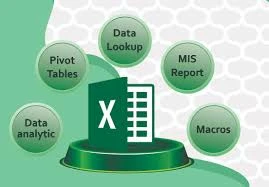
In 2025, Advanced Excel skills are more crucial than ever for professionals working in accounting, finance, and payroll. With evolving data demands, automation, and increasing reliance on real-time reporting, proficiency in Excel can significantly enhance productivity, accuracy, and career prospects.
This article explores the most in-demand advanced Excel skills 2025 tailored specifically for accounting, finance, and payroll professionals, and also highlights the importance of certification courses to validate expertise in today’s job market.
Why Excel Still Reigns in Finance, Accounting, and Payroll
Despite the emergence of ERP systems and specialized financial software, Excel continues to be the most versatile tool in the finance world. Its flexibility, depth, and familiarity make it the go-to solution for many critical tasks.
Key uses include:
- Financial modeling
- Budgeting and forecasting
- Payroll processing
- Tax calculations
- Data analysis and reporting
Keywords such as "Excel for accounting" and "Excel for payroll" have gained renewed relevance as organizations emphasize efficiency and accuracy.
Essential Advanced Excel Skills in 2025
To stay competitive, professionals must move beyond basic functions and explore Excel's advanced capabilities. Here's what you should master:
1. Power Query & Power Pivot
Power Query allows you to import, transform, and combine data from multiple sources with minimal coding. Power Pivot is used to create complex data models and perform powerful calculations using DAX (Data Analysis Expressions).
Why it matters: Accountants can automate data cleansing processes and finance professionals can build efficient, scalable models.
2. Advanced Formulas and Functions
Core functions like VLOOKUP and SUMIF are still useful, but in 2025, professionals must also be proficient in:
- XLOOKUP: A more flexible lookup function
- LET: To assign names to calculation results
- TEXTSPLIT and TEXTBEFORE/AFTER: For advanced text parsing
- IFS, FILTER, and UNIQUE: For dynamic data analysis
These formulas are essential for professionals using Excel for accounting and Excel for payroll, where data accuracy is non-negotiable.
3. Dynamic Arrays and Spill Functions
Excel’s dynamic array functions revolutionize how data is processed. Instead of copying formulas down a column, users can now use functions like SEQUENCE, SORT, and RANDARRAY.
Use case: Payroll professionals can automatically generate pay periods, calculate bonuses, or allocate budgets across departments.
4. Pivot Tables and Pivot Charts
Pivot tables remain a cornerstone of financial analysis. Advanced users must know how to:
- Use calculated fields
- Group data by custom date ranges
- Create slicers for interactivity
- Link multiple pivot tables to a single data model
This is critical when analyzing transactions, expenses, or employee pay reports.
5. Macros and VBA (Visual Basic for Applications)
Automating repetitive tasks is a time-saver. By recording or writing macros in VBA, professionals can:
- Automate data entry or report generation
- Create user-defined functions (UDFs)
- Develop custom dashboards
Finance teams dealing with large datasets will benefit immensely.
Excel for Accounting: Real-World Applications
Professionals using Excel for accounting can apply advanced skills to:
- Automate monthly close processes
- Build interactive profit & loss statements
- Track fixed assets and depreciation
- Reconcile accounts automatically
- Generate audit-ready reports
Using Excel efficiently reduces manual errors and allows for faster, more reliable financial reporting.
Excel for Payroll: Efficient Payroll Management
When it comes to Excel for payroll, advanced skills help streamline payroll management by enabling:
- Automated payroll calculations (with dynamic tax tables)
- Custom salary slip generation
- Real-time headcount and cost tracking
- Integration with HR systems and attendance data
- Accurate historical data analysis for compliance
Payroll professionals benefit from combining Excel’s formula power with macro automation for faster, more reliable results.
The Value of Certification Courses
To validate expertise and stay ahead in the competitive finance industry, many professionals are turning to certification courses. These courses not only teach advanced skills but also offer credentials that are recognized globally.
Top Excel certification options in 2025:
- Microsoft Office Specialist: Excel Expert
- Advanced Excel for Finance & Accounting (LinkedIn Learning, Udemy, Coursera)
- Excel for Payroll Management – Professional Training Series
- Data Analysis with Excel – edX or Microsoft Learn
- CPA & CMA programs with integrated Excel modules
Why it’s important: Certification courses enhance your resume, increase job prospects, and provide structured learning paths tailored for accounting and payroll professionals.
Staying Future-Ready with Excel
Looking forward, professionals will need to combine Excel with other technologies. Skills in Power BI, Python, and SQL are increasingly complementary. However, Excel remains the gateway to mastering financial data.
In 2025, those who can harness Excel for accounting, master Excel for payroll, and pursue relevant certification courses will enjoy significant career growth, increased efficiency, and recognition as valuable assets in any finance team.
Conclusion
Advanced Excel skills are no longer optional—they're essential. Whether you're handling accounts, forecasting finances, or managing payroll, Excel is the cornerstone of efficient, error-free, and insightful work.
Invest in your learning, pursue certification courses, and turn Excel into your most powerful professional tool. Your future in finance, accounting, and payroll depends on it.