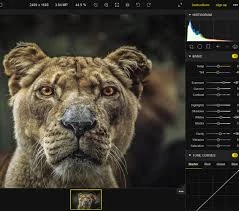
Photo editing is a powerful tool that can transform an image from ordinary to extraordinary, but when done incorrectly, it can have the opposite effect. Whether you're editing personal photos or professional content for your business, it's easy to make mistakes that could undermine the quality and impact of your images. Here are some common photo editing mistakes to watch out for, along with tips to avoid them.
1. Over-Editing (Excessive Use of Filters and Effects)
One of the most common mistakes in photo editing is going overboard with filters, effects, and adjustments. While filters can enhance an image, too much can make it look unnatural and detract from the subject of the photo. Over-editing can also lead to unrealistic skin tones, distorted colors, and a loss of texture.
Tip: Keep edits subtle and focus on enhancing the image rather than drastically changing it. Aim for a balance that makes the photo look polished without making it look artificial.
2. Ignoring Proper Color Correction
Color correction is a critical aspect of photo editing, and skipping this step can make an image appear off. Bad white balance, overly warm or cool tones, or a lack of vibrancy can negatively affect the mood of the photo. Colors that are too saturated or too muted may look unappealing to viewers.
Tip: Use tools like white balance and vibrance adjustments to ensure the colors in your image are accurate and visually pleasing. Aim to make the photo look as true to life as possible, unless you have a specific artistic intention.
3. Over-Sharpening
Sharpness is key to making an image clear and crisp, but too much sharpening can introduce noise (graininess) and cause unnatural edges, particularly around high-contrast areas. Over-sharpening can make details like skin pores, hair, and textures look harsh and unflattering.
Tip: Use sharpening sparingly and focus on enhancing details in the focal points of the image. A light touch often works best, especially when dealing with portrait photography or soft textures.
4. Poor Cropping and Composition
Cropping is essential to focusing the viewer's attention on the main subject, but poor cropping can ruin the balance of the image. Cutting off important parts of the subject (like hands or feet) or leaving awkward amounts of space around the subject can make the composition look unprofessional.
Tip: Follow the rule of thirds when cropping, and ensure the subject is well-placed in the frame. Avoid cutting off important features, and leave enough space around the subject to give the image balance.
5. Excessive Noise Reduction
Noise reduction is helpful for removing unwanted grain or pixelation from photos, but applying too much can result in a loss of detail and a soft, blurry appearance. While noise reduction tools are great for low-light images, overdoing it can cause the image to lose its sharpness and texture.
Tip: Use noise reduction carefully, especially in areas that should retain detail, like textures or skin. Apply it only to areas that need it, like the background or darker sections, without affecting the focal point.
6. Not Retouching Skin Properly
In portrait photography, it's common to retouch skin to remove blemishes or imperfections. However, going too far with skin smoothing can create a plastic-like appearance and make the subject look unnatural. It's important to strike the right balance between a flawless look and retaining the natural texture of the skin.
Tip: Use retouching tools subtly to reduce blemishes without erasing natural skin texture. Tools like frequency separation allow for more natural skin editing, giving you control over the smoothness of the skin while keeping it realistic.
7. Cloning or Removing Objects Carelessly
Using the clone stamp or healing brush tool to remove objects or distractions from an image is a powerful tool, but it can lead to noticeable mistakes if not done properly. You might end up with repeating patterns, inconsistent lighting, or unnatural-looking areas.
Tip: Be patient and take the time to blend the edited areas carefully. Zoom in to ensure the cloned or removed parts match the surrounding textures and colors. If you're removing an object, make sure the background is consistent and natural.
8. Not Using Layers and Non-Destructive Editing
One of the biggest mistakes in photo editing is not using layers or non-destructive editing techniques. Editing directly on the image can make it difficult to go back and make changes later, and it can lead to quality loss. This is especially problematic if you're working on complex edits or experimenting with different looks.
Tip: Always use layers in software like Photoshop or Lightroom. This allows you to make adjustments without altering the original image, giving you the flexibility to revert or fine-tune edits as needed.
9. Neglecting Image Resolution for Web or Print
Whether you're preparing images for a website, social media, or print, resolution matters. Using high-resolution images for web content can cause slow load times, while low-resolution images for print can result in blurry, pixelated prints. Each medium has its own optimal resolution, and neglecting this can affect your final product.
Tip: Always export images at the correct resolution for their intended use. For web, 72 DPI is often sufficient, while for print, 300 DPI ensures high-quality prints.
10. Forgetting to Back Up Your Original Files
When working on multiple images, it's easy to get caught up in the editing process and forget to back up your original files. Losing original images can be devastating if an edit goes wrong or you want to revisit the original version later.
Tip: Always keep an unedited copy of your original file in a safe location. Regular backups will ensure that you don’t lose important images and can easily return to the starting point if needed.
Conclusion
While photo editing is an essential skill, it’s important to avoid common mistakes that can negatively impact your images. Over-editing, poor color correction, excessive noise reduction, and other errors can make your photos look amateurish instead of professional. By being mindful of these common mistakes and following best practices, you can create stunning, polished images that make a lasting impression on your audience.