Introduction
The digital world is going live more than ever before. Whether it’s gaming, business webinars, or social media marketing, multi-streaming allows broadcasters to reach and engage audiences across multiple platforms simultaneously. However, entering multi-streaming requires careful planning and a good understanding of the technical requirements to go out flawlessly.
This technical guide details the fundamental components of successful multi-streaming and indicates key takeaways to make the right decisions for you. Let’s continue by looking at the necessary tools, setups, and configurations needed to achieve professional-grade multi-streaming results.
- What is Multi-Streaming?
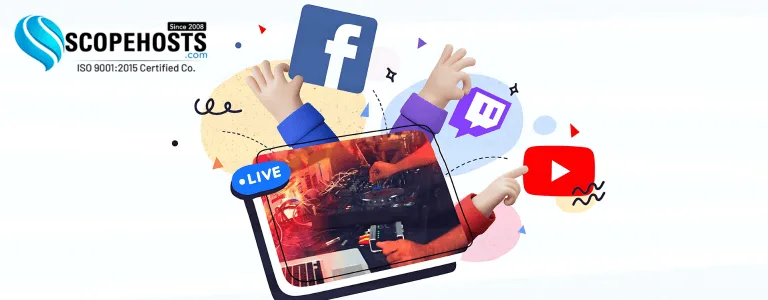
Multi-streaming refers to broadcasting live content on multiple platforms simultaneously, such as YouTube, twitch, and Facebook Live. An example would be streaming to YouTube, Twitch, and Facebook Live simultaneously. This helps to maximize your audience reach and ensures your content is accessible across different channels. Multi-streaming is commonly applied in gaming, business promotions, education, and entertainment.
2. Key Benefits of Multi-Streaming
Maximized Audience Reach: Connect with different audience demographics by streaming on multiple platforms simultaneously.
More Engagement: Engage with viewers more across multiple channels.
Time and Resource Efficiency: Save time and resources as one stream is broadcasted on all platforms rather than producing different content for each platform.
Platform-Specific Benefits: Leverage unique features of the platform, such as Twitch’s chat functionality and YouTube’s searchability.
3. Technical Requirements for Multi-Streaming
- Internet Speed
- Upload Speed: A stable upload speed is critical for smooth multi-streaming. As a rule of thumb, an upload speed of at least 10 Mbps is essential for 1080p streaming across multiple platforms.
- Bandwidth Consideration: If you’re streaming to 3 platforms in 1080p at 6 Mbps each, you’ll need at least 18 Mbps dedicated upload speed.
- Network Stability: Use a wired Ethernet connection instead of Wi-Fi to minimize latency and packet loss.
- Hardware Setup
- Computer Requirements:
- Processor (CPU): Multi-core processors such as Intel i7/i9 or AMD Ryzen 7/9.
- RAM: At least 16 GB of RAM for smooth operation.
- GPU: High-performance graphics card like NVIDIA GeForce RTX 3060 or higher to ensure quality encoding and rendering.
- Capture Cards: If streaming content from external devices like cameras or consoles, a capture card is required. Some recommended models include Elgato HD60 S+ or AverMedia Live Gamer Duo.
Microphone and Camera: A high-quality microphone, like the Shure SM7B, and a camera, such as the Logitech Brio 4K or a DSLR, are recommended.
3. Encoding Software and Tools
- OBS Studio: Open-source and highly customizable.
- Streamlabs OBS: Friendly to use and supports multi-streaming features in-built.
- XSplit: Premium option with higher functionality
- Hardware Encoders: For professional setups, use hardware encoders such as Teradek Vidiu X for optimal performance and reliability.
4. Multi-Streaming Platforms
- Restream.io: Supports streaming capabilities to over 30 different platforms simultaneously.
- StreamYard: Browser-based multi-streaming with an easy-to-use interface.
- Castr: Offers advanced features, including video monetization and analytics.
- Computer Requirements:
To know More Information visit : https://www.scopehosts.com/blog/what-are-the-technical-requirements-for-multi-streaming/