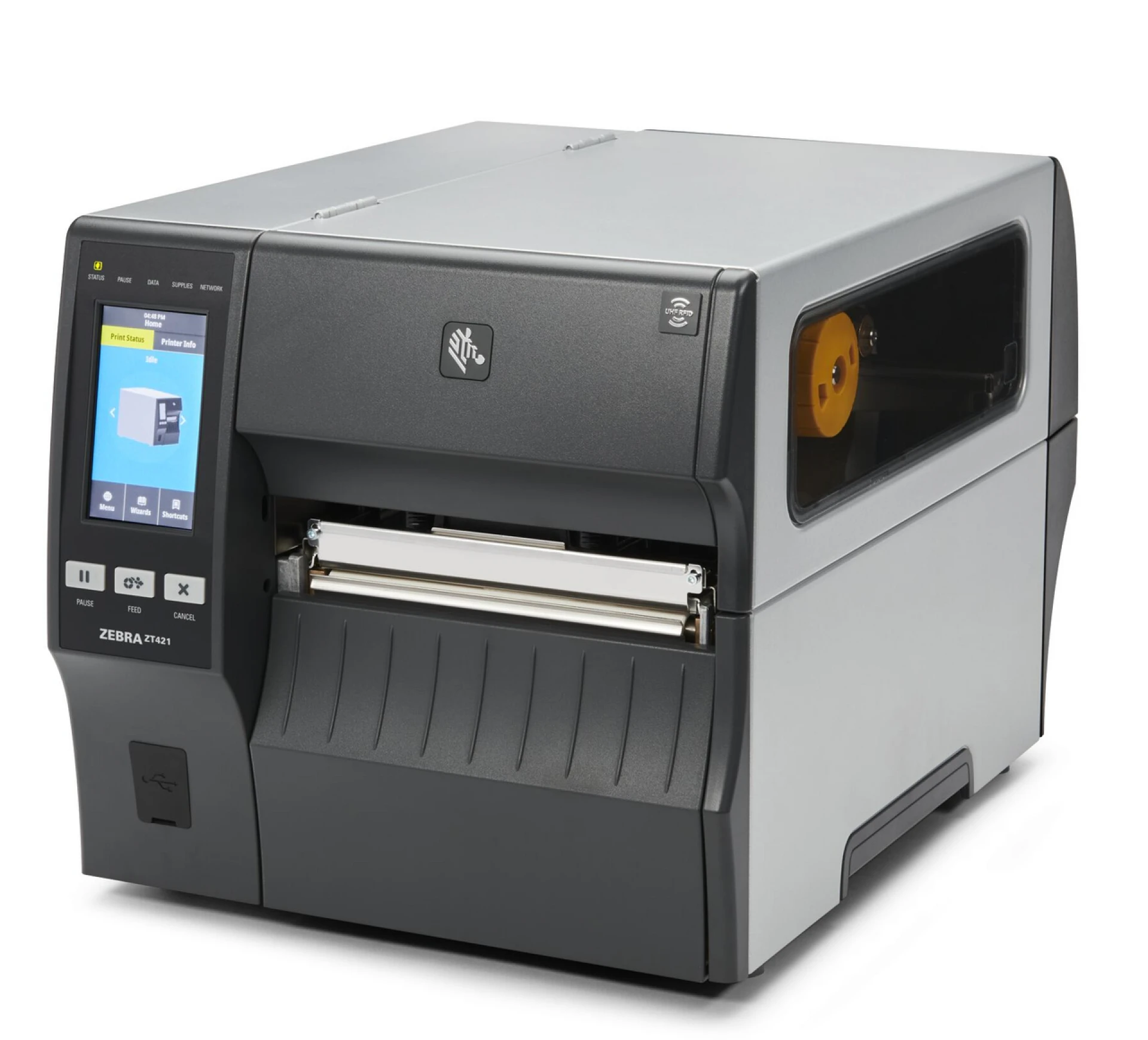
When your business relies on labeling for inventory, packaging, or shipping, the right equipment makes all the difference. Industrial label printers are built to handle heavy workloads while maintaining consistent print quality and speed. However, not every printer is made the same. Choosing the wrong one can lead to downtime, wasted materials, and higher operating costs.To make the right investment, here are seven key features to look for when buying an industrial label printer for your business.
1. Print Speed and Volume Capacity
In high-demand environments like warehouses or manufacturing units, speed matters. A good industrial label printer should be able to handle large print runs without overheating or losing print quality. Look for models that offer both fast output and high-resolution printing—ideally around 300 dpi or higher. This ensures your labels look professional while keeping up with production demands.
2. Durability and Build Quality
Industrial environments can be tough—dust, humidity, and temperature fluctuations can affect printer performance. Choose a model with a sturdy metal frame and components designed for long-term use. Durable printers reduce maintenance needs and minimize downtime, making them a reliable part of your workflow.
3. Media Compatibility
Different applications require different label types—paper, polyester, vinyl, or synthetic materials. The printer you choose should support multiple media types and sizes. This flexibility allows your business to create labels for shipping, product packaging, barcodes, and compliance needs all from one device.
4. Connectivity Options
Modern printers should integrate seamlessly with your existing systems. Look for models that offer USB, Ethernet, and wireless connectivity to connect easily with your computers, scanners, or network. Some advanced units also support Bluetooth or mobile app connectivity, which can help streamline operations and reduce setup time.
5. Ease of Use and Software Support
A user-friendly interface saves time and reduces training costs. Choose printers that come with intuitive control panels or touchscreen displays for quick navigation. Software compatibility is equally important—ensure your printer works well with common label design programs and operating systems. Some printers come bundled with label creation software, which can make design and layout tasks much easier.
6. Print Resolution and Quality
Clarity is key, especially for product labels, barcodes, and safety information. Look for printers that deliver high-resolution output, typically 300 to 600 dpi, depending on your needs. Consistent print quality ensures that barcodes scan correctly and product information stays sharp, even in harsh conditions.
7. Integration with Automated Systems
If your business already uses labeling or packaging automation, your new printer should integrate smoothly with these systems. Compatibility with an auto label applicator or labeling automation setup can make your workflow faster and more accurate. This integration helps you maintain consistency and eliminate human error during the labeling process.
Additional Tips for Buyers
Before finalizing your purchase, consider your long-term goals. Evaluate print volume, maintenance costs, and supply availability. Always factor in the total cost of ownership, not just the initial price. Buying from a reliable supplier like DuraFast ensures access to genuine label printer supplies, customer support, and long-term product reliability.
Final Thoughts
Investing in the right industrial label printer is more than just a technical decision—it’s a smart business move. The right printer improves efficiency, reduces labeling errors, and ensures your products always look professional. By focusing on features like speed, durability, print quality, and system integration, you’ll set your business up for long-term success.
Looking for reliable industrial label printers that deliver performance and durability?
Call 1-866-299-0066 or visit our website - www.durafastlabel.com to explore a wide range of high-quality label printing solutions designed for
Frequently Asked Questions -
1. What are industrial label printers used for?
Answer: Industrial label printers are designed for high-volume labeling tasks in warehouses, manufacturing, logistics, and retail. They produce durable, high-quality labels for products, barcodes, shipping, and compliance purposes.
2. How do I choose the right industrial label printer for my business?
Answer: Consider factors like print speed, durability, media compatibility, connectivity options, and integration with automation systems. Evaluating these features ensures you select a printer that meets your volume and workflow needs.
3. Can industrial label printers work with auto label applicators?
Answer: Yes. Many industrial label printers are compatible with auto label applicators, allowing for faster, more accurate labeling. Integration with automated systems reduces errors and saves labor time.
4. Are industrial label printers suitable for harsh environments?
Answer: Most industrial label printers are built with durable components to withstand dust, heat, humidity, and high-volume usage. Using the right label materials further ensures durability in tough conditions.
5. How often do industrial label printers need maintenance?
Answer: Maintenance depends on usage volume and printer model. Regular cleaning of printheads, replacing worn parts, and using genuine label supplies help maintain consistent performance and extend printer life.