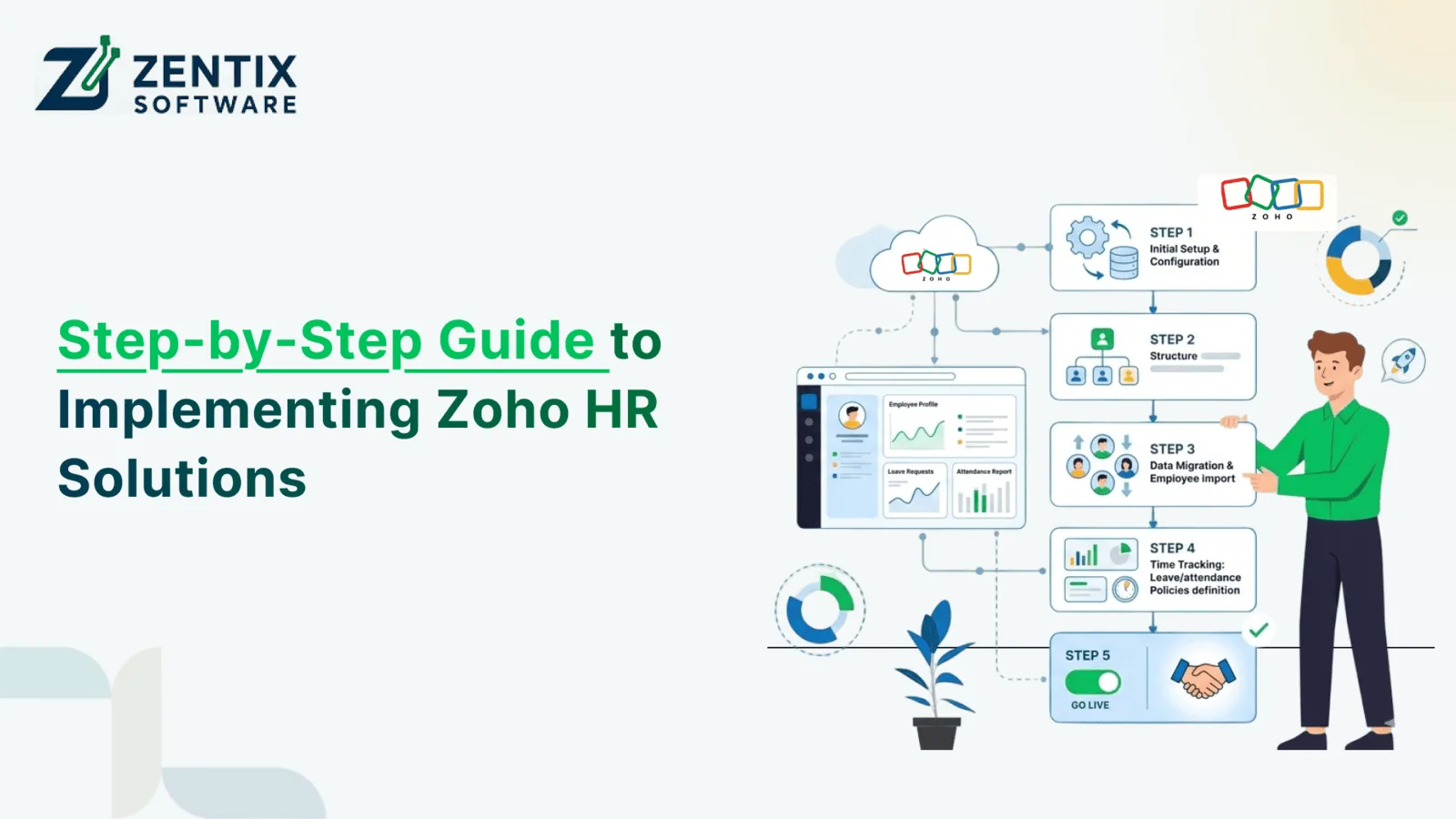
Managing people at work is really important for companies that want to get work done, make employees happy, and follow the rules. As companies get bigger, doing things by hand can take time, and mistakes can happen. That is where Zoho HR Management Solutions comes in to help companies make things easier through automation and keep all employee information in one place.
Zoho People is a tool that is accessed through the internet. It has many features, such as tracking who is at work, managing time off, storing employee information, and evaluating employee performance. When you use Zoho People, with Zoho Integration, companies can connect the people management system with the system that handles pay, customer relationships, accounting, and other business tools.
This guide will show you how to set up Zoho HR solutions, one step at a time, to improve the people management system and ensure it can grow with the company. Zoho HR Management Solutions will help you create an efficient, scalable system.
What Are Zoho HR Management Solutions?
Zoho HR Management Solutions is a set of tools that help with managing people at work. It is online, so you can use it from anywhere. The main tool, Zoho People, helps companies keep track of employees who are at work, who are not, and who want time off. It also helps with employees, how well they are doing, and what is going on with the workforce. All of this can be done from one place, which makes things easier for Zoho HR Management Solutions and Zoho People users.
Key benefits include:
- Centralized employee database
- Automated leave and attendance tracking
- Employee self-service portals
- Performance management tools
- HR workflow automation
- Secure cloud-based access
- Seamless integration with other Zoho applications
Read Next: How AI Workflow Automation Is Replacing Manual Processes in CRM, HR & Finance
Step 1: Define Your HR Requirements
Before implementing Zoho People, evaluate your organization's HR challenges and goals.
Consider questions such as:
- How are employee records currently managed?
- What HR tasks consume the most time?
- Do you need automated attendance tracking?
- Are performance reviews handled manually?
- Which systems need Zoho Integration?
Documenting these requirements helps create a clear implementation roadmap and ensures the platform is configured to meet your business needs.
Step 2: Choose the Right Zoho HR Modules
Zoho offers various HR functionalities that can be customized based on business requirements.
Common modules include:
Employee Management
Store and manage employee records in a centralized database.
Attendance Management
Track employee working hours, shifts, and attendance automatically.
Leave Management
Simplify leave requests, approvals, and leave balance calculations.
Performance Management
Conduct goal tracking, appraisals, and employee evaluations.
Employee Self-Service
Let employees do their thing with information they can look at it and update records when they need to, and they can also send in requests on their own.
When you pick the parts of the system, your organization will only get the things it really needs to have.
Step 3: Set Up Zoho People
The next step is configuring Zoho People according to your organizational structure.
This includes:
- Creating departments and teams
- Defining employee roles
- Setting approval workflows
- Configuring attendance policies
- Creating leave categories
- Establishing reporting structures
A properly configured system improves adoption and ensures accurate HR operations from day one.
Step 4: Migrate Employee Data
Data migration is a critical part of implementing Zoho HR Management Solutions.
Transfer essential employee information, such as:
- Personal details
- Job information
- Department assignments
- Attendance history
- Leave balances
- Performance records
Before importing data, clean and validate existing records to eliminate duplicates and inconsistencies.
Step 5: Configure HR Workflows and Automation
One of the biggest advantages is Zoho workflow automation.
Organizations can automate:
- Leave approvals
- Attendance notifications
- Employee onboarding
- Document verification
- Performance review reminders
- Employee confirmations
Automation reduces administrative workload while improving process consistency and employee experience.
Read Next: Centralized Employee Data Management Using Zoho Integrations
Step 6: Implement Zoho Integration
To maximize efficiency, businesses should leverage Zoho Integration capabilities.
Popular integrations include:
Zoho Books
Connect HR and payroll-related financial processes.
Zoho CRM
Align employee performance and customer-facing operations.
Zoho Analytics
Generate workforce insights and HR reports.
Zoho Recruit
Streamline hiring and onboarding processes.
Third-Party Applications
Integrate payroll software, biometric devices, ERP systems, and communication platforms.
Integrated systems eliminate data silos and provide a unified business environment.
Step 7: Customize Reports and Dashboards
HR leaders need accurate insights for informed decision-making.
With Zoho People, businesses can create dashboards and reports to monitor:
- Attendance trends
- Employee productivity
- Leave utilization
- Workforce growth
- Performance metrics
- Employee turnover
Real-time reporting improves visibility and supports strategic workforce planning.
Step 8: Train Employees and HR Teams
Successful implementation requires user adoption.
Provide training for:
- HR administrators
- Managers
- Employees
Training should cover:
- Employee self-service functions
- Attendance management
- Leave requests
- Approval workflows
- Performance tracking
Well-trained users help maximize the return on investment from Zoho HR solutions.
Step 9: Test and Launch
Before full deployment, conduct thorough testing.
Review:
- Workflow functionality
- Data accuracy
- User permissions
- Approval processes
- Reporting outputs
- Integration performance
Address any issues identified during testing before rolling out the solution organization-wide.
Step 10: Monitor and Optimize
HR requirements evolve as businesses grow.
Regularly review:
- System usage
- Process efficiency
- Employee feedback
- Reporting needs
- Integration performance
Continuous optimization ensures your Zoho HR Management Solutions remain aligned with business objectives.
Why Businesses Choose Zoho HR Management Solutions
Organizations adopt Zoho People and related HR tools because they offer:
- Reduced manual HR work
- Improved employee experience
- Better compliance management
- Faster approvals and workflows
- Enhanced workforce visibility
- Scalable HR operations
- Seamless Zoho Integration capabilities
Whether managing a small workforce or a large enterprise, Zoho provides the flexibility needed to support business growth.
Why Partner with Zentix Software?
To get the best out of HR technology, you need to know how to set it up, make it your own, and connect it to systems. As a Certified Zoho Service Provider, Zentix Software assists businesses in using Zoho HR Management Solutions in a way that works for their needs and the people who work for them. Zoho HR Management Solutions are what Zentix Software helps businesses deploy, so businesses can use Zoho HR Management Solutions to manage their workforce.
Our services include:
- Zoho People implementation
- HR workflow automation
- Data migration support
- Custom dashboard development
- Zoho Integration Services
- Ongoing support and optimization
With the right implementation strategy, businesses can transform HR operations and create a more productive workforce.
Conclusion
Implementing Zoho HR Management Solutions is a move for organizations. It helps automate HR tasks, making employee management easier. With Zoho People and its integration capabilities, businesses can create an HR system. This system supports growth over time.
Zoho helps you get insights into your workforce. You can make decisions with this information.
Want to simplify your HR work with Zoho? Book a live demo with Zentix Software.
Originally Posted On: Step-by-Step Guide to Implementing Zoho HR Solutions
FAQs: 1. What is Zoho People?
Zoho People is a cloud-based HR platform for managing employee records, attendance, leave, and performance.
2. What are Zoho HR Management Solutions?They are HR tools from Zoho that help automate workforce management, employee data, and HR workflows.
3. Can Zoho People integrate with other Zoho apps?Yes. Zoho People integrates with Zoho Books, Zoho CRM, Zoho Recruit, Zoho Analytics, and more.
4. How long does Zoho HR implementation take?The timeline depends on business size and customization needs, but most implementations take a few weeks.
5. What are the benefits of Zoho Integration?Zoho Integration reduces manual work, improves data accuracy, and connects business processes.
6. Can Zoho People automate employee onboarding?Yes. It can automate onboarding tasks, approvals, and document collection.
7. Is employee data secure in Zoho People?Yes. Zoho People includes security features such as role-based access and data protection controls.
8. Why work with a Zoho implementation partner?A partner helps with setup, customization, integration, training, and ongoing support. Zentix Software is the most reliable Zoho Partner.