Android BSP Development Services help hardware makers run Android on custom embedded boards. Android BSP porting enables seamless integration of your processor, memory, display, camera, and peripherals with the Android operating system. Without a proper BSP, Android cannot boot or use hardware features.
In simple terms, Android BSP porting turns a raw board into a usable Android device. This guide outlines the complete workflow, key components, associated risks, and best practices. It is written for embedded engineers, product managers, and technical leads who want reliable Android products and faster launches.
What Is Android BSP Porting?
Android BSP porting is the process of adapting the Android operating system to a specific hardware platform. It includes bootloader setup, Linux kernel changes, device tree configuration, driver integration, and Android framework tuning.
Most Android embedded platforms are built on Linux, supported by the Linux Foundation ecosystem. Android adds its own layers on top, such as HAL, system services, and UI framework.
A complete Android BSP includes:
- Bootloader configuration
- Linux kernel porting
- Device tree files
- Hardware drivers
- Android HAL integration
- System image build
- Board validation
Why Android BSP Development Services Matter
Android-powered embedded products are growing fast. Displays in cars, kiosks, medical devices, and smart panels now rely on Android for rich user interfaces.
Late BSP issues increase cost and delay launches. According to data referenced by the National Institute of Standards and Technology, fixing defects late in development can cost up to 30 times more than fixing them early.
Professional Android BSP Development Services help teams:
- Reduce bring-up time
- Improve system stability
- Avoid driver conflicts
- Speed product certification
- Lower long-term support cost
Android BSP Architecture Overview
Android BSP follows a layered structure.
Hardware Layer
SoC, RAM, storage, display, camera, and I O peripherals.
Bootloader Layer
Often based on U-Boot. It initializes hardware and loads the kernel.
Linux Kernel Layer
Handles memory, scheduling, power, and device drivers.
Device Tree
Describes board layout and hardware connections.
Android HAL Layer
Connects the Android framework with low-level drivers.
Android Framework
Manages apps, UI, media, and system services. Each layer must work together for a stable system.
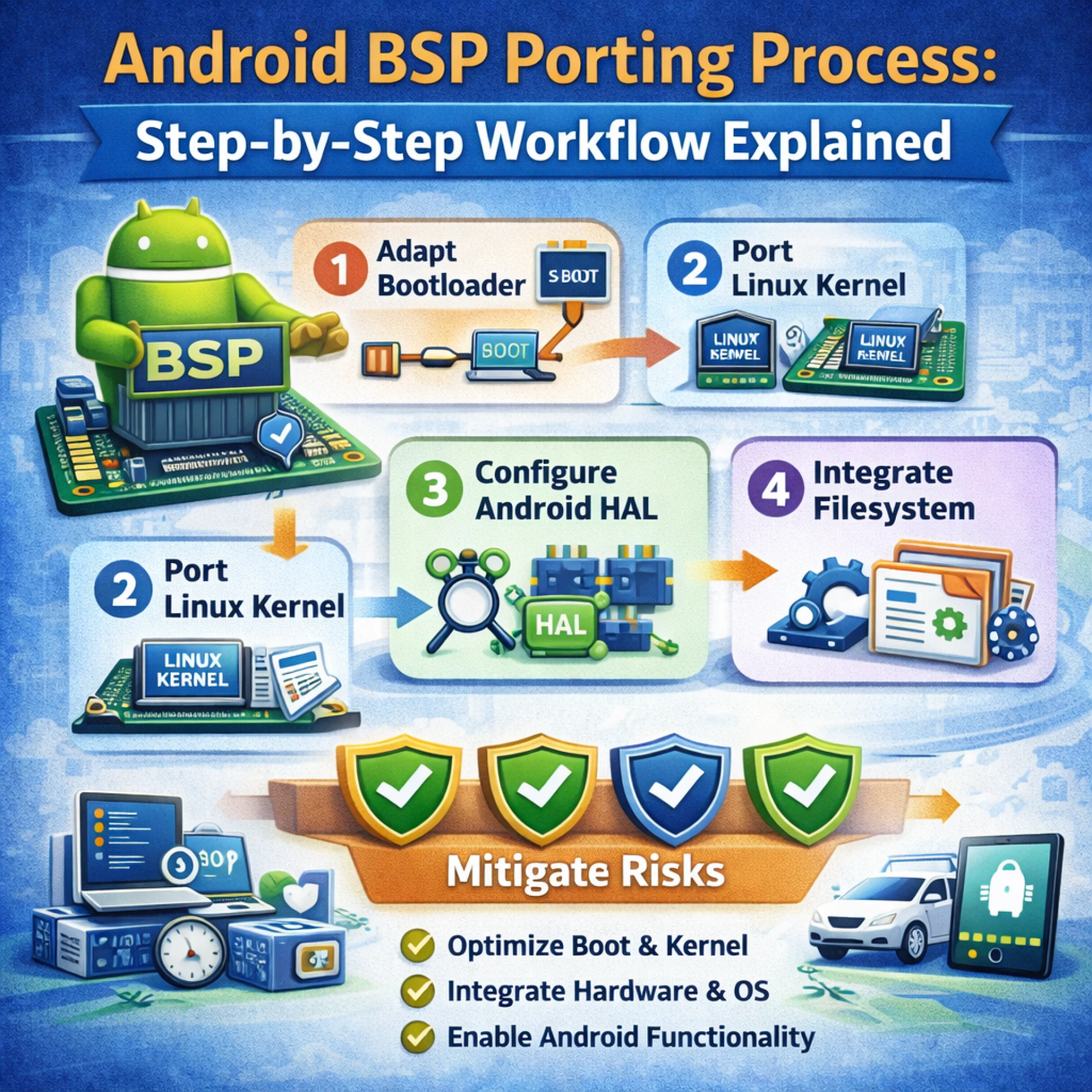
Step-by-Step Android BSP Porting Workflow
Here is a practical Android BSP Development Services workflow used in real projects.
Step 1: Hardware Review and Planning
Start by reviewing board schematics and SoC documents.
Check:
- Power rails
- Boot mode pins
- Debug ports
- Display and camera interfaces
Early review prevents costly board-level issues later.
Step 2: Bootloader Bring Up
Configure and flash the bootloader.
Validate:
- DDR initialization
- Serial console output
- Storage detection
At this stage, you should see basic boot logs on the UART.
Step 3: Linux Kernel Porting
Port the kernel to your board.
Main tasks:
- Enable CPU support
- Configure clocks and regulators
- Add base drivers
Keep the kernel version locked early to avoid conflicts.
Step 4: Device Tree Configuration
Create board-specific device tree files.
Map:
- GPIOs
- I2C and SPI buses
- Display timings
- Ethernet PHY
Wrong device tree entries often cause random crashes or missing devices.
Step 5: Driver Integration
Add and test drivers one by one.
Typical order:
- Ethernet
- Storage
- Display
- Touch
- Camera and audio
Incremental integration makes debugging easier.
Step 6: Android HAL and Framework Setup
Connect drivers to Android through HAL.
Configure:
- Graphics HAL
- Audio HAL
- Camera HAL
Build Android images and confirm that the UI starts.
Step 7: System Testing and Optimization
Run functional and stress tests.
Focus on:
- Boot time
- Memory usage
- Thermal behavior
- Media playback
- Long-run stability
Many teams use CI tools such as Jenkins to automate builds and tests.
Typical Android BSP Tasks and Timeline
Phase Key Activities Time Range
The board brings up Bootloader and kernel 2 to 4 weeks
Driver setup Display, network, I O 3 to 6 weeks
Android integration HAL and framework 2 to 4 weeks
Validation Testing and tuning 2 to 4 weeks
Complex boards may need more time.
Common Risks in Android BSP Porting
Android BSP projects often face:
- Kernel and vendor driver mismatch
- Device tree mapping errors
- Camera and display instability
- High boot time
- Memory leaks
These risks grow when teams skip staged bring-up or automated testing.
Best Practices for Reliable Android BSP Development Services
Follow these proven steps:
- Freeze kernel and toolchain early
- Start from the reference board sources
- Integrate drivers in stages
- Add automated boot and smoke tests
- Track changes in Git
- Document hardware assumptions
For secure design, follow guidance on embedded system security.
Business Benefits of a Structured BSP Workflow
A strong Android BSP Development Services process delivers:
- Faster time to market
- Fewer field issues
- Better UI performance
- Lower maintenance cost
- Easier future upgrades
It also improves customer satisfaction and product lifespan.
FAQ: People Also Ask
What is Android BSP?
Android BSP is a software package that lets Android run on custom hardware. It includes the bootloader, kernel, drivers, and HAL.
How long does Android BSP porting take?
Basic bring-up may take 8 to 12 weeks. Full production quality often needs 3 to 6 months.
What is the role of the device tree in Android BSP?
The device tree tells the kernel how hardware connects. Errors cause missing or unstable devices.
Is Linux required for Android BSP?
Yes. Android runs on top of the Linux kernel.
Can Android BSP testing be automated?
Yes. Teams automate boot checks, driver validation, and regression tests using CI systems.
Final Thoughts
Android BSP porting is a critical step in building reliable embedded Android products. A clear workflow, early hardware review, staged driver integration, and automated testing reduce risk and speed delivery. When done right, Android BSP Development Services turn complex hardware into stable, user-ready devices.
If your team needs expert support across bootloader, kernel, drivers, and Android integration, eByteLogic provides end-to-end Android BSP development with structured processes and production-grade validation.
Let me know if you would like a follow-up guide on Android BSP debugging or performance tuning.