Outreach is crucial in the digital marketing industry—especially for bloggers, guest post marketers, and SEO agencies. Personalized emails and follow-ups are the foundation for outreach success. But doing this manually takes a considerable amount of time and is laborious, and ultimately subject to human error.
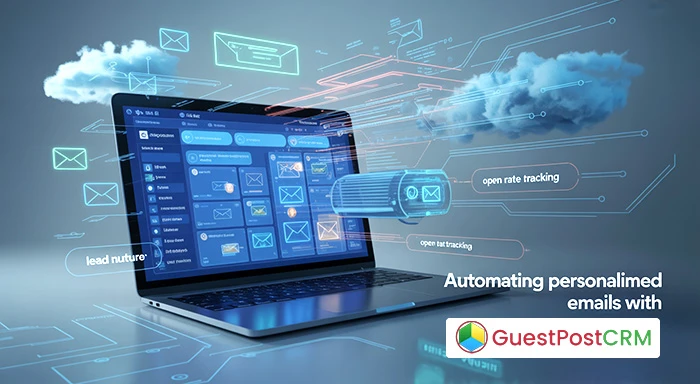
GuestPostCRM Pipelines help facilitate this outreach process and, as the name suggests, Pipeline is all about automation. With GuestPostCRM, you can automate personalized emails and create follow up sequences intelligently and effectively.
This article will dissect how GuestPostCRM Pipelines can automate email outreach, enhance engagement, and improve your close rate through productive automation pipelines.
What is GuestPostCRM?
GuestPostCRM is a great Customer Relationship Management solution specifically for guest post outreach, link building and working with bloggers/influencers. It makes your workflows more efficient by providing:
- Prospect management
- Pipeline management
- AI email templates
- Spam detection
- Analytics and tracking
The best feature is easily the email automation feature with the ability to automate personalized emails and follow-ups for all outreach pipelines.
Why Personalization and Follow-Up Matter
Before getting into automation, you will want to understand the rationale behind personalizing and following-up consistently.
- Personalization increases opens: Emails looking to communicate to a person using their name and relevant information for them to engage with will increase engagement.
- Follow-up prompts responses: 80% of sales require 5 follow-ups, but most stop after the first callback.
- Consistency provides trust: A meaningful and well timed sequence of communication shows reliability, intention and professionalism.
But, unless you now plan on doing it collectively on four or five emails, personally managing follow-ups for hundreds of contacts is going to be draining. That is where automation can save you time and ensure consistency!
Benefits of Automating Personalized Emails
By using GuestPostCRM for automated, personalized outreach you receive the following benefits:
1. Time Savings
You only have to create the workflows once and let them run as your focus shifts to overall strategy and creating content!
2. Scale
Whether you are emailing 20 or 2000, automation has you covered on volume.
3. Consistency
No more missed follow-ups or forgotten messages - your pipeline tells you when it's time to act!
4. Higher Conversions
Automation enables you to A/B test copy, observe performance, and generally improve on your previous efforts.
5. Human Touch through Smart Personalisation
Even after automation, each email still feels specialty made - with advanced personalization tokens and integrated dynamic template editing.
Introducing GuestPostCRM Pipelines
The Pipeline functionality within GuestPostCRM is your visual outreach roadmap. This functionality organizes your prospects by the following stages:
- Prospect Added
- Email Sent
- Follow-Up #1
- Negotiation
- Closed/Won
- Closed/Lost
You can change these stages, and even automate the moving of these stages based on your interactions with each contact.
Setting Up Automated Personalized Emails with GuestPostCRM
Here's a step-by-step guide to automating personalized emails in GuestPostCRM using Pipelines.
Step 1: Import or Add Prospects
You can upload a CSV list (or even a list that's formatted with a different delimiter) or enter prospects manually. GuestPostCRM also integrates with prospecting tools so you can pull contact data in automatically.
Step 2: Create Email Templates
Create templates with personalization tokens such as:
- {{FirstName}}
- {{WebsiteName}}
- {{LastPublishedPost}}
- {{Niche}}
You can make multiple variations if you wanted to A/B test subject lines and the body content.
Step 3: Build Your Pipeline
Build the pipeline stages based on your outreach strategy and define automation triggers such as:
- Send a follow-up email 3 days after a prospect does not respond.
- Move prospect to "Negotiation" after a successful response.
- Archive prospect after 3 failed attempts to connect.
Step 4: Schedule Your Campaign
You can specify time zones, days, and hours of the day when you want your emails send. This way you can ensure that your emails land in your recipient's email when they are most likely to read them, especially above their other unopened emails.
Step 5: Send Automatic Follow-Ups
Send automatic follow-up emails based on conditions you defined. You can define the tone, content, and frequency of each follow-up to keep the communication flowing.
Step 6: Review Analytics and Make Improvements
Within the analytics dashboard you can track:
- Open rates
- Click rates
- Responses
- Conversion rates
Make necessary changes based on performance data to continually optimize.
Example Workflow
Let’s use GuestPostCRM Pipelines to visualize a simple guest post outreach workflow:
1.Stage: Prospect Added
- Trigger: Automatically send a personalized pitch email.
2.Stage: Email Sent
- Trigger: Wait 3 days and check for reply.
- If there is no reply, move to Follow-Up #1.
3.Stage: Follow-Up #1
- Trigger: Send friendly reminder email.
4.Stage: Negotiation
- Trigger: Move to this stage manually after receiving positive reply.
5.Stage: Closed/Won
- Trigger: After agreeing on next steps, send thank-you email to recipient.
All the stages are connected to a personalized message to ensure the conversation is still moving forward with minimal manual work.
Personalization Beyond First Name
GuestPostCRM goes beyond personalization with names. GuestPostCRM allows you to use dynamic fields and AI-suggestions to personalize content based on:
- Recent topics discussed on a blog;
- Industry trends;
- Social media engagement;
- Website analytics;
- Domain authority;
These levels of personalization offer major relevance, thoughtfulness, and non-generic content to your email outreach, giving you a competitive advantage.
Avoiding Spam Filters with Smart Emailing
Spam detection is another key feature. GuestPostCRM scans your emails for:
- Spam trigger words
- Overuse of links
- Unnatural sentence structures
- Missing unsubscribe links
It gives real-time suggestions to improve deliverability. This ensures your automated personalized emails land in the inbox—not the junk folder.
A/B Testing for Better Results
GuestPostCRM allows you to do A/B testing in your pipelines. For instance:
- Test two subject lines for open rate.
- Compare response rates on different CTAs.
- See what follow up interval leads to a higher response.
This data-based approach allows you to improve your outreach over time and optimize your sequences.
CRM Integration and Tracking
GuestPostCRM integrates with:
- Gmail
- Outlook
- Mailgun
- All SMTP providers
It also automatically tracks email opens, link clicks and replies, and then feeds this information into your pipeline so prospects are moved automatically through each stage based on their behavior.
Use Case: Blogger Outreach Campaign
Assume you have initiated a campaign to target guest post opportunities in the travel niche. Here’s how you can use GuestPostCRM Pipelines:
- You import a list of 100 travel bloggers.
- You create a pitch email template that integrates the most recent post title from each blog.
- You set follow-up reminders at 4 days apart, in total 4 times.
- When a blogger replies, it automatically moves to the "Interested" stage.
- You then close the deal with a confirmation, and deliver the guest post content.
You can manage every email, track responses, and optimize for conversions in one single dashboard, all in a hand-free manner.
Final Thoughts
If you genuinely want to scale your guest posting outreach without compromising quality, more than likely what you’ll want to use are GuestPostCRM Pipelines. The reason is that they allow you to automate personalized email outreach to many guest posts and follow-ups at scale - and each message can still be human, and relevant to the recipient.
By combining automated outreach, personalized outreach, intelligent follow-ups and useful analytics you are creating a repeatable machine that works around the clock to increase your brands authority, generate backlinks and traffic.