Businesses Are Paying Too Much for PDF Software
PDF software is essential for modern businesses. Teams need to create, edit, convert, sign, and secure documents every day. For years, Adobe Acrobat has dominated the market, but many organizations are questioning whether the high subscription costs are still justified.
Small businesses, enterprises, legal firms, healthcare providers, and government agencies often face challenges such as:
- Rising software subscription expenses
- Complex licensing structures
- Budget constraints for growing teams
- Need for offline PDF editing capabilities
- Compliance and security requirements
As organizations look for cost-effective alternatives, Tungsten Power PDF has emerged as a strong competitor.
What Is Tungsten Power PDF?
Tungsten Power PDF is a professional PDF management solution designed for businesses that need advanced document capabilities without the ongoing cost of premium subscriptions.
The software offers:
- PDF creation and editing
- PDF conversion to Word, Excel, and PowerPoint
- Electronic signatures
- OCR (Optical Character Recognition)
- Document security and encryption
- Collaboration and commenting tools
- Batch processing
Unlike many subscription-based PDF platforms, Tungsten Power PDF provides perpetual licensing options, making it attractive for organizations seeking long-term savings.
Benefits of Tungsten Power PDF for Business Users
1. Lower Total Cost of Ownership
One of the biggest advantages is cost savings. Businesses can reduce recurring software expenses while still accessing enterprise-grade PDF tools.
2. Familiar User Interface
Power PDF uses a Microsoft Office-style ribbon interface, helping employees learn the software quickly and reducing training time.
3. Advanced OCR Technology
Organizations handling scanned documents can convert paper files into searchable and editable PDFs with high accuracy.
4. Strong Security Features
Business users can:
- Password-protect PDFs
- Apply encryption
- Redact sensitive information
- Manage permissions
5. Enterprise Deployment
IT teams can deploy Power PDF across departments while maintaining compliance and security standards.
6. Document Workflow Automation
The software helps streamline document management, reducing manual work and improving productivity.
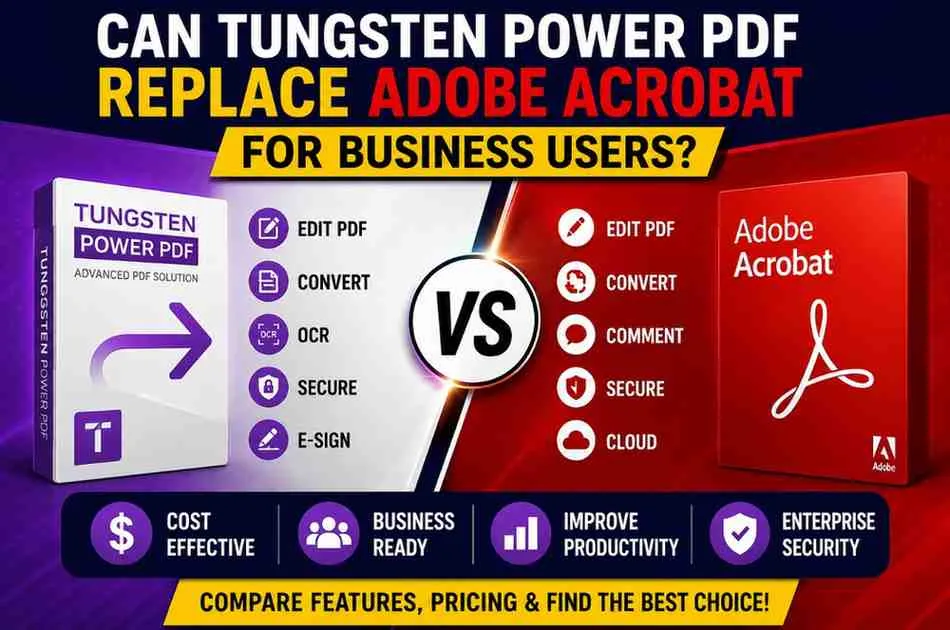
Tungsten Power PDF vs Adobe Acrobat
FeatureTungsten Power PDFAdobe AcrobatPDF EditingYesYesOCR TechnologyYesYesE-SignaturesYesYesBatch ProcessingYesYesSecurity ControlsYesYesCloud IntegrationAvailableExtensivePerpetual LicenseYesLimitedSubscription RequiredNo (optional)Primarily YesBusiness Cost SavingsHighModerateLearning CurveEasyEasyWhich One Wins?
Choose Adobe Acrobat if:
- Your company relies heavily on Adobe's cloud ecosystem.
- You need advanced cloud collaboration features.
Choose Tungsten Power PDF if:
- You want lower long-term costs.
- You need enterprise PDF functionality without recurring subscription fees.
- You prefer perpetual licensing options.
Expert Opinion
Many document management professionals consider Tungsten Power PDF one of the strongest Adobe Acrobat alternatives available today.
From a business perspective, the software delivers most of the core PDF capabilities organizations require, including editing, OCR, security, conversion, and e-signatures.
For companies focused on ROI, the reduced licensing costs can generate significant savings over time without sacrificing productivity.
Businesses migrating from Adobe Acrobat often report that employees adapt quickly due to the familiar interface and similar workflow structure.
Save More on PDF Software
Before purchasing business software, it is worth comparing available Tungsten Automation Power PDF Discount and promotions.
Many organizations search for software savings through Dealszo Software Deals, where users can find updated promotions, discounts, and pricing opportunities on PDF software and productivity tools.
When evaluating PDF solutions, compare:
- License costs
- Upgrade policies
- User limits
- Enterprise deployment options
- Technical support availability
These factors often impact total software expenses more than the initial purchase price.
Frequently Asked Questions
Can Tungsten Power PDF fully replace Adobe Acrobat?
For most business users, yes. It provides PDF editing, OCR, conversion, security, and e-signature capabilities that meet the needs of many organizations.
Is Tungsten Power PDF cheaper than Adobe Acrobat?
Generally, yes. Businesses often choose it because of its perpetual licensing model and lower long-term ownership costs.
Does Tungsten Power PDF support OCR?
Yes. It includes advanced OCR functionality that converts scanned documents into searchable and editable files.
Is Tungsten Power PDF suitable for enterprises?
Yes. It supports enterprise deployment, security controls, document management workflows, and compliance requirements.
Can I edit PDFs with Tungsten Power PDF?
Yes. Users can modify text, images, pages, annotations, forms, and document layouts.
Is Tungsten Power PDF good for remote teams?
Yes. It supports document sharing, collaboration, electronic signatures, and digital workflows that benefit distributed teams.
Buying Recommendation
If your business needs a powerful PDF editor but wants to reduce software expenses, Tungsten Power PDF is a compelling alternative to Adobe Acrobat.
Best Choice for:
- Small businesses
- Medium-sized organizations
- Legal professionals
- Healthcare providers
- Government agencies
- Budget-conscious enterprises
Consider Adobe Acrobat If:
- You depend heavily on Adobe cloud services.
- Your organization already uses multiple Adobe products.
Final Verdict
Tungsten Power PDF delivers excellent value for business users. It offers nearly all the core functionality companies expect from a professional PDF solution while potentially lowering software costs significantly.
For organizations focused on efficiency, document security, and cost savings, Tungsten Power PDF is absolutely worth considering as a replacement for Adobe Acrobat.