From CRM to Accounting: How Zoho One Connects Your Business Operations
Running a growing business often means using several different tools at once. Sales teams need a CRM, finance teams need accounting software, marketers need campaign tools, customer support needs a help desk, and employees need platforms for communication and collaboration.
At first, using separate applications seems perfectly reasonable. As the business grows, however, the gaps between those systems can become harder to ignore.
Customer information may need to be entered more than once. Sales and finance teams may work with different sets of data. Managers may have to pull reports from several applications before they can understand what's happening across the company.
This is where an integrated business platform can make a difference.
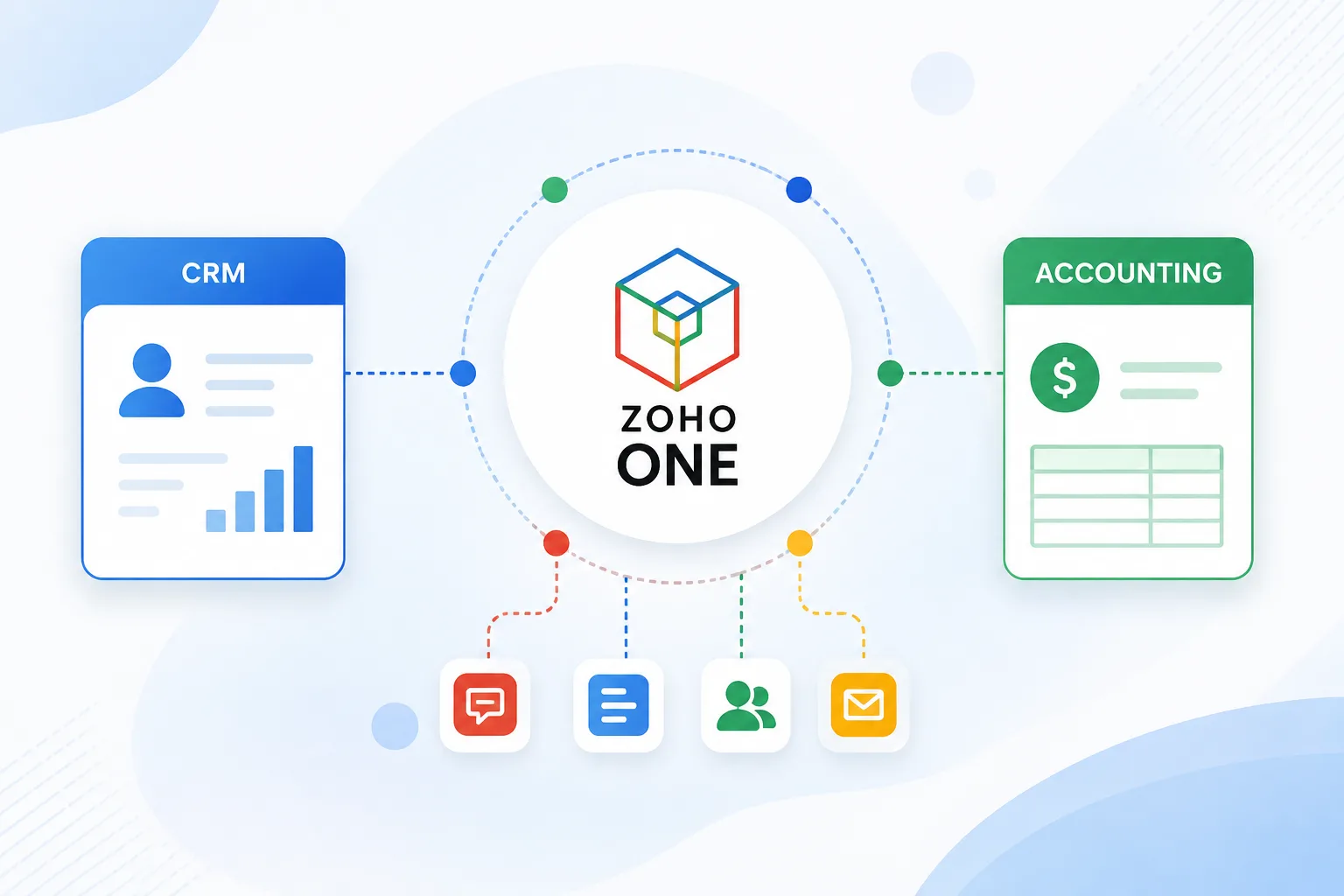
Zoho One takes an all-in-one approach by bringing together applications for sales, marketing, customer support, finance, HR, operations, collaboration, productivity, and other business functions. The idea isn't simply to give a company a large collection of apps. It's to create a more connected environment in which different parts of the business can work together.
Why Connected Business Operations Matter
Consider a typical customer journey. Someone discovers a company through a marketing campaign, fills out a form, becomes a sales lead, talks to a salesperson, receives a proposal, makes a purchase, and eventually contacts customer support.
From the customer's perspective, this is one continuous relationship with the company.
Internally, though, that journey can involve several departments.
Marketing handles the campaign. Sales manages the opportunity. Finance handles the invoice and payment. Customer support deals with questions after the purchase.
If each department uses completely disconnected systems, employees may spend a lot of time transferring information between them.
An integrated setup aims to reduce that friction. Instead of treating every department as a separate island, the business can connect the processes that naturally belong together.
1. CRM: Where the Customer Relationship Begins
For many businesses, the CRM is at the center of the customer journey.
Zoho CRM is designed to help businesses manage leads, contacts, deals, and sales processes. Within the wider Zoho One environment, sales is only one part of a larger business system.
Imagine a small B2B company that receives a new lead through its website.
The sales team can manage that lead through its CRM workflow rather than keeping customer information scattered across spreadsheets and email threads. As the relationship develops, other business processes can become relevant.
The customer might receive marketing communications, speak with customer support, receive an invoice, or become part of an ongoing project. That's where the broader Zoho One ecosystem becomes useful: the CRM doesn't have to be viewed as an isolated sales application.
2. Marketing: Turning Leads Into Opportunities
Marketing and sales often work toward the same goal, but they don't always share information effectively. A marketing team might generate hundreds of leads from an email campaign, social media activity, or website forms. Sales then needs to identify which prospects are worth following up with.
Zoho One includes marketing applications alongside its sales tools, allowing businesses to build processes around lead generation, campaigns, customer journeys, and engagement. For example, imagine a software company running an email campaign for a new product.
A prospect opens an email, visits the website, requests more information, and eventually enters the sales pipeline. When marketing and sales data are connected, the business has a better chance of understanding what happened between the first interaction and the eventual sales conversation. The benefit isn't simply fewer spreadsheets. It's better context.
3. Accounting: Connecting Sales With Money
Closing a deal is important, but it isn't the end of the business process.
Someone still needs to create the invoice, track payment, record the transaction, and monitor the company's financial position.
Zoho One includes finance applications such as Zoho Books, Invoice, Expense, Billing, Inventory, Checkout, and Payroll. Zoho's accounting resources describe capabilities such as invoicing, tracking receivables, organizing accounts, monitoring cash flow, and reviewing financial reports.
Consider a consulting company that has just closed a project. The sales team has the customer and deal information. The project team needs to deliver the work. Finance needs to bill the customer and track payment.
Without connected processes, these teams may have to repeatedly share the same information. With a more integrated setup, the business can connect the commercial side of the relationship with the financial side. That's particularly useful as transaction volumes increase.
4. Expenses: Keeping Track of What the Business Spends
Revenue is only half of the financial picture. Businesses also need to understand where their money is going. Employees may submit expenses for travel, software, equipment, meals, or other business activities. Finance teams then need to review, approve, record, and potentially reimburse those expenses.
Zoho One includes expense-management capabilities as part of its finance applications. For a growing company, keeping these processes organized can make financial administration easier than relying on a mixture of receipts, spreadsheets, emails, and separate approval systems.
5. Customer Support: What Happens After the Sale?
The relationship doesn't end when someone becomes a customer.
Customers may need help with a product, ask billing questions, report an issue, or request additional services. Zoho Desk is part of the Zoho One application ecosystem and provides customer-support functionality.
Here's a simple example.
A customer contacts support about an issue with a product they purchased.
A support representative needs to understand who the customer is, what they purchased, and potentially what previous conversations they've had with the company.
When customer information and support processes are connected to the wider business environment, employees have more context when handling those interactions. That can make the experience more consistent for both the customer and the support team.
Also Read : What Is Zoho One? A Detailed Guide to Pricing, Features, and How It Works
6. Projects and Operations: Turning Sales Into Delivery
For service businesses, winning a customer is only the beginning. Once a deal is closed, someone has to deliver what was promised.
A marketing agency, for example, might close a new client through its sales process. The project team then needs to create tasks, assign employees, track progress, communicate internally, and eventually bill the client.
Zoho One includes project and operations tools designed to support these kinds of workflows. Zoho's operations resources highlight project management, order fulfillment, project-based billing, resource utilization, and related processes.
This creates an important connection:
Sales → Project delivery → Billing
Instead of viewing each stage as a completely separate activity, the business can design a workflow that follows the customer's journey.
7. HR: Connecting the People Behind the Processes
Business operations aren't only about customers and money. Employees are responsible for making those processes happen. As a company grows, it may need systems for employee information, recruitment, attendance, time off, approvals, and other HR activities.
Zoho One includes HR capabilities such as Zoho People and recruitment tools within its broader application ecosystem. For example, when a startup grows from 10 employees to 50, managing employee information through spreadsheets can become increasingly difficult. Having HR tools within the same broader business environment can help the company introduce more structured processes as it scales.
8. Collaboration: Keeping Teams Connected
Connected business operations also depend on communication. Employees need to share files, communicate with colleagues, collaborate on projects, conduct meetings, and manage internal information.
Zoho One includes productivity and collaboration applications such as Mail, Cliq, WorkDrive, Meeting, Writer, Sheet, and other tools. Imagine a sales representative preparing a proposal while the marketing team provides campaign material and the finance team confirms pricing.
When collaboration tools are disconnected from the rest of the business environment, employees may spend unnecessary time looking for documents or asking colleagues for information. Centralizing more of these activities can make everyday work easier to coordinate.
9. The Bigger Advantage: Seeing the Business as One System
The real value of an integrated platform isn't simply having CRM, accounting, HR, and project management tools under the same umbrella. It's the possibility of connecting information across those functions.
For example:
Marketing generates a lead → Sales qualifies it → CRM tracks the opportunity → A deal is closed → Projects deliver the work → Finance sends the invoice → Customer support handles post-sale requests.
These aren't isolated events.
They're stages in the same customer and business lifecycle.
Zoho One is designed around this idea of connected processes, with unified applications and capabilities for cross-functional reporting and business intelligence.
Does That Mean Every Business Should Use Every Zoho One App?
Not necessarily.
One of the mistakes businesses can make with an all-in-one platform is assuming they need to implement everything immediately. In practice, a company may only need a handful of applications at first.
For example, a startup might begin with:
- CRM for sales
- Books for accounting
- Campaigns for marketing
- Desk for customer support
- Projects for project management
Later, as the company grows, it might add HR, inventory, analytics, automation, collaboration, or other applications. Zoho's own getting-started guidance recommends beginning with a specific business function and expanding gradually rather than trying to implement everything at once. That approach can make adoption much more manageable.
What About Businesses Already Using Other Tools?
Switching software isn't always simple.
A company may already have years of customer records, financial data, projects, documents, and workflows stored in different systems.
The question isn't simply, “Can we move everything?”
It's:
“Would consolidating some of our systems make the business easier to operate?”
Zoho provides migration resources for several common platforms and also offers tools for integrations and customization. Zoho One supports third-party integrations, custom functions, and low-code application development for businesses with more specific requirements.
That means businesses don't necessarily have to think about their technology strategy as an all-or-nothing decision. They can evaluate which processes should be consolidated and which specialized tools still make sense.
The Cost Question
Another reason businesses consider an all-in-one platform is software consolidation.
Instead of purchasing completely separate systems for every department, a company can evaluate whether a broader suite provides better overall value. However, price shouldn't be the only consideration.
Businesses should also look at:
- How many employees need access
- Which applications they actually need
- Current software subscription costs
- Integration and maintenance costs
- Employee training
- Data migration
- Implementation requirements
- Potential productivity gains
Zoho One currently offers different plans and licensing models, including flexible-user and all-employee approaches, so the appropriate option depends on how the organization wants to license its users. Because pricing and plan structures can change, businesses should check the current pricing details before making a purchasing decision.
The Bottom Line
A growing business doesn't necessarily need more software.
Sometimes, it needs better connections between the software it already uses.
That's the central idea behind Zoho One.
Instead of treating sales, marketing, accounting, customer support, projects, HR, and collaboration as completely separate functions, an integrated suite gives businesses the opportunity to connect these processes within one broader ecosystem.
For a small company, that could mean fewer disconnected workflows. For a growing organization, it could mean better visibility across departments and less manual work moving information from one system to another.
Of course, Zoho One isn't automatically the right choice for every business. The best approach is to look at your existing processes, identify where information gets stuck or duplicated, and then determine whether an integrated platform actually solves those problems.
If you're considering Zoho One, it's worth looking beyond individual applications and understanding the bigger picture—what Zoho One includes, how its features work together, and how its pricing compares with maintaining multiple separate business tools.