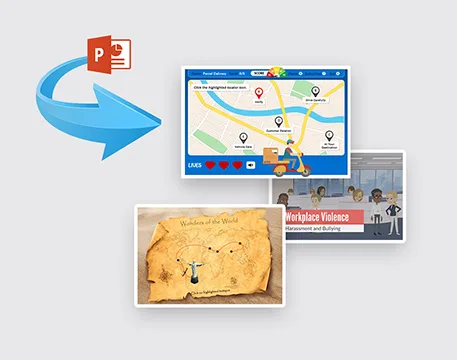
Organisations often have years of valuable knowledge stored in PowerPoint presentations, but static slides do not always provide the interaction, assessment, or flexibility that modern learners expect. powerpoint e-learning conversion offers a practical way to transform existing presentation content into structured digital learning while preserving valuable subject matter expertise. The real opportunity, however, goes beyond simply transferring slides into an authoring tool—it involves redesigning information around learner needs, measurable objectives, and practical application.
Why Are Businesses Moving Beyond Traditional PowerPoint Training?
PowerPoint is an effective communication tool, particularly for instructor-led sessions. However, a presentation designed for a trainer is not automatically suitable for independent learning.
A learner working through an online course needs clear instructions, logical navigation, opportunities to interact with content, and meaningful feedback. Simply placing presentation slides into an online player can create a course that looks digital but still behaves like a presentation.
A stronger approach considers:
- Learning objectives
- Learner experience
- Content structure
- Interactivity
- Assessment
- Accessibility
- Mobile responsiveness
- LMS compatibility
The purpose is to turn information into an experience that helps learners understand and apply knowledge.
What Happens When PowerPoint Slides Become Interactive eLearning?
The transformation begins with content analysis. Not every slide needs to appear exactly as it does in the original presentation.
Some information may work well as an animated visual. A process could become an interactive diagram. A workplace challenge might become a branching scenario, while key concepts can be reinforced through knowledge checks.
This creates opportunities to include:
- Scenario-based learning
- Interactive quizzes
- Simulations
- Audio narration
- Video demonstrations
- Click-and-reveal activities
- Branching decisions
- Knowledge assessments
Brilliant Teams explains its approach to PowerPoint-to-eLearning conversion through stages such as content analysis, storyboarding, multimedia development, interactive activities, assessments, and testing. This demonstrates why effective conversion is more than transferring slides into an online format.
Which PowerPoint Content Should You Keep—and Which Should You Change?
One of the biggest mistakes in digital course development is assuming every slide deserves a direct conversion.
A content review can divide presentation material into three categories.
Essential Content
Definitions, procedures, frameworks, diagrams, and critical information can remain part of the course when they directly support the learning objectives.
Content That Needs Transformation
Long paragraphs, complicated processes, and theoretical information can often become interactive activities, scenarios, infographics, or short learning sections.
Content That Can Be Removed
Repeated explanations, unnecessary introductions, outdated statistics, and decorative slides may add little educational value.
This process creates a more focused course and reduces unnecessary cognitive load.
How Can You Convert a Presentation Into a Better Learning Experience?
A successful conversion process normally follows several connected stages.
Content analysis:
Review the presentation for relevance, accuracy, structure, and learning value.
Instructional design:
Define objectives and determine how learners should acquire and apply the knowledge.
Storyboarding:
Plan screen layouts, narration, interactions, assessments, and learner pathways before development.
eLearning development:
Build the course using suitable authoring technology and multimedia.
Quality assurance:
Test navigation, functionality, accessibility, responsiveness, audio, video, assessments, and LMS performance.
A structured process helps ensure that the finished course remains accurate while becoming more engaging and useful for independent learners.
Can PowerPoint Conversion Improve Learner Engagement?
It can when interactivity is connected to the learning objective.
For example, imagine a presentation explaining workplace safety procedures. Instead of asking employees to read a series of bullet points, the digital course could present a realistic workplace situation and ask learners to identify the correct response.
The interaction has a purpose: it gives learners an opportunity to apply the information.
The same principle applies to compliance, onboarding, leadership, product training, technical instruction, and professional development. Interactive elements should support learning rather than simply make screens more visually impressive.
What Role Do Assessments Play in Converted eLearning?
Assessment is particularly important when organisations need evidence that learning has taken place.
Short quizzes can check understanding after a section. Scenario questions can measure decision-making. Final assessments can determine whether learners have achieved the required level of knowledge.
Effective assessments should reflect the learning objectives.
If learners are expected to apply a process, an assessment that only asks them to remember definitions may not provide enough evidence. A scenario or practical decision-making activity may provide a better measure.
How Can Converted Courses Work Across Different Devices and LMS Platforms?
Modern learners may access training from laptops, tablets, or mobile devices. This makes responsive design and usability important considerations during development.
Technical compatibility is equally important. A course may need to communicate completion status, assessment results, or learner progress to an LMS.
Standards such as SCORM, AICC, xAPI, and HTML5 can therefore become relevant depending on the organisation's technology environment and tracking requirements.
For organisations considering broader digital learning capabilities, Brilliant Teams also provides information about adaptive blended learning solutions that can support different learning formats and organisational requirements.
Is PowerPoint Conversion Useful for Existing Corporate Training Libraries?
Absolutely. Organisations with extensive presentation libraries may already possess valuable subject matter created by trainers, managers, and subject matter experts.
Rather than discarding those resources, organisations can identify high-value presentations and prioritise them for digital transformation.
A practical strategy could begin with:
- Compliance-critical training
- Frequently repeated instructor-led sessions
- New employee onboarding
- Product or process training
- Courses requiring consistent delivery
- Training needed across multiple locations
This makes content modernisation more manageable and allows organisations to focus resources where digital delivery can provide the greatest benefit.
How Can PowerPoint-Based eLearning Become Part of a Larger Learning Strategy?
Converted courses do not have to replace instructor-led training completely. They can complement workshops, coaching, discussions, practical exercises, and assessments.
For example, learners could complete a short online module before attending a classroom workshop. The facilitator could then use the session for discussion and practical application rather than spending most of the time presenting basic information.
This approach supports flexibility while maintaining opportunities for human interaction and collaboration.
Why Is a Blended Approach Becoming More Important for Modern Training?
A blended learning solution can connect self-paced digital content with instructor-led sessions, virtual learning, interactive activities, and ongoing reinforcement. This gives organisations greater flexibility when designing programmes for different audiences and learning objectives.
Brilliant Teams presents blended learning as a way to combine digital learning with instructor-led or virtual training while considering organisational goals, learner requirements, available resources, and programme outcomes. This can make a blended approach particularly useful when organisations need to support different learning preferences without relying on a single delivery method.
Final Thought
The strongest PowerPoint-to-eLearning projects are not about making slides move on a screen. They are about transforming existing knowledge into purposeful learning experiences that encourage understanding, application, and measurable progress. When instructional design and technology work together, familiar presentation content can become a valuable part of a modern digital learning ecosystem.