Long checkout lines can quickly affect customer satisfaction and sales. Shoppers expect fast, smooth, and convenient transactions, whether they are buying from a small store or a large retail chain. This is where modern POS software helps retailers improve checkout speed and create a better shopping experience. By automating billing processes, managing payments efficiently, and reducing manual tasks, a reliable point of sale system allows businesses to serve more customers in less time. From supermarkets and fashion stores to restaurants and specialty shops, POS technology has become an important tool for reducing waiting times and improving daily operations.
What Is POS Software and How Does It Improve Checkout Speed?
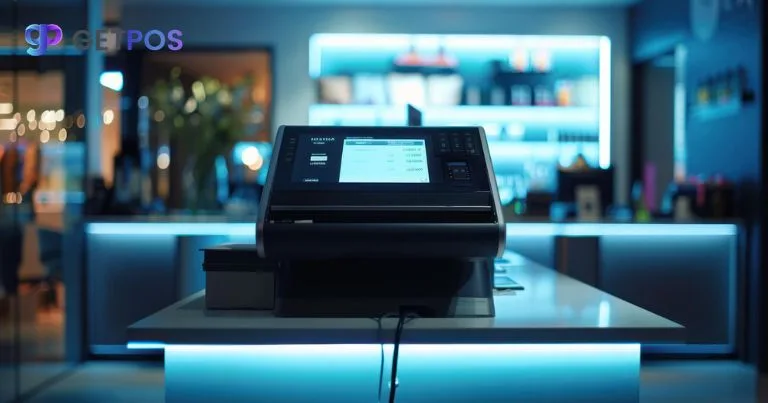
Point of sale software, is a digital solution that helps retailers process sales, accept payments, manage inventory, and track customer information from one platform. Unlike traditional cash registers, modern POS systems are designed to make checkout faster and more accurate.
A faster checkout process does not only depend on employee speed. It also depends on how quickly the system can complete tasks such as scanning products, calculating prices, applying discounts, and processing payments. POS software streamlines these activities and helps retailers reduce unnecessary delays.
Key Ways POS Software Reduces Checkout Waiting Time
1. Faster Product Scanning and Billing
One of the biggest reasons customers experience long queues is slow billing. POS systems allow employees to scan product barcodes quickly and automatically retrieve product details, prices, and tax information.
Instead of manually entering product names or calculating totals, cashiers can complete transactions in a few clicks. This reduces checkout time, minimizes pricing errors, and allows staff to handle more customers during busy hours.
2. Supports Multiple Payment Options
Payment delays are a common cause of long checkout lines. Modern POS software supports various payment methods, including credit cards, debit cards, digital wallets, contactless payments, and mobile payments.
Giving customers multiple payment choices helps them complete purchases faster. Contactless payment features, in particular, can significantly reduce transaction time because customers do not need to enter lengthy details or wait for slower payment processes.
3. Automated Inventory Management
A connected POS system can automatically update inventory levels after every sale. This prevents employees from spending extra time checking stock availability manually.
For example, when a customer asks whether an item is available, staff can quickly check the POS system instead of searching shelves or storage areas. Faster information access improves service speed and keeps checkout operations moving smoothly.
4. Self-Checkout and Mobile POS Options
Many retailers are adopting self-checkout solutions and mobile POS systems to reduce customer queues. Self-checkout allows shoppers to scan and pay for products independently, while mobile POS devices allow employees to complete purchases anywhere inside the store.
Mobile POS systems are especially useful during peak shopping periods because staff can assist customers without directing everyone to traditional checkout counters.
5. Reduces Human Errors During Transactions
Manual billing mistakes can slow down checkout and create frustration for both customers and employees. POS software automatically calculates totals, taxes, discounts, and promotions, reducing the chance of errors.
When transactions are accurate the first time, customers spend less time waiting for corrections or price adjustments. This creates a smoother and faster checkout experience.
How Does POS Software Improve Customer Experience?
Checkout speed has a direct impact on customer satisfaction. Long waiting times can make customers leave without completing purchases, especially during busy periods.
A fast POS system helps retailers provide:
- Shorter checkout queues
- Faster payment processing
- More accurate billing
- Better customer service
- A smoother shopping journey
When customers know they can complete purchases quickly, they are more likely to return and recommend the store to others.
Why Should Retailers Invest in POS Software?
Retail businesses face increasing competition, and customer expectations continue to rise. A slow checkout process can damage customer loyalty and reduce revenue opportunities.
POS software helps retailers improve operational efficiency by combining sales management, inventory tracking, reporting, and payment processing in one system. It saves employee time and allows businesses to focus more on customer service.
For small businesses, a cloud-based POS system can provide affordable access to advanced retail tools. For larger retailers, advanced POS solutions can support multiple locations, employee management, and detailed business analytics.
Conclusion
Reducing checkout waiting time is essential for creating a positive retail experience. POS software helps retailers achieve faster transactions through automated billing, flexible payment options, accurate inventory updates, and modern checkout solutions. Whether a business operates a small shop or a large retail network, the right point of sale system can improve efficiency and customer satisfaction. As shopping expectations continue to evolve, investing in reliable POS technology allows retailers to serve customers faster, reduce operational challenges, and build stronger long-term relationships.
Frequently Asked Questions About POS Software and Checkout Speed
How does POS software make checkout faster?
POS software speeds up checkout by automating tasks such as product scanning, price calculation, payment processing, and receipt generation. Employees can complete transactions faster with fewer manual steps.
Can POS software reduce customer waiting lines?
Yes. A POS system reduces waiting lines by making transactions quicker, supporting multiple payment methods, and allowing retailers to use features such as mobile checkout and self-service options.
Is POS software useful for small retail stores?
Yes. Small retailers can use POS software to improve checkout efficiency, manage inventory, track sales, and provide a better customer experience without needing complex equipment.
What features should retailers look for in POS software?
Retailers should look for features such as fast billing, barcode scanning, digital payment support, inventory management, cloud access, customer management tools, and detailed sales reports.