Inventory is at the center of many businesses. Whether a company manages retail products, warehouse stock, spare parts, medical supplies, or multiple distribution centers, knowing what is available, where it is located, and when it needs replenishment is essential.
Manual spreadsheets and disconnected systems can work for a small operation, but they become difficult to manage as inventory volume, locations, suppliers, and orders increase. This is where a custom inventory management system can help businesses automate stock tracking, purchasing, warehouse operations, reporting, and inventory forecasting.
If you are planning to build an inventory management system, this guide explains the development process, essential features, technology choices, estimated cost, and factors that influence the overall investment.
What Is an Inventory Management System?
An inventory management system is a software solution used to monitor and manage products, stock quantities, warehouses, purchases, sales, suppliers, and inventory movements.
A modern inventory management system can provide real-time visibility into stock levels and automate many activities that are traditionally handled manually.
Depending on business requirements, an inventory system may include:
- Product and SKU management
- Stock level tracking
- Warehouse management
- Purchase order management
- Supplier management
- Sales order management
- Stock transfers
- Barcode and QR code scanning
- Inventory alerts
- Demand forecasting
- Reporting and analytics
- User and role management
- Integration with accounting, ERP, ecommerce, and POS systems
The objective is not simply to count products. A well-designed inventory management system helps businesses maintain the right stock at the right location while reducing operational errors and unnecessary inventory costs.
Why Build an Inventory Management System?
Businesses often start with spreadsheets or basic inventory applications. As operations grow, these approaches can create several problems.
Common challenges include:
- Inaccurate stock counts
- Duplicate data entry
- Delayed inventory updates
- Overstocking
- Stockouts
- Difficulty tracking inventory across locations
- Limited supplier visibility
- Manual purchase order processing
- Poor reporting
- Lack of real-time information
A custom inventory management software solution can be designed around the company's actual workflows instead of forcing employees to adapt to a generic system.
For example, a business operating warehouses in multiple cities may require centralized inventory visibility, warehouse-specific stock levels, automated transfers, and role-based access. These requirements can be incorporated directly into the software architecture.
How to Build an Inventory Management System
The process of developing an inventory management system generally involves several stages, from business analysis and planning to development, testing, deployment, and ongoing maintenance.
1. Define Business and Inventory Requirements
Before starting development, identify how the business currently manages inventory.
Analyze:
- Number of products and SKUs
- Number of warehouses
- Number of suppliers
- Purchase workflow
- Sales workflow
- Stock transfer process
- Product categorization
- Barcode requirements
- Existing accounting or ERP systems
- Ecommerce integrations
- User roles
- Reporting requirements
- Mobile and desktop requirements
For example, a small retailer may only need product management, stock tracking, purchase orders, and reporting. A large distributor may require warehouse automation, barcode scanning, demand forecasting, multi-location inventory, integrations, and advanced analytics.
Clearly defining requirements at this stage helps control inventory management software development costs later.
2. Plan the Inventory System Architecture
Once requirements are defined, the next step is to design the technical architecture.
A typical architecture can include:
Frontend → API Layer → Business Logic → Database → External Integrations
The frontend provides interfaces for administrators, warehouse employees, managers, and other users.
The backend handles inventory calculations, business rules, authentication, purchase orders, stock transfers, reporting, and integrations.
The database stores products, inventory quantities, transactions, suppliers, orders, users, and other operational information.
For larger organizations, the architecture should be designed for scalability so additional warehouses, users, products, and integrations can be added without major redevelopment.
3. Design the Database
Inventory systems depend heavily on accurate data structures.
A typical inventory database may contain entities such as:
- Products
- Categories
- SKUs
- Warehouses
- Storage locations
- Suppliers
- Purchase orders
- Sales orders
- Stock transactions
- Stock transfers
- Customers
- Users
- Roles
- Inventory adjustments
- Returns
- Audit logs
One important principle is to maintain a reliable transaction history.
Instead of simply changing a product's quantity from 100 to 80, the system should be able to record the transaction that caused the change.
For example:
Opening Stock: 100 → Sale: -20 → Purchase: +50 → Transfer: -10 → Current Stock: 120
This creates better traceability and makes inventory reconciliation easier.
4. Develop the Core Inventory Features
After the architecture and database design are finalized, development can begin.
The first version should focus on the features that directly support the core inventory workflow.
Product and SKU Management
Users should be able to create and manage products with information such as:
- Product name
- SKU
- Barcode
- Category
- Brand
- Unit
- Price
- Cost
- Supplier
- Stock threshold
- Product images
- Product status
For businesses with large catalogs, bulk import and export functionality can save considerable time.
Real-Time Inventory Tracking
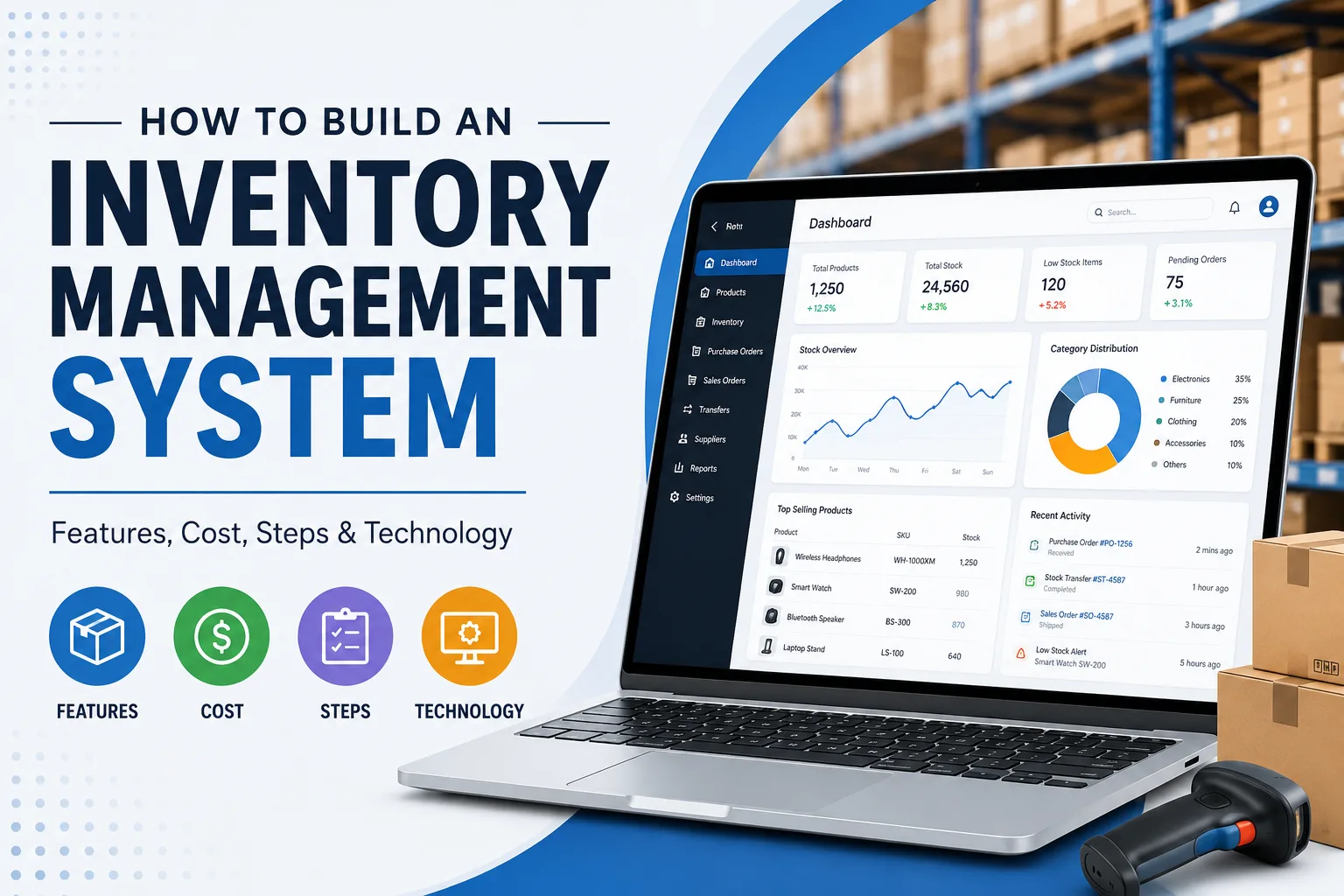
The inventory dashboard should display current stock quantities and inventory movements.
Important information can include:
- Available stock
- Reserved stock
- Incoming stock
- Damaged stock
- Low stock
- Out-of-stock products
- Stock valuation
Real-time inventory tracking is particularly important for businesses selling through multiple channels.
Warehouse Management
A multi-location inventory system should allow administrators to create and manage warehouses.
Each warehouse can contain:
- Storage zones
- Shelves
- Bins
- Product locations
- Available quantities
- Reserved quantities
Managers can then view inventory by location instead of relying on a single overall stock figure.
Purchase Order Management
The system can automate the purchasing workflow.
A typical process is:
Low Stock Alert → Purchase Request → Purchase Order → Supplier Confirmation → Goods Received → Inventory Updated
This can reduce manual work and improve purchasing accuracy.
Supplier Management
Supplier records can include:
- Supplier information
- Contact details
- Products supplied
- Purchase history
- Pricing
- Payment terms
- Delivery information
Supplier performance reports can also help businesses compare suppliers based on cost, delivery time, and order history.
Sales Order Management
Inventory software can connect sales orders with stock availability.
When an order is confirmed, the system can automatically reserve or deduct inventory based on the configured workflow.
This helps prevent selling products that are no longer available.
Stock Transfers
For businesses operating multiple warehouses, stock transfers are an important feature.
For example:
Warehouse A → Transfer 100 units → Warehouse B → Warehouse B receives 100 units
The system should maintain a complete transaction record throughout the transfer.
Barcode and QR Code Scanning
Barcode or QR code scanning can make inventory operations faster.
Warehouse employees can use scanners or mobile devices to:
- Receive products
- Locate products
- Pick orders
- Update stock
- Transfer inventory
- Perform stock counts
This reduces manual data entry and can improve warehouse accuracy.
Low Stock and Reorder Alerts
The system can automatically notify users when inventory reaches a defined threshold.
For example:
Product SKU-1024 has reached its reorder level. Current quantity: 12. Reorder level: 20.
More advanced systems can calculate reorder points using historical sales, lead time, safety stock, and demand patterns.
Inventory Reporting and Analytics
Reporting is one of the most valuable components of inventory management software.
Useful reports include:
- Current inventory report
- Stock movement report
- Inventory valuation
- Purchase report
- Sales report
- Low-stock report
- Dead-stock report
- Warehouse performance
- Supplier performance
- Product performance
- Inventory turnover
Advanced dashboards can provide visual summaries for managers and decision-makers.
Advanced Features for an Inventory Management System
Once the core inventory workflow is stable, businesses can add advanced capabilities.
Demand Forecasting
Machine learning and statistical forecasting can analyze historical sales and identify potential future demand.
The system may consider:
- Historical sales
- Seasonal patterns
- Product trends
- Lead times
- Promotions
- Stock levels
This can help businesses reduce both stockouts and excess inventory.
AI-Based Inventory Optimization
AI can be used to identify unusual inventory patterns, recommend reorder quantities, predict demand, and highlight products with declining or increasing demand.
For organizations managing large catalogs, AI-based recommendations can make inventory planning more efficient.
Automated Purchase Recommendations
Instead of requiring managers to manually review every low-stock product, the system can generate purchase recommendations based on predefined rules.
For example:
Current stock + incoming stock + expected demand + supplier lead time → Recommended order quantity
Multi-Channel Inventory Synchronization
Businesses selling through websites, marketplaces, POS systems, and mobile applications can synchronize inventory across sales channels.
This helps maintain consistent stock information and reduces the risk of overselling.
Role-Based Access Control
Different employees should have access to different parts of the system.
For example:
Administrator: Full system access
Warehouse Manager: Inventory and warehouse operations
Purchasing Manager: Suppliers and purchase orders
Sales Team: Sales orders and availability
Finance Team: Inventory valuation and financial reports
Role-based access improves security and operational control.
Technology Stack for Inventory Management Software
The technology stack should be selected based on system complexity, expected traffic, integrations, security requirements, and future scalability.
Frontend
Common options include:
- React
- Angular
- Vue.js
- Flutter for cross-platform applications
A web-based dashboard can be used by administrators and managers, while a mobile application can support warehouse employees.
Backend
Common backend technologies include:
- Node.js
- Python
- Java
- .NET
- PHP
The backend should provide secure APIs and handle inventory business logic.
Database
Depending on requirements, developers may use:
- PostgreSQL
- MySQL
- Microsoft SQL Server
- MongoDB
Relational databases are commonly useful when the system contains highly structured transactions and relationships.
Cloud Infrastructure
Cloud platforms such as AWS, Microsoft Azure, or Google Cloud can provide scalable infrastructure for inventory applications.
Cloud deployment can support:
- Automated backups
- Monitoring
- Scalable computing
- Secure storage
- Disaster recovery
- High availability
APIs and Integrations
Inventory systems often need to communicate with other business platforms.
Possible integrations include:
- Ecommerce platforms
- POS systems
- ERP systems
- Accounting software
- Payment systems
- Shipping platforms
- CRM systems
- Barcode scanners
- Warehouse hardware
A well-designed API layer makes these integrations easier to maintain.
How Much Does It Cost to Build an Inventory Management System?
The cost to build an inventory management system depends heavily on its scope.
A basic inventory application with product management, stock tracking, users, and reports will cost considerably less than a complex enterprise inventory platform with multiple warehouses, AI forecasting, barcode integration, ecommerce synchronization, and ERP integrations.
A rough development structure can look like this:
System TypeTypical ScopeRelative CostBasic Inventory SystemProducts, SKUs, stock tracking, basic reportsLowMid-Level SystemWarehouses, purchasing, suppliers, orders, barcode scanningMediumAdvanced SystemMulti-location, integrations, automation, analyticsHighEnterprise Inventory PlatformAI, forecasting, ERP/ecommerce integrations, advanced security and scalabilityVery HighThe final inventory management software cost depends on:
- Number of platforms
- Number of features
- UI/UX complexity
- Development team location
- Integrations
- Number of warehouses
- Number of users
- Security requirements
- Cloud infrastructure
- AI and automation requirements
- Testing requirements
- Post-launch maintenance
Instead of estimating the project only by the number of screens, businesses should estimate development based on workflows, integrations, data complexity, and operational requirements.
MVP vs Full Inventory Management System
Businesses that want to control their initial investment can start with an MVP.
Inventory Management MVP
A basic MVP may include:
- Login and user management
- Product management
- SKU management
- Stock tracking
- Warehouse management
- Purchase orders
- Sales orders
- Low-stock alerts
- Basic reports
Once the MVP is validated, advanced features can be added.
Full Inventory Platform
A mature platform can include:
- Multi-warehouse management
- Barcode and QR scanning
- Automated purchasing
- Demand forecasting
- AI recommendations
- Ecommerce integrations
- ERP integrations
- Accounting integrations
- Advanced analytics
- Mobile warehouse applications
- Role-based permissions
- Audit trails
An MVP approach can allow businesses to launch faster and use real operational feedback to prioritize future development.
How Long Does It Take to Build an Inventory Management System?
Development time depends on the project's scope and complexity.
A basic inventory system may require several months, while a sophisticated enterprise platform can take significantly longer.
A typical development process includes:
Requirement Analysis → UI/UX Design → Architecture → Development → Integration → Testing → Deployment → Maintenance
The timeline can increase when the project includes:
- Multiple applications
- Complex integrations
- Legacy system migration
- Hardware integrations
- AI functionality
- Multi-country operations
- Advanced reporting
- Complex warehouse workflows
A clearly defined MVP can help reduce the initial development timeline.
Testing an Inventory Management System
Testing is especially important because inventory errors can directly affect business operations.
The development team should test:
Functional Testing
Verify that every inventory workflow behaves as expected.
Integration Testing
Test communication between inventory software and external platforms.
Performance Testing
Determine how the system performs with large product catalogs, users, and transactions.
Security Testing
Test authentication, authorization, data protection, APIs, and access controls.
User Acceptance Testing
Warehouse employees, managers, purchasing teams, and other users should test the system using realistic workflows.
Security Considerations
Inventory systems contain important operational and business data.
Security measures may include:
- Secure authentication
- Role-based access
- Encryption
- API security
- Audit logs
- Regular backups
- Access monitoring
- Secure cloud infrastructure
- Vulnerability testing
For organizations connecting inventory systems to financial, ecommerce, or enterprise platforms, integration security should receive particular attention.
Common Mistakes When Developing Inventory Software
Building Too Many Features at Once
Trying to develop every possible feature in version one can increase cost and delay launch.
Start with the workflows that generate the most business value.
Ignoring Existing Business Processes
Software should improve existing workflows rather than simply digitizing inefficient processes.
Poor Database Design
Inventory transactions require reliable data structures. Poor database architecture can create inconsistencies as transaction volume grows.
Not Planning for Scalability
A system designed for 1,000 products may struggle when the business grows to 100,000 products and multiple warehouses.
Weak Integration Architecture
If integrations are added as an afterthought, future ecommerce, ERP, POS, or accounting integrations can become expensive.
Ignoring Mobile Warehouse Operations
Warehouse employees often need fast access while moving around a facility. A mobile-friendly interface can make inventory operations much more efficient.
Benefits of Custom Inventory Management Software
A custom solution can provide several advantages:
Better Inventory Accuracy
Automated transactions and scanning can reduce manual errors.
Lower Operational Work
Routine inventory activities can be automated.
Better Stock Visibility
Managers can monitor inventory across locations from a centralized dashboard.
Reduced Stockouts
Low-stock alerts and forecasting can help teams replenish products before they run out.
Reduced Overstock
Better demand visibility can reduce unnecessary purchasing.
Better Decision-Making
Real-time reports provide managers with useful operational data.
Scalable Operations
A well-designed system can support additional products, warehouses, users, and sales channels as the company grows.
How to Choose an Inventory Software Development Company
Choosing the right development partner is important because inventory software becomes part of the company's core operations.
Before hiring an inventory management software development company, evaluate:
- Previous inventory or warehouse projects
- Technical expertise
- Database architecture experience
- API and third-party integration capabilities
- Security practices
- UI/UX capabilities
- Cloud deployment experience
- Testing processes
- Post-launch support
- Communication process
- Scalability approach
Ask the development company to explain how it would handle inventory transactions, multi-location stock, synchronization, integrations, and data consistency.
A strong development partner should be able to translate business workflows into a reliable technical architecture.
Final Thoughts
Building an inventory management system is more than creating a dashboard that displays product quantities. A successful system connects products, warehouses, suppliers, purchasing, sales, stock movements, users, and business analytics into a single operational workflow.
The best approach is to begin with a clearly defined MVP, establish a scalable architecture, develop the core inventory workflows, and then introduce advanced capabilities such as automation, integrations, analytics, and AI.
For businesses with unique workflows or complex operations, custom inventory management software can provide greater flexibility than forcing existing processes into a generic platform.
Kuchoriya TechSoft helps businesses design and develop custom software solutions based on their operational requirements, including inventory management systems, enterprise platforms, web applications, mobile applications, and business automation solutions.
Frequently Asked Questions
1. How do I build an inventory management system?
Start by defining inventory workflows and business requirements, then design the database and system architecture, develop core features, integrate required third-party platforms, test the application, deploy it, and provide ongoing maintenance.
2. How much does inventory management software cost?
The cost depends on features, integrations, number of warehouses, platforms, users, security requirements, and development complexity. A basic inventory system costs less than an enterprise inventory platform with automation, AI, and multiple integrations.
3. What features should an inventory management system have?
Core features usually include product management, SKU management, stock tracking, warehouse management, purchasing, suppliers, sales orders, stock transfers, alerts, reporting, and user management.
4. Can inventory software support multiple warehouses?
Yes. A properly designed inventory management system can support multiple warehouses, locations, storage zones, stock transfers, warehouse-specific quantities, and centralized reporting.
5. Can AI be used in inventory management?
Yes. AI and machine learning can support demand forecasting, reorder recommendations, anomaly detection, inventory optimization, and product demand analysis.
6. Can inventory software integrate with ecommerce platforms?
Yes. APIs can connect inventory systems with ecommerce websites, marketplaces, POS platforms, ERP systems, accounting applications, shipping providers, and other business tools.
7. How long does it take to develop an inventory management system?
The timeline depends on the scope. A basic MVP can be developed faster than an enterprise system containing multiple warehouses, complex integrations, automation, AI, and advanced analytics.
8. Should I build a custom inventory system or use existing software?
Existing software can work well for standardized requirements. Custom inventory software can be more suitable when a business has unique workflows, complex integrations, specialized reporting, or specific scalability requirements.