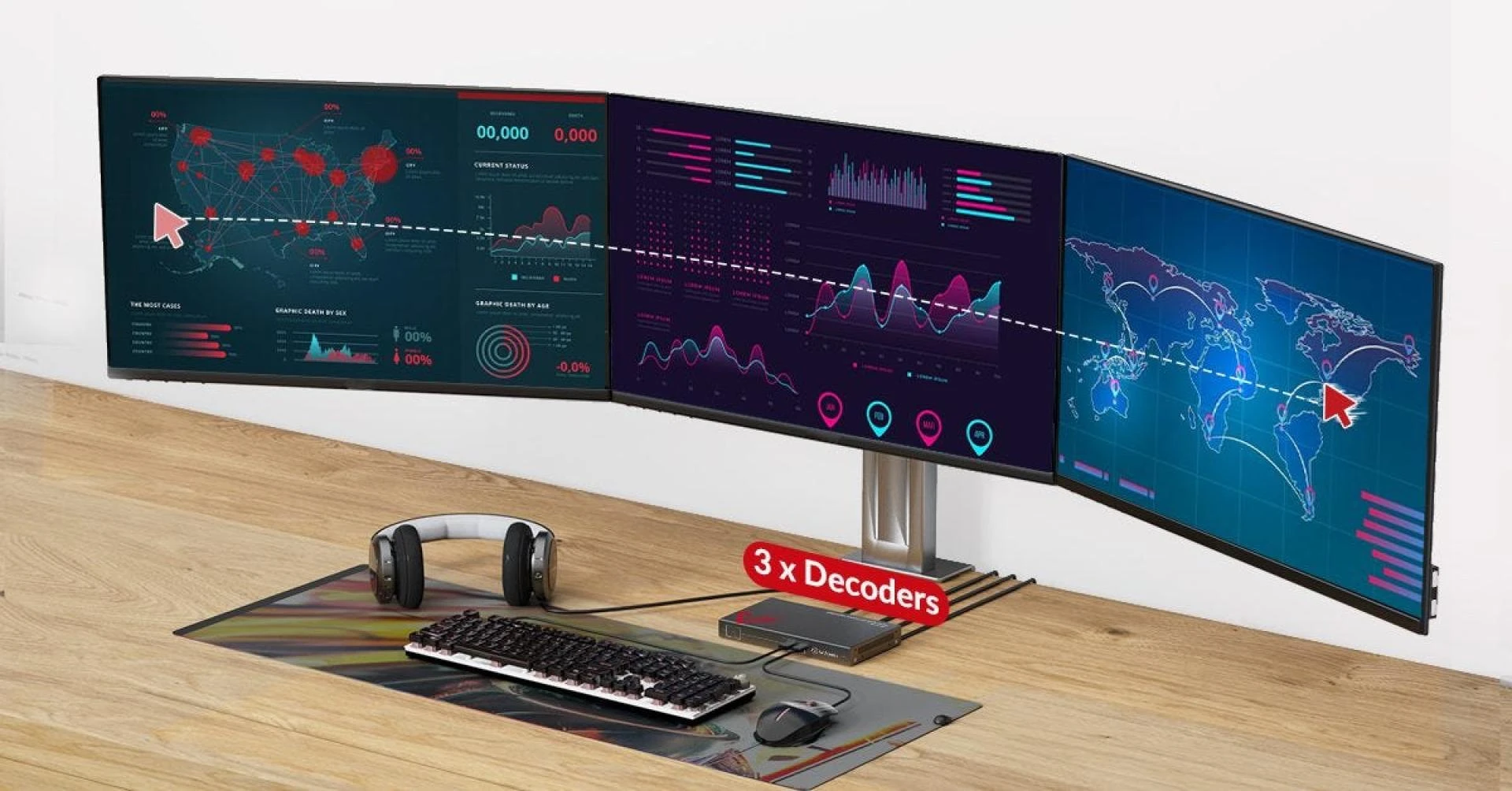
In the realm of modern technology, managing multiple computers efficiently is a crucial aspect of various industries, such as military operations, broadcast stations, and educational institutions. One innovative solution that simplifies this process is KM Roaming, a feature offered by KVM over IP systems. This article delves into the concept of KM Roaming, elucidating its functionality and benefits for streamlined computer control.
What Is KVM over IP?
KVM over IP stands for Keyboard, Video, and Mouse over Internet Protocol. It is a technology that allows users to control multiple computers or servers remotely through a network connection. KVM over IP systems are particularly useful in scenarios where centralized management of computing resources is essential, offering enhanced flexibility and efficiency in computer operations.
Also read: KVM over IP: 7 Facts You Need to Know for Your Server Room Setup
What Is KM Roaming?
KM (keyboard/mouse)roaming is a feature within KVM over IP systems that enables users to control multiple computers using a single set of keyboard and mouse. With KM roaming, users can seamlessly switch between different computers or servers without physically switching hardware peripherals, enhancing productivity and simplifying the management of computing resources.
Benefits of KM Roaming
The advanced keyboard/mouse roaming function offers a lot of benefits for users as follows:
- Enhanced Productivity: KM Roaming streamlines the process of managing multiple computers, allowing users to control various systems effortlessly from a single interface. This efficiency boost translates to enhanced productivity in operational environments.
- Simplified Workflow: By eliminating the need to switch between different keyboards and mice, KM Roaming simplifies the workflow for users who need to interact with multiple computers simultaneously. This feature minimizes setup complexities and reduces clutter on workstations.
- Cost-Effective Solution: Implementing KM Roaming through a KVM over IP system offers a cost-effective solution for organizations that require centralized control of computing resources. By utilizing existing network infrastructure, KM Roaming optimizes resource utilization without the need for additional hardware investments.
How Does KM Roaming Work?
Keyboard & Mouse Roaming works by connecting all target computers or servers to a KVM over IP matrix system that supports this feature. Through a network connection, users can access and control these computers using a single set of keyboard and mouse. The KVM over IP system acts as a centralized hub that facilitates seamless switching between connected devices, providing users with a unified control interface.
How to Use KVM Roaming Function?
To utilize the keyboard & mouse roaming function effectively, users need to follow these steps:
- Connect Computers to KVM over IP System: Ensure that all target computers or servers are connected to the KVM over IP system that supports KM roaming functionality.
- Access Control Interface: Log in to the KVM over IP system’s control interface using a web browser or dedicated software.
- Initiate KM Roaming: Select the desired computer from the interface and start controlling it using the shared keyboard and mouse. Users can seamlessly switch between different computers without any interruptions.
AV Access 4KIPJ200 KVM over IP Solution
AV Access 4KIPJ200 KVM over IP solution is a cutting-edge system that offers advanced KM roaming functionality. With ultra-low latency and support for HDMI 2.0 signals, this solution is ideal for environments such as military control centers, broadcast stations, and educational institutions. Here are some of its key features:
- Ultra Low Latency: With latency of less than 4ms, it ensures smooth interactions and real-time responsiveness, making it perfect for mission-critical operations.
- Flexible Matrix Configuration: By connecting multiple 4KIPJ200 encoders and decoders via a Gigabit switch, users can create a scalable KVM matrix with video walls up to 16×16, tailored to their specific needs.
- Advanced Keyboard & Mouse Roaming: Control up to 17 PCs with one set of keyboard and mouse, simplifying workflow and enhancing productivity.
- HDMI 2.0 & HDCP 2.3 Compliant: Supports high-resolution video input up to 4K@60Hz 4:4:4 with HDR 10 or Dolby Vision, delivering stunning audio/video experiences.
- Visual Control Software: Easily configure, control, and switch sources using the user-friendly web GUI or the intuitive visual control software, ensuring quick and efficient operation.
Summary
In conclusion, KM Roaming is a valuable feature within KVM over IP systems that revolutionizes the way users interact with multiple computers remotely. By providing a unified control interface through a single set of keyboard and mouse, KM Roaming enhances productivity, simplifies workflow, and offers a cost-effective solution for centralized computer management.
AV Access 4KIPJ200 KVM over IP solution exemplifies the capabilities of this technology, catering to a wide range of industries that require efficient computer control mechanisms.
More Resources
You may be also interested in other blogs:
- 8 Benefits of Using a KVM over IP Switch in Your Server Room
- Traditional KVM Matrix vs. KVM over IP Solution: What’s the Difference?
- Networked AV System: Everything You Need to Know
- Ethernet Switch: Everything You Need to Know