
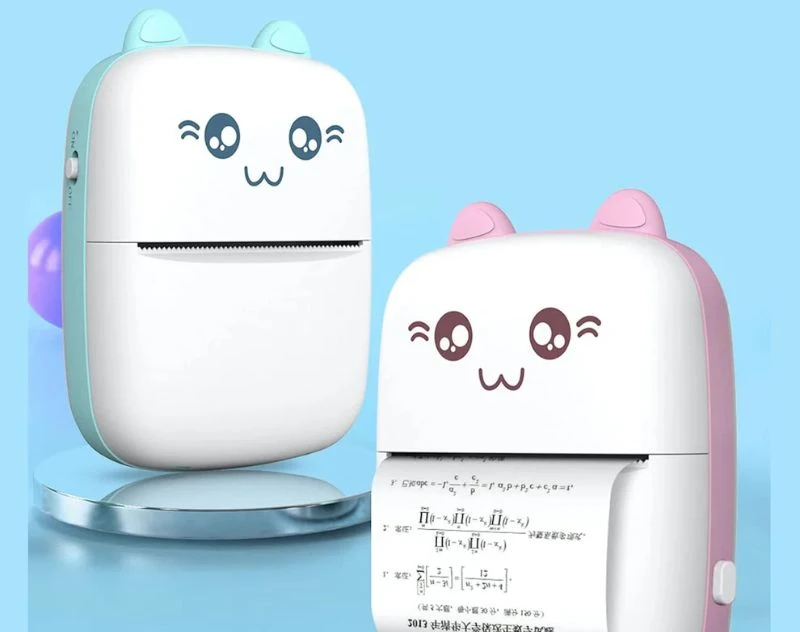
In 2026, the way we work is constantly changing, and mini printers have become practical tools for modern workflows. Small, portable, and efficient, a mini printer can handle essential printing tasks without the bulk of traditional devices. This guide explains what a mini printer offers, how it fits into modern work environments, and what features actually matter when choosing one, including reliable options from brands like DeoDap.
What Is a Mini Printer?
A mini printer is a compact printing device designed for portability and convenience. Unlike traditional printers, it is lightweight, often wireless, and compatible with smartphones, tablets, and laptops. Mini printers typically handle basic printing tasks, such as receipts, labels, documents, or photos, depending on the model.
These devices are ideal for professionals on the move, students needing quick prints, or small businesses requiring portable printing without a large footprint.
Who Should Consider a Mini Printer?
Mini printers suit users who value speed, mobility, and convenience over bulk capacity. Freelancers, remote workers, and mobile businesses benefit most from compact devices that fit in a backpack or office drawer.
If your work involves frequent document sharing, labeling, or occasional photo printing, a mini printer can save time. For heavy-duty or high-volume printing, traditional printers remain more suitable.
Key Features to Look For in 2026
Printing Speed and Quality
One of the main considerations is printing speed. Most mini printers offer speeds sufficient for small documents, labels, or photos, but they cannot match standard office printers. Print quality varies from basic monochrome text to detailed photo outputs.
DeoDap mini printers often focus on clear text printing and decent color accuracy for casual photo prints, which fits the expectations for portable devices.
Connectivity and Compatibility
Modern mini printers support multiple connection options, including Bluetooth, Wi-Fi, and USB. Wireless connectivity allows direct printing from smartphones or tablets without a computer.
Check whether the printer is compatible with your operating system and apps. Compatibility with iOS, Android, and Windows ensures a seamless workflow.
Portability and Power Options
Size and weight are crucial. Mini printers should be light enough for travel and easy storage. Many models feature rechargeable batteries or USB-powered options, making them suitable for mobile work.
If your work requires printing on the go, battery life and compact design are key factors to consider.
Paper and Media Flexibility
Mini printers vary in paper handling. Some are limited to receipt-sized or label printing, while others support A6, A4, or photo papers. Understanding your printing needs helps avoid buying a device that cannot handle the documents you require.
Ease of Use and App Support
Ease of setup and use is important for efficiency. Printers with simple interfaces, plug-and-play options, and dedicated apps make mobile printing smoother. DeoDap mini printers often include companion apps for easy printing from mobile devices.
Practical Uses of a Mini Printer
Mobile Businesses
Vendors, delivery services, and pop-up shops can use mini printers for invoices, receipts, or labels. A portable printer reduces dependency on large office setups and speeds up transactions.
Freelancers and Remote Workers
Freelancers who travel frequently may need to print contracts, receipts, or small documents. Mini printers fit this need without requiring space for a full-size printer.
Students and Educational Settings
Students can print notes, assignments, or labels quickly. The compact size makes mini printers suitable for dorm rooms or small study spaces.
Casual Photo Printing
Some mini printers specialize in photo printing for events, scrapbooking, or gifts. They provide instant prints without bulky equipment, although the quality may not match professional photo printers.
Limitations to Keep in Mind
Mini printers are convenient but have limits. They typically cannot handle high-volume printing or large documents efficiently. Paper size and media options are restricted, and print speed is slower compared to traditional printers.
They are also not ideal for heavy-duty office environments, but excel as portable, flexible, and quick-print solutions. Understanding these boundaries ensures realistic expectations.
How DeoDap Mini Printers Stand Out
DeoDap mini printers offer a balance between portability, functionality, and cost. They are designed for everyday mobile tasks and casual use. Features such as easy setup, app connectivity, and consistent text printing make them reliable for professionals, students, and home users.
For those seeking a compact, functional printer without overpaying, DeoDap provides predictable performance that aligns with modern workflow needs.
Practical Buying Checklist
Before purchasing a mini printer, consider your primary printing requirements. Confirm the types of documents, paper sizes, and color requirements you need. Check connectivity options and battery life for mobile use. Read reviews about print quality, reliability, and app compatibility. Avoid overpromised features that may not work effectively in compact models.
FAQs
Can a mini printer handle A4 documents?
Some models can, but many are limited to smaller sizes like A6, receipts, or labels. Check specifications carefully.
Are mini printers compatible with smartphones?
Yes, most modern mini printers support iOS and Android devices through apps or Bluetooth connections.
Are DeoDap mini printers reliable for office use?
They are suitable for light office tasks, mobile work, and casual printing, but not recommended for high-volume daily printing.
Final Thoughts
A mini printer in 2026 is a practical choice for anyone who values speed, mobility, and convenience in printing. By focusing on key features such as print quality, portability, and connectivity, you can select a device that fits modern workflows. Brands like DeoDap provide reliable, affordable options for professionals, students, and mobile users. Consider your needs carefully to choose a mini printer that delivers real value without unnecessary compromises.