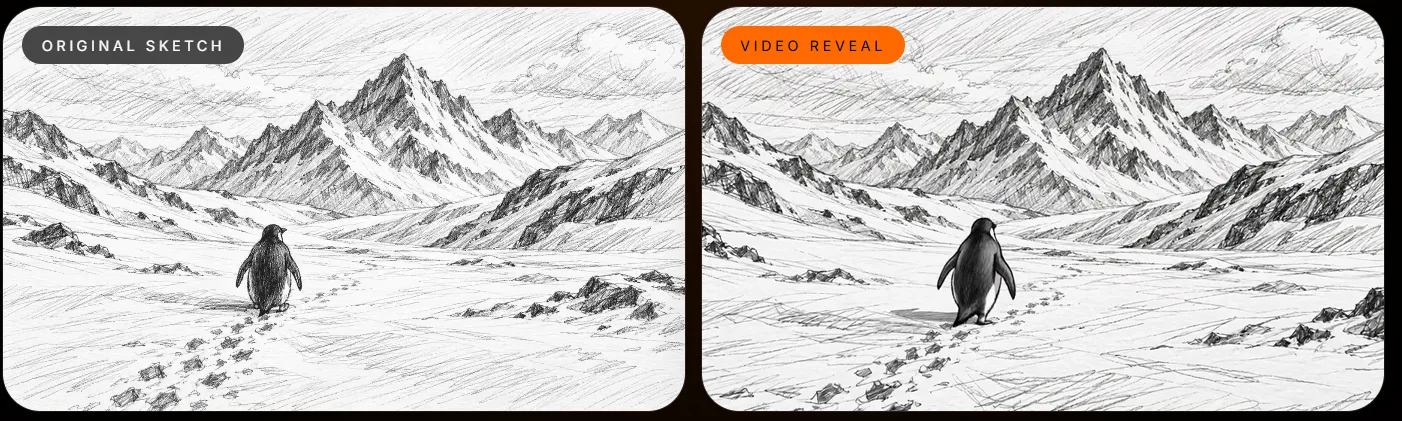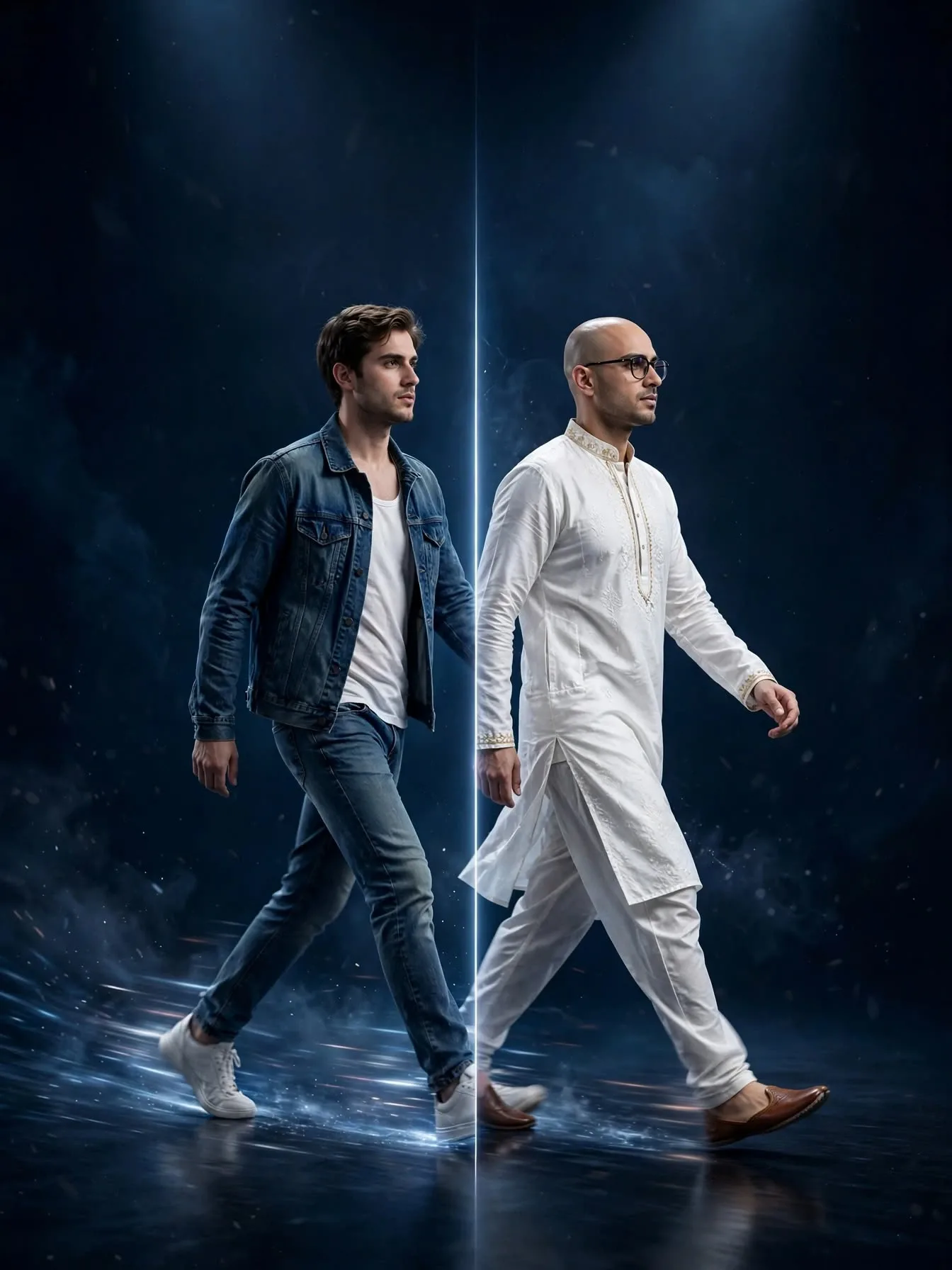
Changing characters in videos seems simple but there are several factors to consider. From the movement, camera, timing, lighting and environment, it can be challenging to change the subject without affecting these elements using traditional editing software.
With AI Video Transformation, creators can take their existing video and add new characters, products, outfits and visual elements. The aim of Xelta Bankai is to transform the visuals of a video whilst keeping the original movement, camera path and timing.
Using AI Video Transformation will allow creators to transform their existing videos. By using reference videos and images, creators can change the visual subject of their videos. This can be great for creative experimentation, changing characters, adding products and alternative video ideas.
Why Changing a Character in an Existing Video Can Be More Complex
Imagine you have a video of someone walking in a modern city and wish to change the character.
Using traditional editing tools this could involve:
Removing the original subject from the video.
Creating or adding in a new character.
Positioning and sizing the character.
Creating new movements and expressions.
Adjusting the lighting, shadows and perspective.
Review each frame of the video.
The challenge comes from ensuring the video is changed throughout.
If the original character turns around, lifts an arm or walks behind an object, the new character should follow the same visual pattern.
This is where motion aware AI Video Transformation can help.
What is AI Video Transformation?
AI Video Transformation is a technique to change specific visual elements of existing videos using AI.
Depending on the workflow, creators can add new characters, products, outfits and scenes.
However, there will be a difference between creating a new video and transforming an existing one.
Traditional Video Creation AI Video Transformation
Often starts from a new video or set up. Starts from an existing reference video.
Needs to recreate the scene. Uses the original scene.
May need to recreate movements. Uses the original movement.
Often involves lots of editing. Allows for AI assisted visual changes.
There will still be some consideration needed. Depending on how complex the movements are, there may be issues with objects overlapping, lighting changes and unique camera angles.
How Xelta Bankai Transforms Existing Videos Whilst Keeping the Original Movement
Xelta Bankai – AI Video Transformation
noviai.ai
The main concept of Xelta Bankai is to keep the original movement.
Bankai can be used to transform existing videos. This can include new characters, products, outfits and scenes. The original movement, camera path and timing is kept.
Xelta AI Studio Help & Support
+1
There are several options available.
1. Change Character
A character can be changed using a reference character. The movement from the original video will be kept.
For example, you can take an existing cinematic walking scene and add in a fantasy character.
Ensure you have a reference image with a clear face, visible clothes and appropriate pose.
2. Change Outfit
Many fashion related content will require several visual changes. Using Bankai you can experiment with changing outfits without having to recreate the entire movement.
This can be useful for:
Fashion concept videos.
Creative outfit ideas.
Character styling.
Alternative costume ideas.
Ensure the clothing looks consistent, fabric and movement of clothing is correct.
3. Change Products/Scenes
You can also use existing videos as a starting point for alternative visuals.
For example, you can transform a product demo to show a new product display.
This can be really interesting for creative campaigns as the original camera movement will have conveyed the message.
How to Create an AI Video Transformation Using Bankai
The quality of your transformation will depend heavily on the quality of your video and reference image. Ensure you have a clear input so you can clearly convey what changes and what should remain the same.
10
1. Reference Video
Ensure you have a video with the movement you wish to keep.
Bankai can accept MP4, WebM and MOV video files.
Ensure your video has:
Clear main subject.
Sufficient lighting.
Easy to understand body movement.
Reasonably consistent camera.
Minimal obstruction around the subject.
Overall, ensure you have a video with a clear movement sequence rather than excessive blur and multiple subjects.
2. Reference Image
Ensure you have an image of the character, outfit, product or subject you wish to add.
Bankai can accept JPEG, PNG and WebP images.
When changing characters ensure:
Face is visible.
Body is correctly proportioned.
Clothing is visible.
Subject is facing the correct direction.
Image is clear and well lit.
If your video shows the full body of the subject then using a full body reference image will give more visual information.
3. Consider What Changes
Consider what changes you would like to make.
Ensure your creative direction has clear points:
What subject you wish to change.
What movement you wish to keep.
What the subject should look like.
What the scene should look like.
For example if you want to change the character to a futuristic character ensure you are changing the appearance of the character without unnecessarily changing the walking movement and camera.
4. Generate Transformation
Use your reference video and image in the workflow.
Consider the settings available and the cost in credits.
The AI will process your reference video and generate a transformed version.
5. Review
Once your video has been generated review it.
Ensure:
Character looks consistent.
Face and body are proportioned correctly.
Movement is consistent.
Clothing and accessories are visible.
Lighting and shadows are correct.
Interaction with background.
Bankai can also allow you to download your rendered video, preview frames and share.
Xelta AI Studio Help & Support
Some Great Ideas for Prompts
Ensure you have a clear visual direction. Be specific with what you want the subject to look like.
Example 1: Futuristic Character
deepdreamgenerator.com
Prompt:
Change the original subject to look like a futuristic warrior with detailed metal armour and subtle blue lighting. Keep the body movement consistent, walking movement, camera path and timing. Ensure the character is proportioned realistically with consistent armour detail, cinematic lighting and natural interaction with the background.
Example 2: Luxury Fashion
joynstyle.com
Prompt:
Change the subject to a luxury fashion look with a tailored black designer inspired suit. Keep the walking movement, body positioning, camera movement and timing consistent. Ensure the fabric looks realistic with natural folds, correct proportions and luxurious editorial style lighting.
Example 3: Fantasy Character
wavespeed.ai
Prompt:
Change the original character to look like a realistic fantasy warrior with detailed silver armour and subtle engraving. Keep the movement and camera consistent. Ensure the character looks consistent throughout, lighting is realistic, shadows are natural and interaction with the background is cinematic.
These are just some ideas.
Where Can You Use AI Video Transformation?
Often the best use cases will be when you have the correct movement in your video but want to change the visuals.
Social Media Content
Experiment with changing characters, outfits and visuals using your existing video.
Fashion & Apparel
Experiment with different styling ideas using your existing movement.
Entertainment/Filming
Experiment with different character designs, visuals and scenes.
Advertising/Product
Experiment with different product looks and scene ideas. However, product accuracy, packaging, branding and advertising claims will need to be approved.
What Can Impact the Quality of an AI Video Transformation?
Whilst AI Video Transformation will help reduce some of the editing required, there are still some considerations.
Consider:
Issue Consider
Inconsistent character Ensure the subject looks consistent throughout.
Face Ensure the face has detail.
Hands/Limbs/Complex Movements Ensure these are not distorted.
Lighting Ensure shadows and highlights match the original.
Clothing Ensure patterns, textures and detail are correct.
Background Ensure there are no unexpected changes.
Why Reference Quality Matters
If your reference image is blurry then it can be difficult to get the correct details.
If your video has quick movements, partially obstructed subjects and complex camera movements then this can create some issues.
Ensure you start with clear videos and a good reference image. Only make one meaningful change at once.
Always review your AI generated video.
This is especially important if recognisable people, branded products, logos, claims and commercial messages are included.
Ensure you have permission to use the source video and reference images. Ensure the final output looks correct.
Why Would You Want to Use a Video Transformation Workflow?
Not all creative projects will require a brand new video.
Sometimes you will have the correct camera movement, timing and composition in your video. All you need to do is change the visual subject.
This is where video transformation workflows can help.
Rather than recreating everything, you can use the existing video as a base. This can help you experiment with different visuals.
With Xelta you can also experiment with the wider AI Video Generation workflow.
Depending on your project:
Use video transformation if you want to keep the original movement and scene.
Use text to video if you want a brand new scene.
Use image to video if you have a visual reference.
These workflows will help solve different creative issues. Choosing the correct starting point can help avoid unnecessary iterations.
Experiment with a Different Creative Direction Using Bankai
You don’t need to be stuck with the original visuals of your video. You can change the character completely, add new outfits and use the existing scene as a base for another creative idea.
The key thing to consider is what you want to change and what should remain the same.
Xelta Bankai will help you transform your video using an AI assisted workflow. This can help you experiment with new visuals whilst keeping the original movement, camera path and timing.
If you have a video you want to transform, try Bankai Create.
Final Thoughts
The main challenge with video transformation is ensuring it looks natural.
There are several factors to consider including movement, proportions, lighting and scene consistency. Using a good reference video, suitable image and clear creative direction will give you a better starting point.
AI Video Transformation can provide creators with an alternative way to create visuals. Using Bankai you can transform your original video as a base for experimenting with new characters, products, outfits and scenes.
The best results will come from using AI generation alongside thoughtful creative direction and reviewing.
FAQ
1. What is Bankai?
Bankai is an AI Video Transformation tool. This allows users to transform existing videos using new characters, products, outfits and scenes. The original movement, camera path and timing is kept.
2. Can I change a character in an existing video using AI?
Yes! Bankai allows you to use a reference image of a character to transform the subject of an existing video. The original movement and camera will be used as a reference.
3. What video types does Bankai support?
MP4, WebM and MOV videos can be used. For images, JPEG, PNG and WebP can be used.
4. Can I change outfits using AI Video Transformation?
Yes! Changing outfits is one of the creative uses for Bankai. You can use a reference image to experiment with a new look whilst keeping the movement from the original video.
5. Does Bankai keep the original movement?
Bankai is designed to keep the original movement, camera path and timing. However complex movements and challenging videos can effect the final visuals.
6. How many credits does Bankai use?
According to Xelta’s published FAQ, 15 credits per second are charged for full high definition video generation. Ensure you check the cost in the generation interface.
7. Can I download and share my transformed videos?
Yes! Bankai can be used to download your rendered videos, preview frames and share.