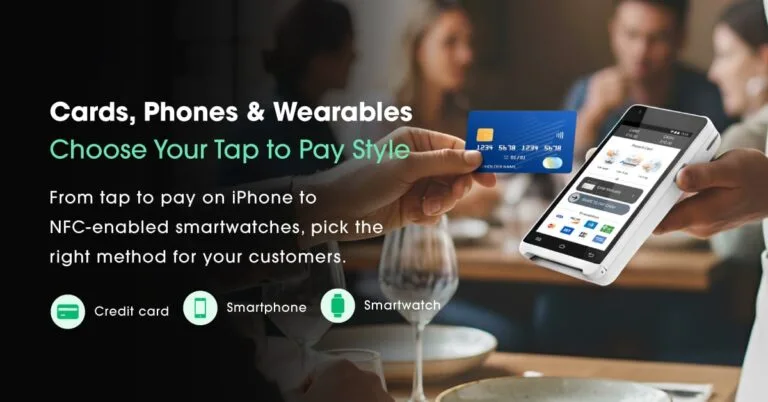
Here are the top NFC payment terminals used by American businesses today:
1. Valor PayTech VL110 — Best Handheld Mobile Contactless Terminal
Best for: On-the-go businesses, cafés, service providers
Features:
- 4G + Wi-Fi + Bluetooth
- Full NFC support
- QR payments
- Long battery life
Pros: Fast, lightweight, advanced features
Cons: More power than micro-merchants may need
2. Valor PayTech VL100 Pro — Best Countertop Terminal
Best for: Retail, grocery, high-traffic stores
Features:
- Tap, chip, swipe, QR
- Level 3 data support
- Custom receipt branding
- Large touchscreen
Pros: Stable, durable, enterprise-grade
Cons: Stationary form factor
3. Square Terminal — Simple All-in-One
Pros: Easy UI, clean design
Cons: Higher processing fees, limited customization
4. Clover Flex — Best for Restaurants
Pros: Portable, apps marketplace, QR menus
Cons: Processor lock-in
5. Ingenico Move/5000 — Global Compatibility
Pros: Excellent security
Cons: Outdated interface
6. PAX A920 Pro — Android Smart Terminal
Pros: Large display, advanced apps
Cons: Overkill for low-volume merchants
Valor PayTech Contactless Terminal Lineup (Best Overall for U.S. SMBs)
Valor’s ecosystem is built for American small and midsize businesses needing modern contactless solutions.
Top Valor Devices
- VP800 — Feature-rich countertop
- VL110 — Mobile handheld
- VL100 Pro — Advanced countertop
- RCKT — Ultra-portable card reader
Why U.S. Businesses Choose Valor:
- Fast tap-to-pay
- Inventory sync
- Customer engagement tools
- Decline recovery technology
- Virtual terminal + PayNow SMS links
- Unified reporting
Valor doesn’t just offer hardware — it offers a complete contactless payment solution.
Tap to Pay with Phone
Tap to Pay with phone is a broader term that covers using any NFC-enabled smartphone as the payment acceptance device. This means merchants can take contactless payments on Android or iOS devices, provided their payment processor supports it.
It’s a flexible option for mobile businesses, events, and on-the-go sales, eliminating the need for traditional card readers. Customers simply hold their contactless card or digital wallet near the merchant’s phone to complete the transaction in seconds.
Tap to Pay on iPhone
Apple’s Tap to Pay on iPhone lets merchants accept in-person, contactless payments directly on their iPhone — no extra hardware needed. Customers can pay using a contactless card, Apple Pay, or any other NFC-enabled wallet.
This feature is ideal for small businesses, pop-up shops, and service providers who want a portable, low-cost payment option. All transactions are encrypted and processed securely through compatible payment apps, giving merchants a professional checkout experience without bulky terminals.
Contactless vs. Traditional Terminals — Cost, Speed & ROI
When comparing hardware products from contactless POS vs traditional POS:
- Initial Cost: Contactless-enabled devices cost slightly more upfront.
- Processing Fees: Similar, but contactless supports more payment types.
- ROI: Faster checkouts, higher customer throughput, and reduced fraud costs mean payback often happens in months.
Example: A cafe serving 200 customers/day could save 30+ minutes in checkout time — freeing staff for service and upselling.
How to Set Up and Activate a Contactless Payment Terminal
Traditional Terminals
- Slower (chip insert takes ~8–12 seconds)
- More friction
- Higher maintenance
- Less future-proof
Contactless Terminals
- 3–5 second checkout
- Safer with tokenization
- Supports mobile wallets
- Faster lines = more sales
ROI Example - A café serving 200 customers/day switching to tap-to-pay saves 30+ minutes in wait time daily — which can increase revenue.
Security & Compliance for Contactless Payments
Security is one of the biggest advantages of contactless technology.
Read more