
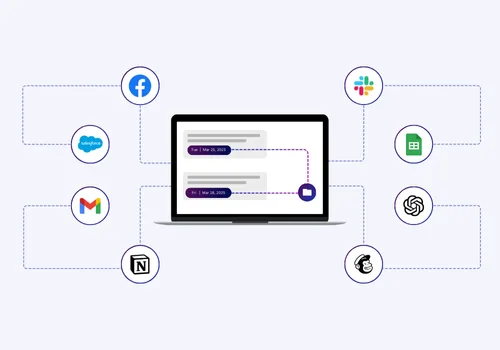

Zapier automation connects the apps your business already uses and lets them talk to each other without any manual work.
Instead of copying data between tools, sending the same emails, or updating spreadsheets by hand, your systems do it for you. A trigger happens in one app, like a new lead filling out a form, and Zapier automatically completes the next step in another app, like adding that lead to your CRM and notifying your sales team.
This matters because manual tasks eat up hours every week. Entering data, sending follow-up emails, and updating reports by hand all take time away from higher-value work like closing deals, serving customers, or growing the business. Small delays and simple mistakes also creep in when people handle repetitive tasks manually, and those small issues can slow down an entire team.
With the right automation setup, your team can handle a heavier workload without adding more people to do it. That's the real promise here: save time, cut down on errors, and scale your operations while keeping your headcount the same.
Zapier Automation Explained
Zapier automation is a way to connect the different software tools your business uses so they can share information and complete tasks on their own. It's a no-code platform, which means you don't need any programming skills to set it up. You simply choose two or more apps, tell Zapier what should happen and when, and it handles the rest in the background.
Most businesses run on a handful of apps: a CRM, an email tool, a spreadsheet, a project management platform, maybe a chat app for the team.
On their own, these apps don't talk to each other. Someone has to move information between them by hand, whether that's copying a new customer's details into a spreadsheet, forwarding an email to the right person, or updating a project status after a call. This is where most businesses lose time without even realizing it.
That manual work is the one real problem Zapier automation solves. Repetitive tasks like data entry, follow-up emails, and status updates don't need a person doing them one at a time.
Every minute spent on this kind of work is a minute not spent on things that actually grow the business, like talking to customers or closing deals. It also opens the door to human error: a missed email, a typo in a spreadsheet, a lead that never gets followed up on.
Zapier automation removes that manual layer. Once a workflow is set up, it runs the same way every time, without someone having to remember to do it. That's why it matters: less busywork, fewer mistakes, and more time for the work that actually moves your business forward.
Key Business Functions Zapier Automation Powers

Zapier automation can support almost every part of a growing business. Instead of picking one task to automate, most teams end up using it across several departments at once. Here are the areas where it makes the biggest difference.
Automated Reporting Dashboards
Keeping reports up to date is usually a manual, time-consuming job. Someone has to pull numbers from different tools, plug them into a spreadsheet, and repeat the process every week or month.
With Zapier automation, this data moves on its own. New leads, sales figures, and project updates can flow straight into a live dashboard in Google Sheets or a similar tool.
Your team always sees current numbers, and no one has to stop their day to build a report by hand.
Lead and sales automation
Sales teams depend on speed. The faster a new lead gets a response, the more likely that lead turns into a customer. Zapier automation handles the steps that used to slow this process down.
Lead capture and routing
When someone fills out a form on your website, Zapier automation can send that information straight into your CRM and assign it to the right person automatically, so no lead sits untouched.
Follow-Up and nurture emails
Once a lead is captured, a follow-up email can go out right away instead of waiting for someone to remember to send it. This keeps prospects engaged while their interest is still high.
CRM updates
As deals move forward, your CRM can update itself based on actions taken in other apps, so your sales data stays accurate without manual entry.
System and Data Integration
Zapier automation connects apps, so information entered in one place updates everywhere else. This removes duplicate data entry and keeps every team working from the same accurate information, whether that's a calendar, a project tool, or a shared spreadsheet.
Email Automation
Email is one of the easiest places to save time with Zapier automation. Emails can be set up to go out automatically based on a specific action, like a form submission, a completed purchase, or a status change. This keeps communication timely and consistent without adding extra work to anyone's plate.
How Zapier Automation Works
Zapier automation runs on a simple structure made up of three parts: triggers, actions, and Zaps.
A trigger is the event that starts the process, such as a new entry, a new message, or a status change in one app.
An action is what happens next, which is the task Zapier automatically carries out in a different app. When you connect a trigger to one or more actions, that connected workflow is called a Zap.
The simplest version of this is a two-step Zap, one trigger and one action. For example, something happens in App A, and Zapier completes one task in App B in response. This is the easiest type of workflow to set up and a good starting point for teams new to automation.
As needs grow, a Zap can become multi-step, meaning one trigger sets off a whole chain of actions across several apps at once. You can also add logic to a workflow, so it only continues under certain conditions, or splits into different paths depending on the situation. This lets a single automation handle more complex situations without any extra manual work.
One of the biggest advantages of Zapier automation is that building these workflows doesn't require any coding. The setup happens through a visual, step-by-step interface where you pick your trigger, choose your action, and connect your apps. This no-code approach is what makes automation accessible to any business, regardless of technical skill or team size.
Zapier Automation Pricing and Value for Growing Teams

One of the reasons Zapier automation works so well for growing businesses is that it's built to scale with you.
You don't need a big budget or a long-term contract to get started, and the pricing structure grows alongside your automation needs instead of forcing a large upfront investment.
Zapier Automation Pricing
Zapier automation uses a task-based pricing model. Each time an automation completes an action, like updating a record or sending an email, it counts as one task.
Your plan includes a set number of tasks per month, and you can choose a higher plan as your workflows grow. This setup means you only pay for the amount of automation your business actually uses, rather than a flat fee that doesn't match your real usage.
Cost-Per-Efficiency-Gain
The value of Zapier automation shows up when you compare its cost to the time it saves.
A workflow that runs hundreds of tasks a month might cost far less than a single hour of manual data entry across a team. When you weigh the plan cost against the hours your team gets back, automation almost always comes out ahead, especially as those saved hours add up week after week.
Zapier Automation Plans for Every Stage of Growth
Zapier offers plans built for businesses at every size, so you're never paying for more than you need.
Free plan
New teams can begin with a free plan to test simple, two-step workflows at no cost. This is a great way to see the value of automation before committing to a paid plan.
Professional and team plans
As a business grows, these plans unlock multi-step Zaps, more tasks per month, and features that support faster, more advanced workflows across departments.
Enterprise-level automation
Large organizations can access advanced permissions, higher task limits, and support built for automating operations across many teams at once.
Getting the Most Value From Your Zapier Automation Investment
To get the most out of Zapier automation, start by automating your highest-cost manual tasks first, since these deliver the fastest return. From there, build out additional workflows gradually and monitor how much time each one saves. This approach keeps your plan aligned with your actual usage and ensures every dollar spent on automation is working to save your team time and support growth.
The Importance of Building Your Zapier Automation Strategy With a Certified Zapier Partner
A smart Zapier automation strategy starts by identifying the tasks that take up the most time across your team, since automating these first creates the biggest impact right away.
Ready-made templates can speed up setup, and each new automation should be tested before it goes live and checked in on regularly as your process changes.
This works well for simple Zaps. But as workflows grow more advanced, many teams bring in outside support rather than handling everything alone.
A Certified Zapier Solution Partner has hands-on experience across industries, so workflows get built correctly the first time and can scale into more advanced, multi-step systems connecting several apps and departments at once.
Working with a partner also means ongoing expert guidance without the cost of a full-time hire, letting your Zapier automation strategy grow at the same pace as your business.
Where AI Automation Takes You From Here

Every hour your team spends on manual work is an hour that isn't going toward growth.
Zapier Automation gives that time back, and working with a Certified Zapier Solution Partner makes sure it's built right the first time. The businesses that move fastest aren't the ones with the most people, they're the ones with the fewest bottlenecks.
Book a free Automation Roadmap Session to find out exactly where automation can save your team the most time.
Frequently Asked Questions
What Is a "Zap" in Zapier?
A Zap is an automated workflow that connects two or more apps. It starts with a trigger in one app and completes one or more actions in another, handling the task automatically so no one has to do it by hand.
What Are Triggers and Actions?
A trigger is the event that starts a workflow, like a new form entry. An action is the task that happens next in response, such as sending an email or updating a record.
Do I Need Coding Skills to Use Zapier?
No coding skills are needed. Zapier automation uses a simple, visual setup where you choose your trigger and action from a list and connect them step by step, making it accessible to anyone on your team.
Is Zapier Suitable for Small Businesses?
Yes. Zapier automation works well for small businesses because it scales with you. You can start with a single, simple workflow and add more as your team and processes grow, without a big upfront cost.
What Are the Limitations of Zapier?
Very complex, multi-step workflows can take more planning and technical know-how to build correctly, and usage-based pricing means costs can rise as automation volume grows. Working with an experienced partner helps manage both of these as you scale.