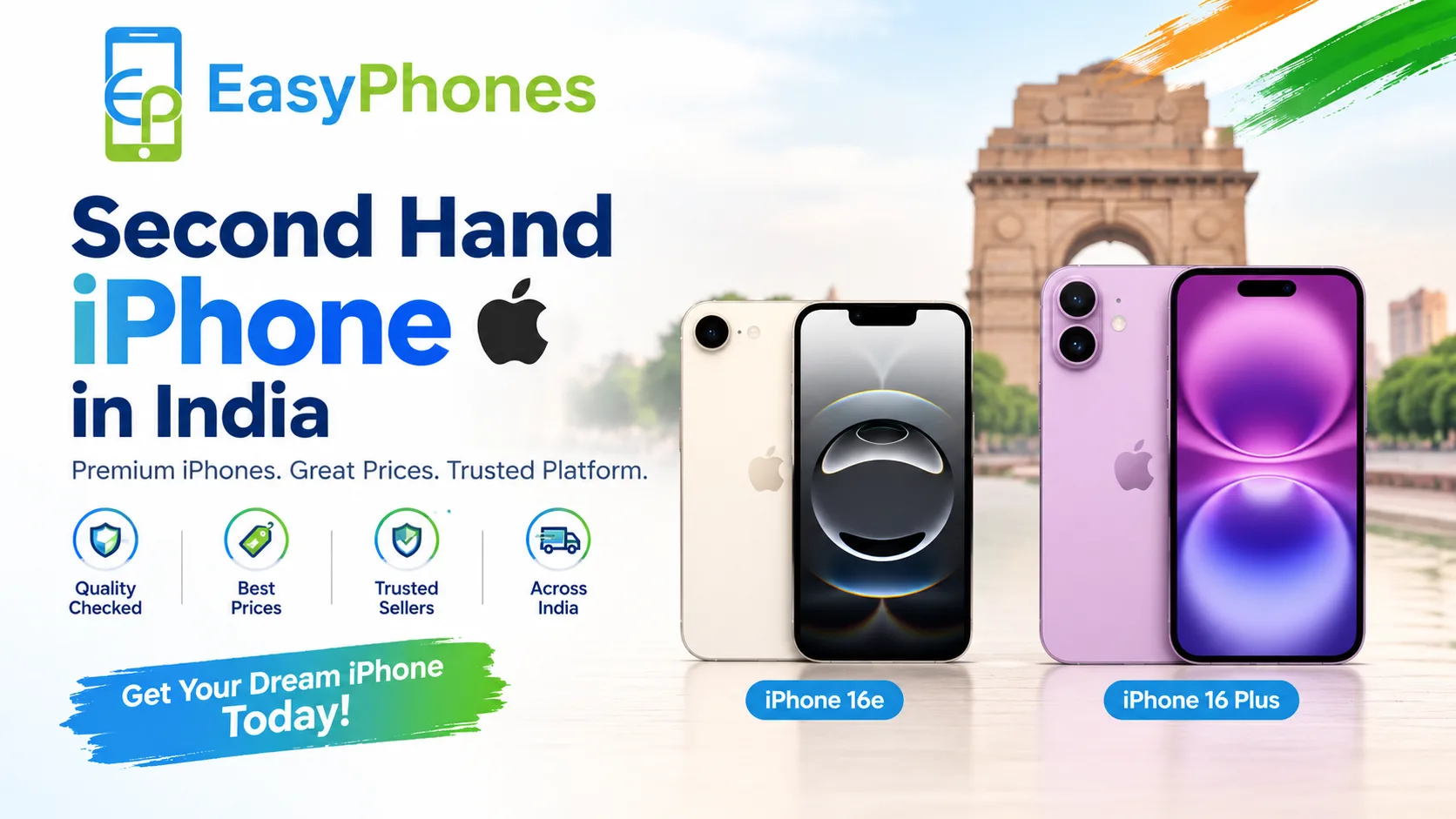
Buying a second hand iPhone in India can be a smart way to enjoy Apple's premium design, reliable performance, and advanced camera features without paying the price of a brand-new device. However, choosing the right phone requires more than comparing prices. Battery health, activation status, IMEI verification, repair history, and seller credibility all play an important role in making a safe purchase. If you are exploring affordable Apple devices, Easy Phones Udaipur is a brand worth considering while comparing available options. You can browse the Second hand iPhone in India collection to explore devices that match your budget and requirements. Before making a final decision, use the following checklist to avoid common mistakes and choose an iPhone that offers genuine value.
Why Should You Check Everything Before Buying a Second Hand iPhone in India?
A pre-owned iPhone can offer excellent value, but its external appearance does not always reflect its internal condition. A phone that looks almost new may have a degraded battery, replaced components, hidden water damage, or an outstanding account lock.
Benefits of Buying a Pre-Owned iPhone
- Lower purchase cost: Get access to Apple's ecosystem at a more affordable price.
- Premium features: Enjoy quality cameras, smooth performance, and iOS features on supported models.
- More choices: Compare different generations, storage capacities, and price ranges.
Common Risks to Watch Out For
The biggest risks include stolen devices, activation locks, poor battery performance, undisclosed repairs, and misleading seller claims. A careful inspection and proper documentation can help reduce these risks considerably.
10 Things to Check Before Buying a Second Hand iPhone in India
1. Check the IMEI Number and Activation Status
Every iPhone has an International Mobile Equipment Identity (IMEI) number. Find it under Settings > General > About or dial *#06# where supported. Match the number with the device information and available purchase documentation.
Use appropriate official verification services to check the device's status where available. Ask the seller for the original invoice and confirm that the phone is not reported lost or stolen. Most importantly, ensure that Activation Lock is disabled and that the seller can erase the device and complete the setup process.
2. Inspect Battery Health
Battery condition directly affects everyday usability. Open Settings > Battery > Battery Health & Charging on supported iOS versions and check Maximum Capacity and any service warnings.
- 90% or above: Generally a good sign, depending on age and usage.
- 80–89%: May still be suitable, but consider expected battery replacement costs.
- Below 80%: Budget for a replacement and check whether the purchase still makes financial sense.
These are practical guidelines, not guarantees of battery performance. Test charging and look for unusual heating or rapid battery drain.
3. Test the Display and Touchscreen
Inspect the screen under good lighting for scratches, dead pixels, discoloration, and uneven brightness. Open different apps and move an icon across the entire display to test touch responsiveness.
Check True Tone availability, auto-brightness, and Face ID or Touch ID, depending on the model. On supported iPhones, review Settings > General > About for parts and service information that may identify certain replaced components.
4. Test Cameras, Speakers, and Microphones
Open the front and rear cameras and test photos, video recording, focus, flash, and zoom. Check the speakers by playing audio at different volume levels. Record a voice memo and make a test call to assess microphone quality.
Also test the earpiece, vibration, buttons, and proximity sensor during a call. These simple checks can reveal problems that are easy to miss during a quick inspection.
5. Check Face ID, Buttons, and Connectivity
Confirm that Face ID or Touch ID works reliably. Test the power button, volume buttons, mute switch or Action button, and charging port.
Insert your SIM card and verify calls, mobile data, Wi-Fi, and Bluetooth. Check GPS and wireless charging if supported. If the phone is carrier-locked, it may not work with your preferred network, so verify carrier compatibility before paying.
6. Verify the Model, Storage, and iOS Support
Go to Settings > General > About to check the model name, model number, and storage capacity. Make sure the advertised specifications match the actual device.
Choose storage based on your needs. For example, frequent photography, gaming, and video recording generally require more space than basic communication and browsing. Also check Apple's current software compatibility information before buying an older model, as future iOS support cannot be guaranteed.
7. Look for Water Damage and Repair History
Examine the frame, screen edges, charging port, camera lenses, and back glass for signs of damage or poor-quality repairs. Check for corrosion where visible, unusual gaps, and loose components.
Some iPhone models have a liquid contact indicator, but its location and interpretation vary. A visual inspection cannot rule out internal liquid damage, so ask about previous repairs and service records. Never rely solely on a seller's claim that the device is in perfect condition.
8. Compare the Price With the Market
Do not choose a phone simply because it is the cheapest listing available. Compare prices for the same model, storage capacity, battery condition, cosmetic grade, and warranty coverage.
Factor in possible expenses such as a battery replacement, charger, screen repair, or missing accessories. A slightly more expensive phone with documented condition and dependable after-sales support may offer better long-term value.
9. Review the Seller's Reputation and Warranty
Buy from a seller who provides clear product information, transparent pricing, a return policy, and a proper invoice. Ask whether the device is tested, whether replacement parts have been used, and what the warranty covers.
For buyers comparing refurbished options, Easy Phones Udaipur can be considered alongside other sellers. Review the specific product listing, warranty terms, return conditions, and device grading before placing an order. For example, compare the features and stated coverage of Refurbished Apple iPhones 16e with other models in your budget.
Remember that a refurbished device may have undergone testing or repairs, but the exact process varies by seller. Confirm the terms rather than assuming every refurbished iPhone meets the same standard.
10. Erase the Device and Complete Setup Before Payment
Ask the seller to back up their data and erase the iPhone in your presence. The device should restart and display the setup screen. Connect it to a network and proceed through activation far enough to confirm that it does not request the previous owner's Apple Account credentials.
Do not pay until you have confirmed that the phone can be activated and that no unexpected Remote Management screen appears. Once satisfied, obtain the invoice and written warranty details, if applicable.
New vs. Second Hand vs. Refurbished iPhone: Which Is Better?
Your best option depends on your budget, risk tolerance, and need for warranty coverage.
- New iPhone: Best for buyers who want a new device with applicable manufacturer warranty coverage and minimal previous-use concerns.
- Second-hand iPhone: Suitable for buyers who want a lower price and can personally inspect the device's condition and history.
- Refurbished iPhone: Worth considering when the seller offers documented testing, clear grading, and defined warranty and return terms.
For additional guidance, explore related content on how to check iPhone battery health, how to verify an iPhone IMEI number, and new vs. refurbished iPhones. These topics can help you make a more informed purchase decision.
Quick Checklist Before You Pay
Use this checklist during an in-person inspection or before confirming an online order:
- IMEI and device details match available documentation.
- Activation Lock is disabled and setup works.
- Battery health and charging performance are acceptable.
- Display, cameras, speakers, microphones, and biometric authentication work.
- SIM, Wi-Fi, Bluetooth, and buttons function correctly.
- Repair history and any parts warnings have been reviewed.
- Price, invoice, warranty, and return policy are clear.
- The device has been erased and can be activated successfully.
Conclusion
Buying a second hand iPhone in India can be a worthwhile investment when you verify the device carefully and compare the total cost of ownership instead of focusing only on the purchase price. Prioritize IMEI checks, battery health, activation status, functional testing, repair history, and seller transparency before making your decision.
Easy Phones Udaipur is one option to explore when comparing pre-owned and refurbished Apple devices. If you want a larger-screen alternative, review the available specifications, condition, and warranty details of Refurbished Apple iPhones 16 Plus before deciding whether it suits your requirements. Ultimately, the best purchase is a genuine, fully functional device with clear documentation, a fair price, and support you can rely on.
Frequently Asked Questions (FAQs)
1. Is buying a second hand iPhone in India safe?
Yes, provided you verify the IMEI, confirm Activation Lock is disabled, test essential features, review the seller's reputation, and obtain appropriate documentation.
2. What battery health is good for a used iPhone?
A battery health reading of 90% or higher is generally desirable. However, readings between 80% and 89% can still be acceptable depending on the price and usage requirements.
3. How can I check whether a used iPhone is genuine?
Check the model information, IMEI, serial number, device functionality, and available purchase records. Complete the activation process and review Apple's official support resources where appropriate.
4. Is a refurbished iPhone better than a second-hand iPhone?
A refurbished iPhone may offer additional testing and warranty coverage, depending on the seller. Compare the refurbishment process, parts information, warranty, return policy, and price before deciding.
5. Should I buy a used iPhone without an invoice?
It is safer to choose a device with a valid purchase invoice and clear ownership history. If documentation is missing, the risks are higher, so verify the device thoroughly and consider another seller if ownership cannot be established.