Customer relationship management platforms play a crucial role in helping businesses organize customer information, manage sales pipelines, automate workflows, and improve overall customer engagement. However, as business requirements evolve, many organizations find themselves searching for a CRM solution that offers the right balance of functionality, customization, scalability, and affordability. This is where Zoho CRM often becomes a preferred choice.
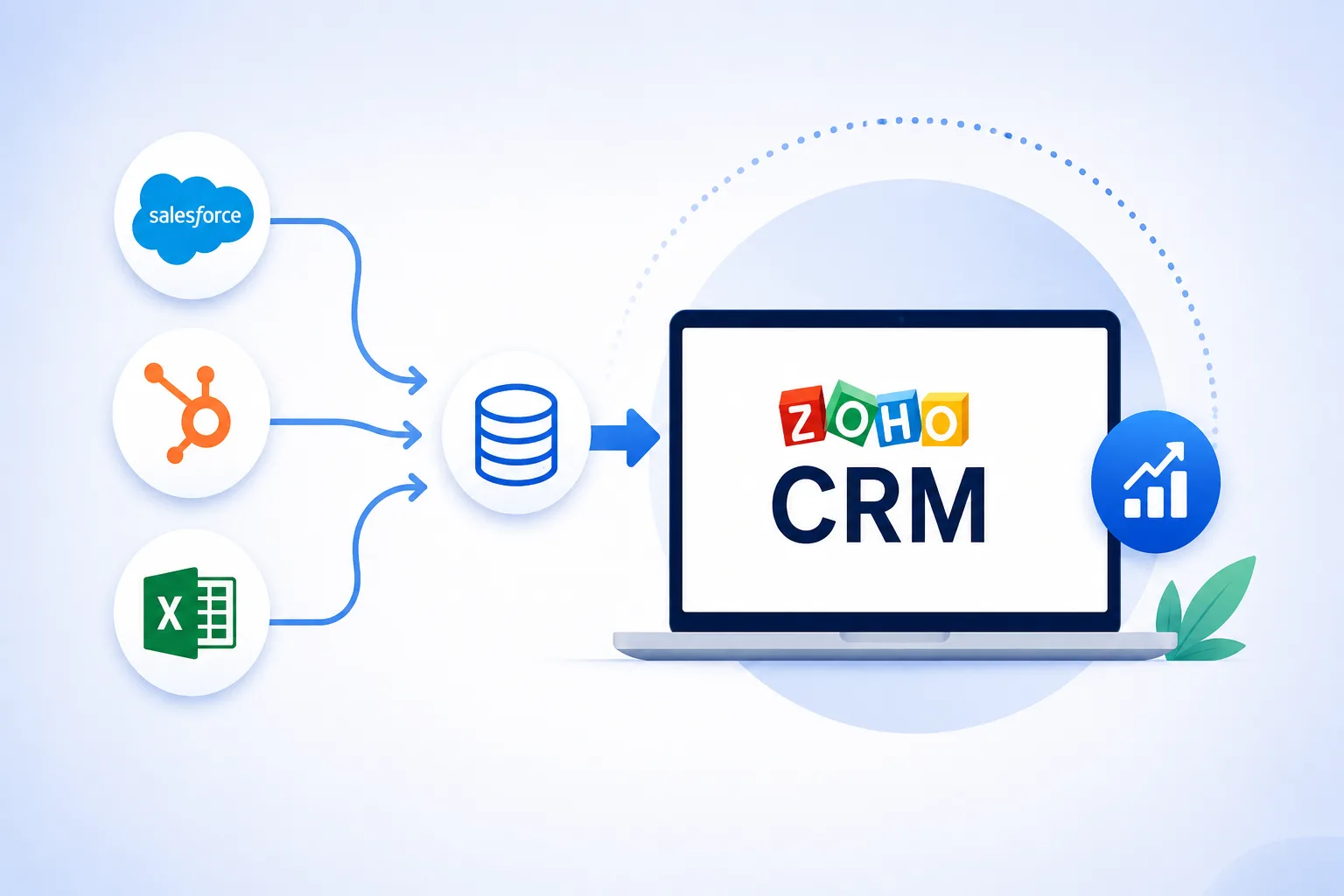
Whether a company is currently using Salesforce, HubSpot, or even Excel spreadsheets to manage customer data, migrating to Zoho CRM can unlock greater flexibility and operational efficiency. However, CRM migration is not simply a matter of transferring data from one system to another. It requires careful planning, data preparation, configuration, testing, and user adoption strategies to ensure a smooth transition.
This guide explores the complete process of migrating to Zoho CRM while highlighting key considerations, best practices, and common challenges organizations should address along the way.
Why Businesses Migrate to Zoho CRM
CRM migration is typically driven by the need for improved functionality, cost optimization, or better alignment with business goals. Organizations often choose Zoho CRM because it offers extensive customization capabilities, automation tools, third-party integrations, analytics features, and scalability for businesses of different sizes.
Another significant advantage is Zoho's broader ecosystem of business applications. Companies can connect CRM operations with accounting, customer support, marketing automation, project management, and communication tools through a unified platform.
For businesses relying on spreadsheets, Zoho CRM provides a centralized environment that eliminates manual tracking, reduces data duplication, and improves collaboration among teams.
Understanding the Scope of CRM Migration
Before beginning the migration process, it is important to understand what needs to be transferred into Zoho CRM. Migration typically involves more than customer contact records. Data elements often include:
- Leads
- Contacts
- Accounts
- Deals or opportunities
- Activities
- Tasks
- Notes
- Attachments
- Products
- Custom fields
- Reports
- Workflow information
Organizations should create a comprehensive inventory of all information currently stored in Salesforce, HubSpot, or Excel files. This assessment helps identify critical business data and ensures nothing important is overlooked during migration.
Step 1: Define Migration Goals
Every successful CRM migration starts with clear objectives. Questions that should be addressed include:
- What business challenges should the migration solve?
- Which teams will use Zoho CRM?
- What processes need automation?
- Which reports and dashboards are essential?
- What integrations are required?
Defining goals early helps shape the CRM configuration and prevents unnecessary customization later.
Businesses that involve stakeholders from sales, marketing, customer service, and management departments often achieve smoother CRM adoption because all requirements are considered during planning.
Step 2: Audit Existing Data
Data quality significantly impacts CRM performance. Migrating outdated or inaccurate records can create long-term challenges.
Before moving information into Zoho CRM, organizations should perform a thorough data audit. This process involves:
- Removing duplicate records
- Correcting inaccurate information
- Standardizing naming conventions
- Filling missing fields where possible
- Archiving outdated records
- Eliminating irrelevant data
A clean database improves reporting accuracy and ensures users trust the new CRM system from day one.
Step 3: Map Existing Data to Zoho CRM
Data mapping is one of the most critical phases of migration. Different CRM systems organize information differently. Salesforce, HubSpot, and Excel may use unique field structures that do not directly align with Zoho CRM. Data mapping involves identifying:
- Source fields
- Destination fields
- Custom field requirements
- Record relationships
- Data dependencies
For example, account records must remain connected to contacts, and opportunities should remain associated with relevant customers. Proper mapping helps preserve business relationships and ensures data integrity after migration.
Step 4: Configure Zoho CRM Before Importing Data
A common mistake during migration is importing data before configuring Zoho CRM properly. Organizations should first set up:
Modules
Configure standard and custom modules that align with business processes.
User Roles and Permissions
Establish role hierarchies and access controls to maintain data security.
Custom Fields
Create any custom fields necessary to accommodate migrated information.
Layouts
Design record layouts that support daily workflows and improve user productivity.
Automation Rules
Set up workflows, assignment rules, approval processes, and notifications where needed. Completing configuration before migration minimizes rework and helps users start working immediately after deployment.
Step 5: Migrate Data from Salesforce
Organizations moving from Salesforce often have large volumes of structured CRM data. The migration process generally includes:
- Exporting Salesforce records
- Cleaning and validating exported data
- Mapping fields to Zoho CRM
- Importing records into appropriate modules
- Verifying record relationships
Special attention should be given to custom objects and automation rules because Salesforce environments often contain extensive customizations. A detailed migration plan helps ensure that critical business processes remain uninterrupted during the transition.
Also read : Zoho CRM Migration: Step-by-Step Guide to Moving from Spreadsheets or Other CRMs
Step 6: Migrate Data from HubSpot
HubSpot users typically rely heavily on marketing and sales alignment features. When migrating from HubSpot to Zoho CRM, organizations should carefully review:
- Contact records
- Deal pipelines
- Email history
- Marketing-related data
- Activity tracking information
Field mapping becomes particularly important because different CRM platforms may categorize information differently. After importing data, businesses should validate pipeline stages and workflow logic to ensure continuity in sales operations.
Step 7: Migrate Data from Excel
Many organizations begin customer management through spreadsheets before transitioning to a dedicated CRM.
While Excel-based migration may appear simple, data quality issues are often more common. Businesses should focus on:
- Consolidating multiple spreadsheets
- Removing duplicate entries
- Standardizing formatting
- Creating structured field categories
- Identifying missing information
Once organized, spreadsheet data can be imported into Zoho CRM using CSV files.
This transition often delivers significant improvements in data visibility, reporting accuracy, and team collaboration.
Step 8: Test the Migration Thoroughly
Testing should never be skipped. Before migrating all business data, organizations should conduct a pilot migration using a smaller dataset. Testing allows teams to verify:
- Data accuracy
- Field mappings
- Record relationships
- Workflow functionality
- Report generation
- User permissions
Any issues identified during testing can be corrected before the full migration occurs.
This proactive approach reduces risks and minimizes disruptions.
Step 9: Rebuild Integrations
Most CRM platforms connect with other business applications. After migration, organizations should evaluate all existing integrations and determine how they will function within Zoho CRM. Common integrations include:
- Email platforms
- Marketing automation tools
- Accounting software
- Customer support systems
- Communication platforms
- E-commerce applications
Testing each integration is essential to ensure data flows correctly between systems.
Step 10: Train Users and Drive Adoption
Even the most successful migration can fail if users do not embrace the new CRM system. User training should focus on:
- Navigation and interface familiarity
- Data entry procedures
- Workflow usage
- Reporting capabilities
- Automation features
- Best practices
Organizations should provide ongoing support after implementation to address questions and encourage adoption. When users understand how Zoho CRM simplifies their daily tasks, engagement levels typically increase.
The Role of Zoho Consultants During Migration
CRM migration can become complex, especially when dealing with large datasets, custom workflows, multiple integrations, or advanced reporting requirements.
This is why many businesses choose to work with experienced Zoho consultants during the migration process.
Zoho consultants help organizations assess existing systems, create migration strategies, configure CRM environments, map data structures, and validate imported records. Their expertise can significantly reduce implementation risks while ensuring that the CRM is configured according to business objectives.
Beyond technical migration, Zoho consultants often assist with workflow optimization, automation design, user training, and long-term CRM adoption strategies. Their involvement can help businesses maximize the value of their Zoho CRM investment while avoiding common migration challenges.
Common CRM Migration Challenges
Businesses frequently encounter challenges during CRM migration projects.
Some of the most common include:
Poor Data Quality
Outdated or duplicate records can negatively impact migration outcomes.
Incomplete Planning
Lack of preparation often leads to missing information and workflow disruptions.
Incorrect Field Mapping
Improper mapping can result in misplaced or unusable data.
User Resistance
Employees may hesitate to adopt new systems without proper training and communication.
Integration Issues
Connected applications may require adjustments after migration.
Understanding these challenges beforehand allows organizations to create effective mitigation strategies.
Best Practices for a Successful Zoho CRM Migration
To maximize migration success, organizations should follow several best practices:
- Establish clear migration objectives
- Clean data before importing
- Document field mappings thoroughly
- Configure Zoho CRM before migration
- Conduct pilot testing
- Validate imported records
- Train users effectively
- Monitor CRM performance after launch
- Review automation workflows regularly
- Seek guidance from experienced Zoho consultants when necessary
Following these recommendations can significantly improve migration outcomes and reduce operational disruptions.
Conclusion
Migrating from Salesforce, HubSpot, or Excel to Zoho CRM is an important step toward creating a more organized, scalable, and efficient customer relationship management environment. However, a successful migration requires more than simply transferring data. Organizations must carefully plan the process, clean and map information accurately, configure the CRM properly, test thoroughly, and support users throughout the transition.
By approaching migration strategically, businesses can unlock the full capabilities of Zoho CRM while improving productivity, data visibility, and customer management processes. Whether the migration involves a sophisticated CRM platform or a collection of spreadsheets, following a structured roadmap helps ensure a smooth transition and long-term success.