Zoho Integration: How Businesses Can Connect Their CRM With Other Business Tools
A CRM becomes far more valuable when it can communicate with the other systems a business already relies on. Sales teams need access to customer information, marketing teams need lead activity, finance teams need transaction details, and support teams need a complete view of customer interactions. When these systems operate separately, employees often spend time moving information manually between applications.
Zoho integration helps solve this problem by connecting Zoho CRM with other business applications so that information can move between systems with less manual effort. The result is a more connected workflow, better data visibility, and greater scope for automation.
What Is Zoho Integration?
Zoho integration is the process of connecting Zoho CRM or another Zoho application with third-party software or internal business systems.
Depending on the business requirements, an integration can allow applications to:
- Synchronize customer and contact information
- Transfer leads between marketing and CRM platforms
- Update sales information automatically
- Share data between CRM and accounting systems
- Connect customer support applications with CRM records
- Trigger automated workflows
- Keep information consistent across multiple systems
The purpose isn't simply to connect two applications. A well-designed integration creates a reliable flow of information between different parts of the business.
Why Does Zoho CRM Integration Matter?
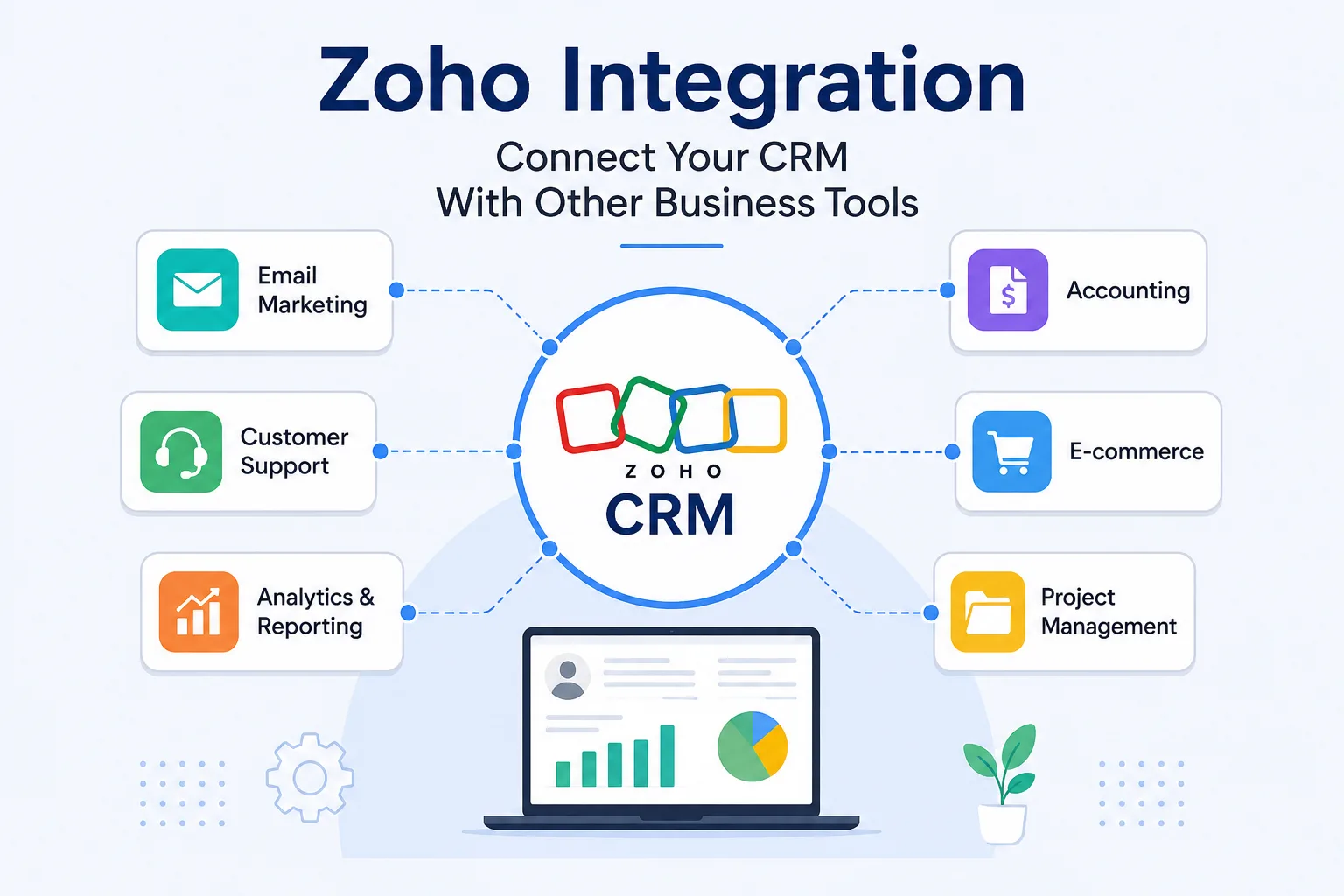
A CRM often sits at the center of sales and customer-related activities. However, customer information rarely exists in only one application. A company may use separate tools for:
- Email marketing
- Accounting
- Customer support
- Project management
- E-commerce
- Business analytics
- Communication
- Human resources
- Enterprise resource planning
Without integration, employees may need to switch between applications or enter the same information multiple times. Zoho CRM integration can reduce these unnecessary steps by allowing connected applications to exchange relevant information automatically.
1. Reduce Manual Data Entry
Repeated data entry is both time-consuming and vulnerable to errors.
When systems are connected, information entered in one application can potentially be transferred to another based on predefined rules. This reduces repetitive administrative work and allows employees to spend more time on activities that require human judgment.
2. Create Better Data Consistency
Different departments can end up maintaining separate versions of customer information when their systems aren't connected.
Integration can establish synchronization rules that help keep important records aligned. This is particularly useful for customer names, contact details, account information, sales activity, and other frequently updated data.
3. Improve Workflow Automation
Integration creates opportunities for automated workflows.
For example, a new lead entering the CRM could trigger actions in another connected system. Similarly, a change in a customer's status could initiate a notification, update a record, or start a predefined process.
Automation becomes more powerful when it isn't restricted to a single application.
4. Give Teams Better Visibility
A connected CRM can provide employees with information that would otherwise require checking several systems. Instead of treating customer information as isolated records, integration can help create a more complete picture of customer activity.
This can improve decision-making because employees have access to more relevant information within their existing workflows.
Which Business Tools Can Be Integrated With Zoho CRM?
The right integrations depend on the company's technology stack and operational requirements. Some of the most common categories include:
Email Marketing Platforms
Connecting CRM and email marketing systems can help synchronize contacts, leads, campaign information, and engagement data.
This can support processes such as:
- Lead segmentation
- Campaign follow-up
- Lead nurturing
- Contact synchronization
- Marketing-to-sales handoffs
The goal is to reduce the gap between marketing activity and sales activity.
Accounting and Finance Software
CRM and accounting systems often contain complementary information.
The CRM may contain customer and sales information, while accounting software handles invoices, payments, and financial records.
Integration can help relevant teams access financial information without repeatedly requesting or entering the same customer data.
Customer Support Platforms
Customer service teams need access to accurate customer information.
Connecting support systems with Zoho CRM can help synchronize customer records and relevant interactions. Sales and support teams can then work from more consistent information.
ERP Systems
ERP software typically manages operational areas such as inventory, procurement, finance, manufacturing, or supply chain activities.
Integrating an ERP with Zoho CRM can connect customer-facing activities with operational data.
This can help businesses establish a stronger connection between what customers request and what the organization can deliver.
Project Management Tools
Once a sale is completed, customer requirements may need to move into project delivery.
CRM integration with project management software can help transfer relevant information between sales and delivery teams. This reduces the need to recreate customer or project details manually.
E-commerce Platforms
For businesses that sell products or services online, connecting e-commerce platforms with CRM software can create a more connected customer-data environment.
Information such as customer details, orders, and purchase activity can be synchronized according to the integration requirements.
Common Methods of Zoho Integration
There isn't a single method that works for every integration. Businesses generally choose an approach based on the complexity of the systems involved and the level of customization required.
Native Integrations
Some applications provide built-in integrations with Zoho products.
These are usually easier to configure because the connection has already been designed between the applications.
Native integrations can be a good choice when the required workflow is straightforward and supported by the available features.
API Integration
An API allows different software applications to communicate programmatically.
API-based Zoho integration provides greater flexibility when a business needs customized data flows or functionality that isn't available through a standard integration.
However, API integrations typically require more technical planning and development.
Integration Platforms
Integration platforms can act as a bridge between different applications.
They can help businesses create workflows without building every connection from scratch. Depending on the platform, users may be able to configure triggers, actions, data mappings, and automation rules.
Custom Integration
Some businesses have specialized applications or complex processes that require a customized integration.
A custom approach provides greater control over how systems communicate, what information is transferred, and when specific actions occur.
The trade-off is that custom integrations generally require more development, testing, maintenance, and documentation.
What Should Businesses Consider Before Integrating Zoho?
Connecting applications without a clear plan can create new problems rather than solving existing ones.
Before starting a Zoho integration project, businesses should consider several factors.
Define the Business Objective
Start by identifying why the integration is necessary.
Is the goal to reduce data entry? Improve lead management? Connect sales with finance? Automate customer support processes?
A clearly defined objective makes it easier to determine which systems should be connected and what information needs to move between them.
Identify the Data That Needs to Move
Not every piece of information needs to be synchronized.
Determine which fields and records are actually required. This can prevent unnecessary data transfers and make the integration easier to manage.
Establish Data Ownership
When two systems contain similar information, determine which system should be considered the primary source.
For example, if contact information exists in both systems, integration rules should define which application controls updates and how changes are synchronized.
Consider Data Security
Customer and business information must be handled carefully during integration.
Businesses should evaluate:
- Authentication methods
- User permissions
- Data access
- Encryption
- API security
- Compliance requirements
- Data retention policies
Security should be part of the integration design rather than an afterthought.
Plan for Errors
Integrations can encounter problems such as failed API requests, incorrect field mappings, duplicate records, or temporary service interruptions.
A robust integration should have mechanisms for identifying and handling these errors.
Logging and monitoring can make it easier to determine what went wrong and when.
How to Make Zoho Integration More Effective
Successful integration isn't only about connecting applications. It also depends on how the connected environment is managed.
Keep Data Clean Before Integration
Duplicate or inaccurate records can spread across connected systems once synchronization begins.
Cleaning existing data before integration can reduce these problems.
Map Fields Carefully
Different applications may use different names or formats for similar information.
Field mapping should be planned carefully so that data reaches the correct destination and retains the appropriate format.
Avoid Unnecessary Automation
Automation should solve a business problem, not simply exist because it is technically possible.
Too many automated workflows can create complexity and make troubleshooting difficult.
Focus on processes where automation provides a measurable benefit.
Test Before Going Live
Integration should be tested using controlled data before being deployed across the organization.
Testing should cover:
- Data synchronization
- Workflow triggers
- Error handling
- Duplicate prevention
- Permissions
- Notifications
- Record updates
A structured testing process can identify problems before they affect production data.
Monitor the Integration
An integration is not a one-time project that can simply be forgotten after deployment.
Applications change. APIs are updated. Business processes evolve. Data requirements may also change.
Regular monitoring helps businesses identify failures and determine when an integration needs maintenance or improvement.
Zoho Integration and Business Automation
One of the biggest advantages of connecting Zoho CRM with other applications is the ability to create end-to-end workflows.
A process might begin when a lead enters the CRM, continue through qualification and sales activities, and then connect with finance, project delivery, or customer support after conversion.
Instead of treating each stage as a separate activity, integration allows businesses to connect those stages into a coordinated workflow.
This can help reduce delays, eliminate repetitive tasks, and improve visibility across departments.
The Role of CRM Integration in Digital Transformation
Digital transformation isn't simply about adopting more software. It is about making existing technology work together more effectively.
A business can have excellent individual applications and still experience inefficient processes if those applications operate in isolation.
Zoho integration helps address this problem by creating connections between systems. When CRM, marketing, finance, support, operations, and analytics platforms can exchange relevant information, businesses can move toward a more unified technology environment.
Conclusion
Zoho integration can turn a CRM from an isolated application into a connected business platform. By linking Zoho CRM with marketing, accounting, ERP, customer support, project management, e-commerce, and other systems, businesses can reduce repetitive work, improve data consistency, automate workflows, and give teams better access to information.
However, effective integration requires more than connecting applications. Businesses need clear objectives, thoughtful data mapping, appropriate security controls, reliable error handling, and ongoing monitoring. The best integration strategy is therefore not the one that connects the greatest number of tools. It is the one that connects the right systems in the right way to support the business processes that matter most.