Opening additional library branches is a great opportunity for owners who want to expand their library business. However, managing multiple locations also brings new responsibilities. Owners need to handle member details, seat availability, shift timings, attendance, fee collections and daily expenses across different branches.
When these activities depend on separate registers and spreadsheets, keeping track of daily operations becomes time-consuming. A Library Management App provides a digital way to handle these responsibilities and maintain better control over library activities. With GoLibrary, owners can manage multiple branches from one account and use different management features to simplify everyday work. Let's understand seven practical ways to manage multiple library locations efficiently.
Why Is Managing Multiple Library Branches Challenging?
Every library branch has different members, seating arrangements, working hours and financial activities. Managing all these details manually can create several problems.
Some common challenges include:
- Separate Records: Finding member details and payment history across different registers takes additional time.
- Seat Availability: Checking vacant and occupied seats at different locations can become confusing.
- Shift Scheduling: Managing different operating hours requires proper coordination.
- Payment Tracking: Monitoring membership fees, renewals and pending dues needs regular attention.
- Attendance Monitoring: Maintaining accurate attendance information across different locations can be difficult.
- Expense Management: Recording rent, electricity, maintenance and other costs is important for understanding business expenses.
A structured digital system can help library owners handle these responsibilities more conveniently.
Ways to Manage Multiple Library Branches Efficiently
1. Manage All Branch Locations from One Account
When a library business expands, owners need a convenient way to handle different locations without depending on separate management systems.
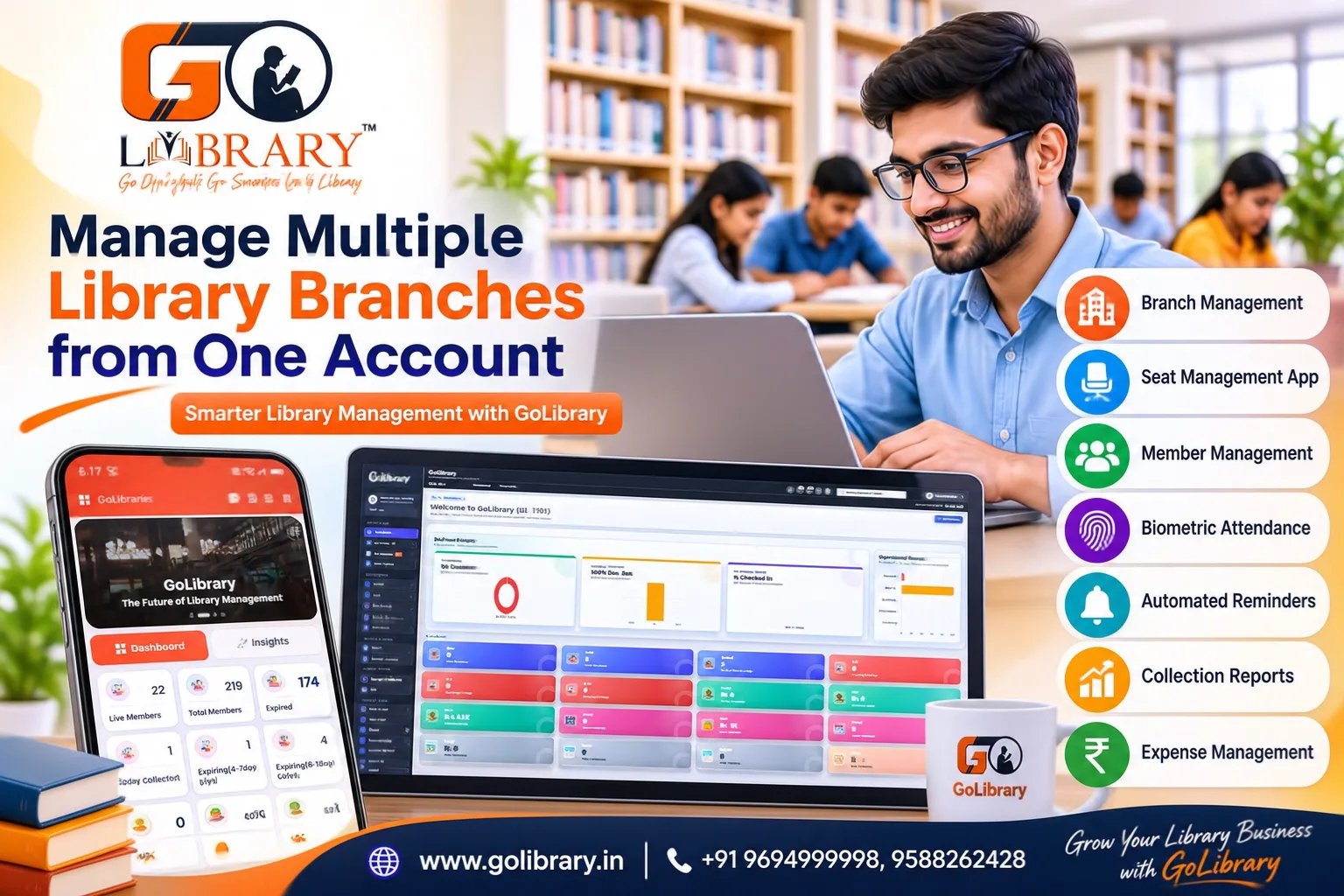
GoLibrary provides a Branch Management feature that allows owners to manage multiple library branches from one account.
Important activities include:
- Branch Management: Add and manage different library locations through the platform.
- Branch Information: Maintain details related to individual locations.
- Centralized Administration: Handle branch-related activities through one platform.
- Business Expansion: Make it easier to manage additional locations as the business grows.
2. Improve Seat Allocation and Shift Scheduling
Seat availability directly affects the daily functioning of a study library. Incorrect allocations can create confusion among members.
A Seat Management App helps owners monitor seating arrangements and assign seats according to membership requirements.
Useful activities include:
- Seat Availability: Check which seats are vacant and occupied.
- Seat Allocation: Assign suitable seats to members.
- Seat Status: Keep track of current seating arrangements.
- Shift Management: Organize morning, afternoon, evening, night and full-day shifts.
- Scheduling: Reduce confusion when different members use the same seats at different times.
GoLibrary combines Seat and Shift Management to make everyday seating arrangements easier.
3. Maintain Complete Member Information
As membership numbers increase, maintaining accurate member details becomes more important. Owners need access to contact information, membership plans, assigned seats and payment history.
A Library Management Application helps maintain these details digitally.
GoLibrary's Member Management feature supports activities such as:
- Member Profiles: Maintain contact details and important member information.
- Membership Plans: Keep records of membership types and validity.
- Payment History: Review previous fee payments.
- Seat Details: Check seats assigned to individual members.
- Renewal Information: Refer to membership details when renewals are required.
This reduces the time spent searching through paper registers whenever information is needed.
4. Simplify Attendance with Biometric Integration
Attendance monitoring becomes more challenging when different branches have separate operating schedules. Manual registers require regular entries and checking.
GoLibrary supports biometric integration through fingerprint, face recognition and card-based options.
Owners can benefit from:
- Fingerprint Attendance: Use supported fingerprint devices for attendance recording.
- Face Recognition: Use compatible face recognition systems.
- Card-Based Attendance: Support attendance through compatible cards.
- Reduced Manual Work: Minimize dependence on handwritten attendance entries.
These options help make attendance management more convenient across library operations.
5. Manage Fee Collection and Membership Renewals
Regular fee collection is essential for maintaining a stable library business. Owners need to know which members have paid and which payments are pending.
GoLibrary helps maintain payment information through Member Management and Collection Reports.
Important activities include:
- Fee Records: Maintain information about membership payments.
- Payment History: Review previous transactions.
- Pending Dues: Identify payments that need attention.
- Membership Renewals: Keep track of membership validity.
- Automated Reminders: Use SMS and WhatsApp reminders for payment and renewal-related updates.
These features help reduce repeated manual follow-ups and make payment communication easier.
6. Monitor Collections and Daily Expenses
Understanding business income and expenses is important when operating multiple library locations. Membership collections provide incoming revenue, while rent, electricity and maintenance contribute to regular expenses.
GoLibrary offers Collection Reports and Expense Management to support financial record maintenance.
Owners can use these features for:
- Daily Collection Reports: Review amounts collected through membership fees and recorded payments.
- Expense Records: Maintain details of regular business expenses.
- Payment Monitoring: Refer to collection information when reviewing financial activities.
- Expense Tracking: Record electricity, rent, maintenance and other operational costs.
- Business Planning: Use financial information to understand expenses and plan future requirements.
Maintaining these records helps owners understand their library's financial activities.
7. Manage Member Enquiries and Follow-ups
New enquiries are important for attracting members to a library. When a business operates from multiple locations, tracking interested visitors and their follow-ups becomes another responsibility.
GoLibrary includes Enquiry Management to help owners maintain incoming enquiry information.
This feature supports activities such as:
- Enquiry Records: Maintain details of people interested in joining the library.
- Contact Information: Keep relevant details available for future communication.
- Follow-ups: Track enquiries that require further attention.
- Membership Opportunities: Manage the process of converting interested visitors into members.
A proper enquiry process helps reduce missed opportunities and supports better communication.
Benefits of Using a Digital Library Management App
Managing different locations through a digital platform can improve several aspects of daily administration.
- Less Paperwork: Reduce dependence on separate registers for everyday records.
- Better Seat Utilization: Monitor available seats and organize shift allocations.
- Quick Member Assistance: Access membership and payment details when required.
- Simplified Attendance: Use supported biometric options to reduce manual work.
- Payment Communication: Send automated reminders for membership updates.
- Financial Visibility: Review collection information and maintain expense records.
- Convenient Expansion: Handle increasing responsibilities through a structured management process.
A Library Manager App can help owners focus more on improving library services instead of spending excessive time on repetitive paperwork.
Managing multiple library branches requires proper coordination of seats, memberships, attendance, payments and expenses. Depending entirely on manual registers can make these responsibilities more difficult as the business expands.
Choosing a suitable Library Management App can simplify daily administration by bringing essential activities into one digital platform.
GoLibrary offers Branch Management, Seat Management, Shift Management, Member Management, biometric attendance, automated reminders, Collection Reports and Expense Management to support library owners in their everyday operations.
Frequently Asked Questions
1. Can I manage multiple library branches using one account?
Yes. GoLibrary provides Branch Management to help owners manage multiple library branches from one account.
2. Can I manage seats and different shifts digitally?
Yes. Seat Management and Shift Management help organize seat availability, allocations and different shift timings.
3. Does GoLibrary support biometric attendance?
Yes. It supports fingerprint, face recognition and card-based attendance options through compatible devices.
4. Can I track membership payments and renewals?
Yes. Member Management and Collection Reports help maintain payment history, review collections and monitor membership information.
5. Is a Library Manager App useful for growing library businesses?
Yes. It can help owners handle increasing administrative responsibilities and maintain better control over everyday operations.
Explore GoLibrary and discover a smarter way to manage your growing library business.