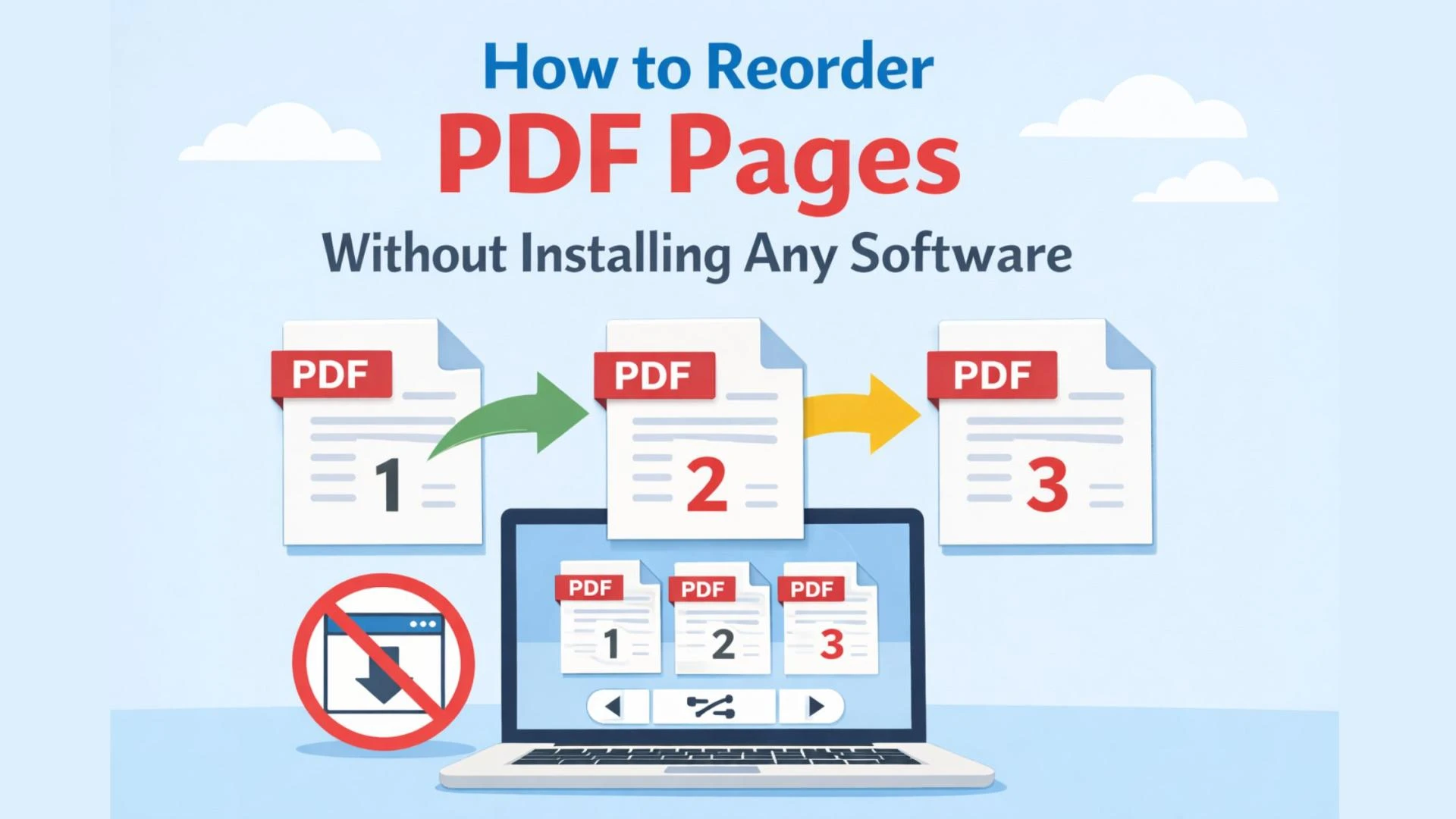
In today’s digital-first world, PDFs are one of the most commonly used file formats for sharing documents. From business proposals and contracts to academic papers and eBooks, PDFs ensure consistent formatting across devices. However, working with PDFs is not always straightforward—especially when you need to reorder PDF pages quickly and efficiently.
Many users assume that rearranging PDF pages requires installing heavy desktop software or paid tools. The good news? That’s no longer the case. Thanks to modern web-based solutions, you can now reorder PDF pages online without installing any software, saving both time and storage space.
In this guide, we’ll explore why page reordering is important, common use cases, challenges with traditional tools, and step-by-step strategies to reorder PDF pages entirely online.
Why Reordering PDF Pages Matters
PDFs are often created by merging multiple documents, scanning physical pages, or exporting from different tools. As a result, pages may appear out of sequence. Even a minor page order issue can create confusion or reduce the professionalism of a document.
Here are a few reasons why people need to reorder PDF pages:
- Correcting scanned documents where pages were scanned out of order
- Rearranging reports or presentations for better flow
- Organizing legal or financial documents in the proper sequence
- Customizing eBooks or training manuals
- Preparing documents for printing or sharing
Being able to reorder PDF pages easily ensures your content is logical, readable, and professional.
Traditional Ways to Reorder PDF Pages (And Their Drawbacks)
Historically, users relied on desktop software to manage PDFs. While these tools can be powerful, they come with several limitations:
1. Software Installation
Many PDF editors require downloading and installing large applications, which can slow down your system and consume valuable storage.
2. Paid Licenses
Popular desktop tools often hide essential features like page reordering behind premium paywalls, making them costly for occasional users.
3. Device Restrictions
Installed software usually works on a single device, limiting flexibility when switching between workstations, laptops, or mobile devices.
4. Learning Curve
Advanced PDF editors can be overwhelming, especially if your only goal is to reorder PDF pages.
These challenges have driven demand for simpler, browser-based solutions.
The Rise of Online PDF Tools
With cloud-based technology, PDF management has become more accessible than ever. Online tools allow users to upload documents, make changes, and download updated files—all without installing any software.
Key advantages include:
- No downloads or installations
- Works on any device (Windows, macOS, Linux, mobile)
- Fast and user-friendly
- Often free or low-cost
- Secure file handling
For users who only need to reorder PDF pages occasionally or quickly, online tools are the most efficient option.
How to Reorder PDF Pages Online Without Installing Software
Reordering PDF pages online is a straightforward process. While interfaces may vary slightly, most tools follow a similar workflow.
Step 1: Open an Online PDF Reordering Tool
Use a trusted browser-based PDF editor that supports page rearrangement. These tools work directly in your web browser.
Step 2: Upload Your PDF File
Drag and drop your PDF file or select it from your device. The tool will load and display thumbnail previews of each page.
Step 3: Rearrange Pages Visually
Simply drag and drop page thumbnails into the desired order. This visual approach makes it easy to spot mistakes and organize pages logically.
Step 4: Preview the New Order
Before finalizing, review the reordered pages to ensure everything flows correctly.
Step 5: Download the Updated PDF
Once satisfied, download the reordered PDF file to your device—no software installation required.
Best Practices When You Reorder PDF Pages
To ensure optimal results, keep these best practices in mind:
- Review page numbers and headings after reordering
- Check links and references that may depend on page order
- Save a backup copy of the original PDF
- Use a secure platform that protects your data
- Avoid public Wi-Fi when handling sensitive documents
Following these tips ensures accuracy and security throughout the process.
Common Use Cases for Online PDF Page Reordering
Business & Corporate
Professionals often reorder PDF pages in proposals, pitch decks, contracts, and compliance documents to meet client or regulatory requirements.
Education
Students and teachers frequently reorganize assignments, research papers, lecture notes, and exam materials.
Legal & Finance
Law firms and financial institutions rely on precise page ordering to maintain document integrity and clarity.
Publishing & Marketing
Content creators use PDFs for brochures, eBooks, catalogs, and whitepapers—where page sequence directly affects readability and impact.
Security and Privacy Considerations
When using online tools to reorder PDF pages, security should always be a priority. Look for platforms that:
- Use encrypted connections (HTTPS)
- Automatically delete uploaded files after processing
- Do not require unnecessary account creation
- Clearly explain their privacy policies
Responsible platforms balance convenience with data protection, making online PDF editing both safe and efficient.
Why Online Tools Are the Future of PDF Management
As remote work, freelancing, and digital collaboration continue to grow, users increasingly prefer lightweight, web-based solutions. The ability to reorder PDF pages without installing any software aligns perfectly with modern productivity needs.
Online tools are:
- Faster to access
- Easier to use
- Platform-independent
- Ideal for quick tasks
For most users, they eliminate the need for complex desktop applications altogether.
Final Thoughts: A Smart Way to Reorder PDF Pages
Rearranging pages in a PDF no longer has to be complicated, expensive, or time-consuming. Whether you’re fixing a scanned document or restructuring a professional report, online tools make it easy to reorder PDF pages directly from your browser—without installing any software.
If you’re looking for a simple, fast, and user-friendly solution, consider using the ConverzPDF website. It offers an intuitive interface that allows you to reorder PDF pages effortlessly while keeping your files secure and your workflow smooth. For anyone who values convenience and efficiency, ConverzPDF is a practical choice worth exploring.