
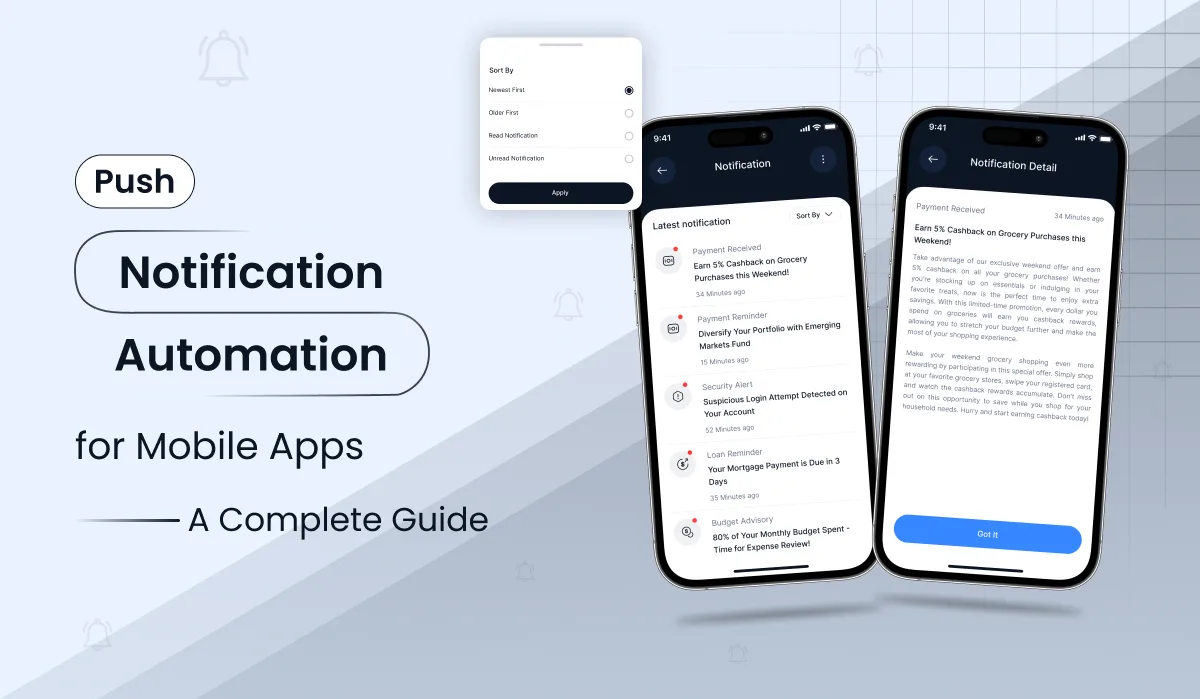
How automated push notifications bring users back, why a push notification subscription needs verified data behind it, and what founders should plan before building.
Your app is installed. A week later, the user has forgotten about it. Should you send a reminder every day, wait for something meaningful to happen, or offer a reason to come back? Most teams answer with a calendar of scheduled messages. The teams that retain users answer with push notification automation: a system that decides, for every user, whether a message is appropriate right now, without a marketer pressing “send” each time.
This article explains how push notification automation works, what a founder or product owner should plan for, and where projects usually go wrong. For the full implementation guide with architecture, cost tables and FAQs, read the complete push notification automation guide. All cost figures here are illustrative planning ranges, not a Primocys quotation.
What push notification automation actually means
Manual push messaging is simple: someone writes a notification, picks an audience, and schedules it. Automated push notifications work differently. An app event, such as a completed purchase, an unfinished onboarding flow, or three days without activity, enters a decision system. That system checks whether the message makes sense, whether the user has given consent, and whether another message was sent recently. Only then does the notification go out.
This is more than “schedule five messages every day”. A user who just upgraded should stop seeing “Unlock Premium” promotions. A user who turned off promotional alerts should never receive them. Those small decisions separate a lifecycle automation engine from a message calendar, and they are what protect your retention numbers.
What most founders need from push notifications
Founders rarely ask for “a rules engine”. They ask for outcomes. In practice, the needs behind the request are:
- Activation: more new users completing their first meaningful action.
- Retention: more users returning on Day 7 and Day 30.
- Conversion: more eligible free users becoming paying subscribers.
- Trust: fewer opt-outs, fewer muted alerts, and no embarrassing mistakes.
- Less manual work: a system that runs without a person scheduling every campaign.
Good push notification automation serves all five. Poor automation can hurt trust faster than it helps conversion, which is why the design matters more than the volume.
Design the lifecycle first
Think about two people who downloaded the same app. One opened it once and never returned. Another uses it every evening and has an active plan. Sending both the same “Try Premium” message is not personalisation. It is a missed opportunity.
The strongest starting point is a small set of lifecycle segments, each with a clear
business goal, entry condition, exit condition, and sending limit:
- New install or first open: welcome and complete onboarding, only if still incomplete.
- Free, early lifecycle: helpful feature discovery over the first 7 to 14 days.
- Free, established: a few relevant weekly prompts.
- New subscriber: explain unlocked benefits and encourage the first premium action.
- Active subscriber: relevant content and unfinished activities.
- Expired subscription: an accurate access update and an occasional renewal offer.
A common mistake is building a 14-day sequence and stopping entirely. Treat onboarding as one temporary state in a continuing lifecycle. On Day 15, free users move into a lower-frequency campaign, and users who ignore repeated messages should receive fewer prompts, not more.
Why a push notification subscription needs verified data
A push notification subscription can mean two things, and mixing them up causes costly mistakes. The first is the device’s permission to receive notifications. The second is the user’s paid plan inside your app. Both matter, and both must be checked before a message is sent.
App Store and Google Play subscription status can change outside the app. A renewal can fail, a plan can be cancelled, and access can expire while the app is closed. If your audience logic relies only on a value cached on the phone, you will eventually send a “Renew now” message to someone who is paying, or a premium prompt to someone who is already subscribed. Store notifications, validated transactions and your own entitlement database should drive every audience change. On purchase, pending free-user promotions should be cancelled. On expiry, access should be verified as ended before any renewal message is mentioned.
This is also where Firebase fits. Firebase Cloud Messaging delivers the notification, but it does not know who is a paid subscriber. Your backend must decide who is eligible and when. Firebase is the transport, and your product logic is the brain.
Behavioural triggers that deserve a push
Scheduled messages are useful, but user actions often give a clearer reason to reach out. Start with a short list of trustworthy events:
- Account setup abandoned for 24 hours.
- First useful action completed.
- A paid feature viewed by a free user.
- Three days of inactivity from a previously engaged user.
- Subscription activated or expired, confirmed by the store.
Event-based does not mean immediate. A user who just closed a paywall may be annoyed by a notification that arrives seconds later. Often the better choice is to wait for a sensible local hour and cancel the reminder if they return or subscribe first.
Opt-in: the step that decides everything
Automated push notifications only reach users who opt in. Ask for permission after the app has shown value, not on first launch, and explain the benefit on a short pre-permission screen before the system prompt appears. On iOS the system prompt appears once, so a declined request has to be changed in device settings. Android 13 and later also asks at runtime. Offer a clear path to settings and let users choose which notification types they want. Opt-in rates vary widely, so measure your own baseline instead of copying a benchmark.
Do you need AI to automate push notifications?
No. The system can run reliably on a library of approved messages and deterministic rules. AI helps with a narrower job: drafting fresh wording and suggesting variations for controlled experiments. A sensible workflow is to have AI prepare new copy variants, let a human approve them, and store them in a versioned template library. The backend then picks a template based on the user’s real state. That is cheaper, easier to audit, and safer than generating a new message for every single send. Never let a model invent discounts, fabricate expiring offers, or assume a benefit the user does not own.
Build or buy: what fits your product?
A managed push platform is often enough for simple campaigns, basic segments, and a dashboard. A custom Firebase engine pays off when eligibility depends on your own data, such as verified subscription status. A hybrid, where a platform sends and your backend decides who is eligible, suits teams that want speed without giving up control. The right choice depends on how much of your messaging depends on your own business rules.
What does push notification automation cost?
Teams often ask for the price of “Firebase notifications” when they actually need several separate features. Basic delivery is straightforward. The complexity comes from eligibility rules, subscription events, a scheduler, administration, analytics and reliability. As illustrative planning ranges for an app with an existing backend:
- Basic: token registration, manual push and simple segments. About $1,000–$4,000 over 1–2 weeks.
- Lifecycle automation: first-open journeys, event triggers, scheduled jobs, opt-outs and deep links. About $4,000–$12,000 over 4–8 weeks.
- Advanced personalisation: entitlement-aware campaigns, admin editor, experiments, localisation and AI-assisted copy. About $12,000–$30,000+ over 8–14 weeks.
Measure outcomes, not just opens
Open rates are useful, but they are not the whole story. A notification that gets tapped yet causes users to disable alerts is not a win. Track opt-in rate, tap rate, post-open task completion, seven- and thirty-day retention, free-to-paid conversion, renewals and opt-outs, segmented by lifecycle stage. Compare a targeted group with a lower-frequency or holdout group so improvements are real, not assumed.
The most common mistakes are easy to avoid: promoting an upgrade after the user has subscribed, using one worldwide sending time instead of local time, letting scheduled and event-based messages exceed a shared frequency cap, and failing to cancel queued jobs when an account changes.
Conclusion: automate with confidence
Good push notification automation is not about sending more messages. It is about sending the right message to the right user at the right moment, with consent, frequency caps and verified data behind every decision. Start with a few lifecycle journeys, ask for permission at the right time, keep every push notification subscription check on the server, and measure retention and conversion instead of vanity opens. Do that and automated push notifications become a dependable growth channel rather than noise. To go deeper, read the full push notification automation guide on the Primocys blog.
Ready to automate push notifications in your app? Tell us your platforms, key user events and subscription setup, and we will review your backend and send a phased scope and budget. Get a free push automation estimate.
This article was originally published on the Primocys blog. Cost figures are illustrative planning ranges, not independently audited benchmarks or binding offers. Final prices depend on a documented scope and your existing app architecture.