What Is Text to Pay?
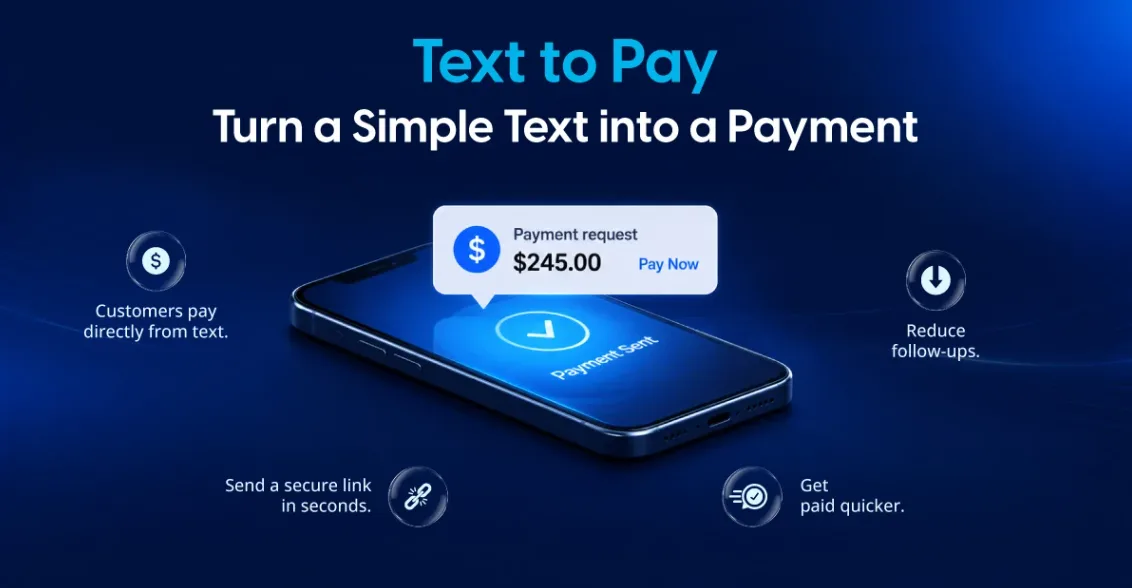
Text to pay is a payment method where a business sends a customer a secure payment link through SMS. The customer opens the link, enters their card or wallet details on a secure hosted page, and completes the payment. They don’t need to download an app, create an account, or call anyone.
It’s also called pay by text or SMS payments. Text to pay is a form of card-not-present payment, and it works for one-time invoices, deposits, balances due, and remote orders.
How Text to Pay Works
The process is simple for both sides:
- The business creates a payment request. It enters the amount, customer name, and phone number in its payment portal or POS.
- The customer receives a text. The SMS includes the business name, the amount due, and a secure payment link.
- The customer pays. They tap the link, review the details, and pay by card or digital wallet.
- The business gets confirmation right away. The payment shows up in the merchant portal, and the customer gets a receipt.
The whole exchange can take less than a minute.
Benefits of Text to Pay for Businesses
Faster payments
Customers read text messages much more quickly than emails or paper invoices. When payment is one tap away, people pay sooner, so you spend less time on follow-ups and collect cash faster.
Fewer late or missed invoices
A payment link sent at the right moment works well. Examples include right after a service is completed, when an order is ready, or on the due date. It removes the friction that causes delays.
Better customer experience
Customers don’t need to read card numbers over the phone, mail a check, or log in to a portal. Text to pay fits how people already use their phones.
Safer than taking cards over the phone
When staff take card details over the phone and type them in by hand, sensitive data is exposed. With text to pay, the customer enters their own card details on a secure, PCI-compliant payment page. Your team never sees or stores the card number.
No extra hardware
Text to pay runs from your existing payment portal or POS, so there’s no terminal to buy and nothing for the customer to install.
Who Should Use Text to Pay?
Text to pay works well for any business that collects payments when the customer isn’t standing at the counter:
- Restaurants: takeout, catering deposits, and curbside orders
- Home services: plumbers, electricians, HVAC, landscaping, and cleaning services
- Auto repair shops: collecting payment before the customer picks up their vehicle
- Healthcare and wellness: patient balances, copays, and appointment deposits
- Professional services: consultants, accountants, and law firms sending invoices
- Retail: phone orders, special orders, and local delivery
- B2B and field sales: collecting payments from clients on the go
Text to Pay vs. Other Remote Payment Methods
| Method | Speed | Customer effort | Security |
|---|---|---|---|
| Text to pay | Very fast | Tap and pay | High (hosted secure page) |
| Email invoice | Moderate | Open email, click, pay | High |
| Phone payment | Fast | Read card number aloud | Lower (manual entry) |
| Paper check | Slow | Write, mail | Low (fraud, delays) |
Text to pay doesn’t have to replace email invoicing. Many businesses use both, sending the invoice by email and a reminder by text with a payment link.
Is Text to Pay Secure?
Yes, if you use a trusted provider. A good text to pay solution should include:
- PCI DSS compliance, so card data is handled securely
- Encrypted, hosted payment pages, so card details never pass through the text message itself
- Tokenization, which protects stored payment information
- Link expiration, so old payment links can’t be reused
- Clear sender identification, so customers know the text is really from your business