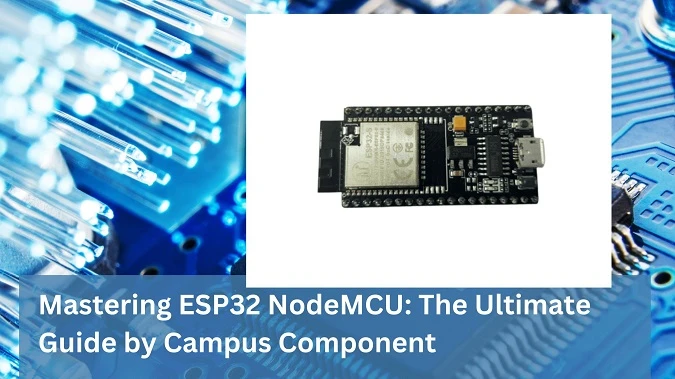
The ESP32 NodeMCU is a powerful microcontroller that has revolutionized the world of IoT and embedded systems. With built-in WiFi and Bluetooth functionality, it enables developers to build innovative, connected devices efficiently. Whether you're new to microcontrollers or an experienced developer looking to expand your skill set, this guide will provide essential knowledge on setting up, programming, and utilizing ESP32 NodeMCU to its fullest potential.
Understanding ESP32 NodeMCU
The ESP32 NodeMCU is an improved version of the popular ESP8266 board, offering higher performance, better connectivity options, and enhanced power efficiency. Manufactured by Espressif Systems, the ESP32 is widely used in applications such as smart homes, automation, robotics, and industrial IoT solutions.
Why Choose ESP32 NodeMCU?
- High Performance: Dual-core processing allows multitasking and complex computations.
- WiFi & Bluetooth: Built-in connectivity ensures seamless IoT integrations.
- Energy Efficient: Low-power consumption makes it ideal for battery-operated devices.
- Multiple Interfaces: Supports GPIO, ADC, DAC, PWM, and capacitive touch sensors.
- Strong Community Support: Extensive resources and libraries are available for developers.
Setting Up ESP32 NodeMCU for Development
Installing Arduino IDE and Configuring ESP32 Board
To program your ESP32 NodeMCU, start by downloading and installing Arduino IDE from the official website. After installation, navigate to File > Preferences and add the following link in the “Additional Board Manager URLs” field:
https://dl.espressif.com/dl/package_esp32_index.json
Next, go to Tools > Board > Boards Manager, search for ESP32 by Espressif Systems, and install the package.
Connecting ESP32 to Your Computer
Use a USB-to-Micro-USB cable to connect your ESP32 NodeMCU to your computer. Open Arduino IDE, select ESP32 Dev Module from the Tools > Board menu, and ensure the correct COM Port is chosen under Tools > Port for smooth communication between the board and your PC.
Installing Drivers for USB-to-Serial Communication
Certain ESP32 boards require drivers such as CP210x or CH340 to establish a connection. If your board is not detected, download and install the appropriate driver from the manufacturer’s website. Once installed, your ESP32 should be ready for development.
Writing Your First ESP32 Program
Let's upload a simple LED blinking program to verify that your ESP32 is functioning correctly.
Writing and Uploading the Code
#define LED_PIN 2
void setup() {
pinMode(LED_PIN, OUTPUT);
}
void loop() {
digitalWrite(LED_PIN, HIGH);
delay(1000);
digitalWrite(LED_PIN, LOW);
delay(1000);
}
Click on Upload in Arduino IDE and wait for the process to complete. If the LED on your ESP32 board blinks, your program has been successfully uploaded!
Exploring Advanced Features of ESP32
IoT Applications and Cloud Integration
ESP32 is widely used in IoT projects due to its networking capabilities. You can integrate it with cloud platforms like AWS, Firebase, or MQTT to build smart automation systems, data monitoring solutions, and wireless communication setups.
Sensor Integration for Real-World Applications
The ESP32 is compatible with various sensors, including temperature, motion, humidity, and GPS modules. If you're interested in interfacing GPS with ESP32, you can explore location-based projects like vehicle tracking and outdoor navigation systems.
Hosting a Web Server with ESP32
With its built-in WiFi capabilities, ESP32 can be used to create a local web server, enabling remote control and monitoring of connected devices through a web interface.
Where to Purchase ESP32 NodeMCU
For high-quality ESP32 NodeMCU development boards and accessories, visit our Electronic components shop. Campus Component provides genuine components to support your electronics and IoT projects.
Conclusion
The ESP32 NodeMCU is an excellent platform for anyone interested in embedded systems and IoT development. Its versatility, affordability, and strong community support make it an essential tool for both beginners and experienced developers. Start your journey with ESP32 today and unlock endless possibilities for innovation!
Frequently Asked Questions
1. What programming languages can be used with ESP32?
ESP32 supports C, C++, MicroPython, and Lua, with Arduino IDE and PlatformIO being popular development platforms.
2. Can ESP32 operate without an internet connection?
Yes, ESP32 can function offline using Bluetooth, local network communication, or standalone data processing techniques.
3. What power supply does ESP32 require?
ESP32 operates on 3.3V logic level and can be powered via 5V USB or an external 3.3V power source.
4. How does ESP32 compare to ESP8266?
ESP32 offers dual-core processing, Bluetooth support, more GPIOs, and improved power efficiency over ESP8266, making it suitable for more demanding applications.
5. Where can I find ESP32 project ideas?
Check out forums, GitHub repositories, and our Campus Component blog for project inspiration and step-by-step guides.