Introduction
Have you ever landed on a website and clicked away within seconds? You're not alone. In today’s digital-first world, your website is more than just a virtual business card—it’s your 24/7 sales machine. And when done right, web design and web development can turn those random clicks into real, paying clients.
So let’s dive into how you can build a website that doesn’t just look great but performs even better.
What is Web Design and Web Development?
Defining Web Design
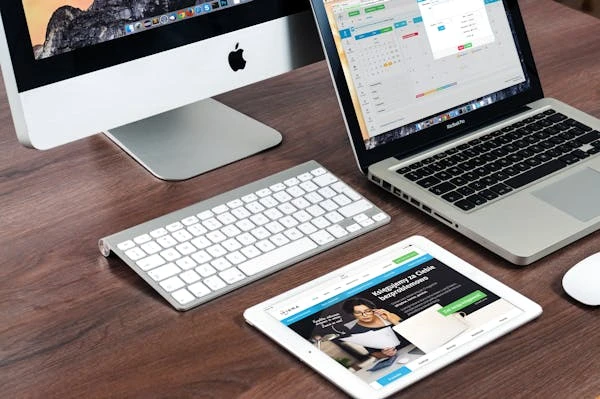
Web design is the visual and aesthetic side of your website. It includes layout, color schemes, typography, user interface elements, and overall vibe. In short, it’s what your users see and interact with.
Defining Web Development
Web development is the behind-the-scenes magic. It’s the coding and technical structure that makes everything work. This includes databases, server integration, and interactivity.
The Difference Between the Two
Think of web design as the car’s body—sleek, attractive, and eye-catching. Web development is the engine—powerful, functional, and reliable. One can't succeed without the other.
Why Web Design and Web Development Matter
First Impressions Count
Did you know it only takes about 0.05 seconds for users to form an opinion about your website? Yep, that's all the time you get to impress them.
Design That Engages, Development That Works
It’s not just about pretty pictures. Good design keeps users engaged, while solid development ensures everything runs smoothly. Together, they boost credibility and trust.
Elements of Effective Web Design
Visual Hierarchy
Guide your visitors’ eyes. Use headings, buttons, and imagery to lead them where you want them to go—like your contact page or checkout.
Typography and Color Theory
Fonts speak louder than words. Color evokes emotion. Choose both wisely to reflect your brand and message.
Mobile Responsiveness
Over 60% of users browse from their phones. Your site better look good on every screen.
Consistent Branding
Logos, colors, tone of voice—everything should match to reinforce brand identity and trust.
Key Aspects of Smart Web Development
Fast Loading Speed
A slow website is a dead website. If it doesn’t load in under 3 seconds, your potential clients are bouncing.
SEO-Friendly Code
Clean code helps search engines crawl and index your site better, increasing visibility.
Secure Architecture
HTTPS, SSL certificates, and secure backends protect you and your users from cyber threats.
How to Turn Clicks Into Clients
Strategic CTA Placement
Calls to Action (CTAs) should be bold, clear, and irresistible—“Get a Free Quote,” “Schedule a Demo,” or “Buy Now.”
Lead Capture Forms
Short, sweet, and to the point. Ask only what you need—name, email, and maybe one question.
Trust Signals (Testimonials, Reviews, Certifications)
People trust people. Show off glowing reviews, client logos, or security badges.
User Experience (UX) Is Everything
Intuitive Navigation
Menus should be simple. Don’t make visitors dig to find what they’re looking for.
Streamlined Checkout Processes
The fewer the steps, the better. Don’t overcomplicate buying.
Accessibility for All Users
Design for everyone—including users with disabilities. Use alt text, readable fonts, and logical structure.
Tools and Technologies Used
CMS Platforms (WordPress, Shopify)
Great for ease of use and scalability. Perfect for businesses of all sizes.
Frameworks and Languages (HTML, CSS, JavaScript)
These are the bones of your site. HTML structures it, CSS styles it, and JS brings it to life.
Common Mistakes to Avoid
Ignoring Mobile Users
Mobile-first is no longer optional—it’s mandatory.
Overcomplicating the Design
Keep it clean. Too many elements distract and overwhelm.
Slow Page Load Time
Compress images, use caching, and optimize code to speed things up.
Conversion Rate Optimization (CRO) Strategies
A/B Testing
Test headlines, buttons, images—see what converts better.
Heatmaps and Analytics
See where users click, scroll, and drop off. Then optimize accordingly.
Personalization Techniques
Tailor content based on user behavior. “Hey, welcome back!” works wonders.
Case Studies: Real Businesses That Got It Right
Example 1: E-commerce Site
After a redesign focused on mobile speed and CTA clarity, sales increased by 40%.
Example 2: Local Business
A local law firm updated their website with reviews and fast booking—resulting in 3x more client inquiries.
SEO and Web Development – The Power Combo
On-Page SEO Essentials
Use meta titles, descriptions, header tags, and alt texts smartly.
Technical SEO in Development
XML sitemaps, robots.txt, and clean URL structures help Google love your site.
The Role of Content in Web Design
Crafting Compelling Copy
Talk to your audience like a human, not a robot. Tell a story.
Integrating Visual Content
Infographics, explainer videos, and images boost engagement and shareability.
Working with Professionals vs DIY
Benefits of Hiring Experts
They bring strategy, creativity, and execution all in one. Plus, you save time and avoid stress.
When DIY Might Work
For super small projects or MVPs, website builders like Wix or Squarespace might suffice.
Future Trends in Web Design and Web Development
AI and Automation
Chatbots, smart content suggestions, and personalized UX are the future.
Voice Search Optimization
People are talking to devices now—optimize your content to answer their questions.
Motion UI
Animations and micro-interactions make your site feel alive and engaging.
Conclusion
Your website isn’t just your online presence—it’s your #1 salesperson. Invest in smart, strategic web design and web development, and you’ll turn casual browsers into loyal clients. It’s about blending beauty with brains, code with creativity, and strategy with storytelling.
FAQs
1. What’s the average cost of web design and development?
Prices vary depending on complexity, but a basic business site can start from $500–$5,000 and go up from there.
2. How long does it take to build a website?
Typically 4 to 12 weeks, depending on features, content, and feedback cycles.
3. Can I update my website myself?
Yes! With CMS platforms like WordPress, you can manage most updates without coding skills.
4. How do I know if my site is converting?
Use tools like Google Analytics, Hotjar, and conversion tracking to monitor performance.
5. What’s the best CMS platform for small businesses?
WordPress is versatile and cost-effective. Shopify is great for e-commerce.