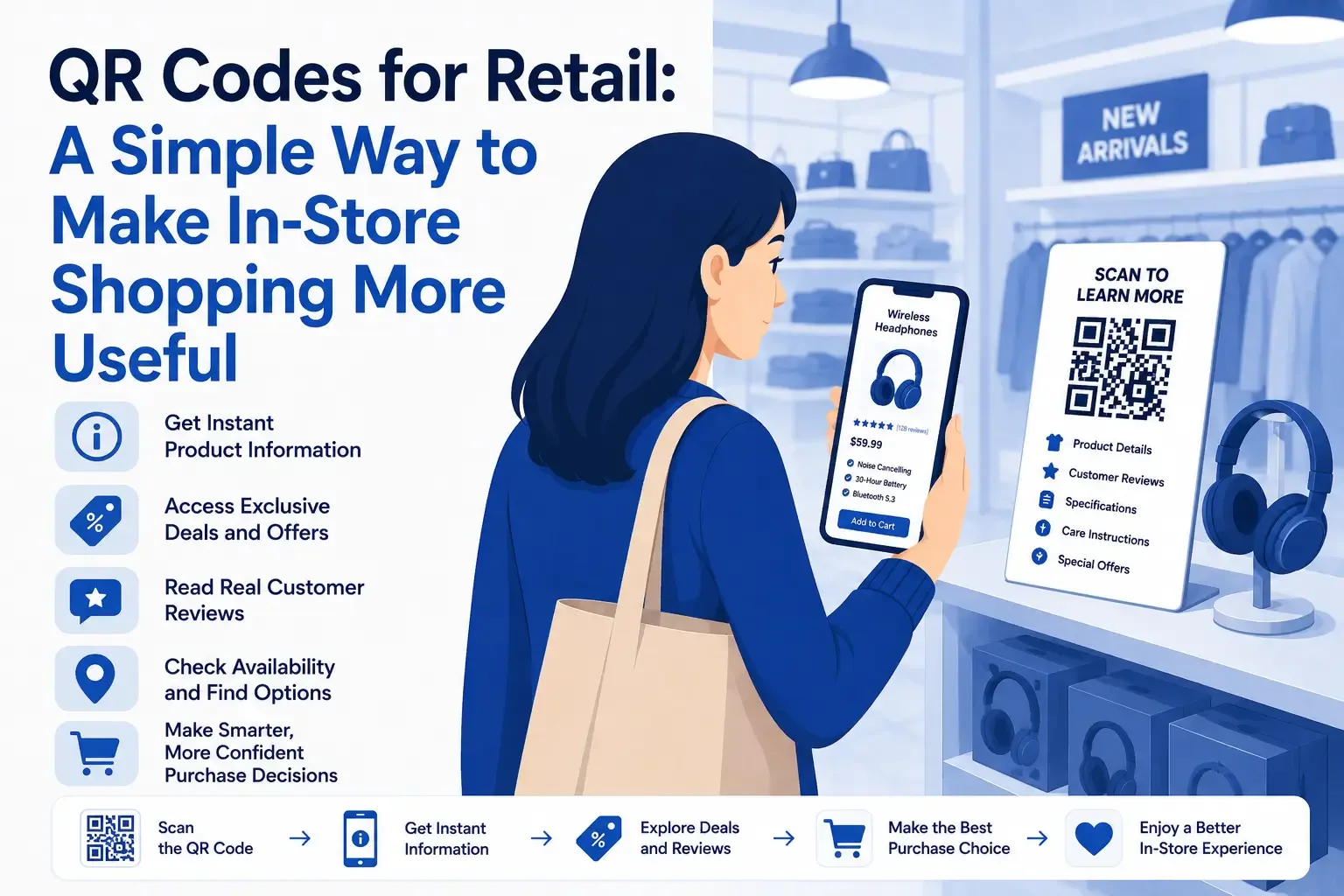
Physical stores give shoppers something online stores cannot fully reproduce: the ability to see, compare, and experience products before buying them.
However, online shopping often provides more information.
Customers can read reviews, compare specifications, watch product demonstrations, check stock, and explore different variations from a single page. Inside a store, that same information may be difficult to find.
QR codes help retailers bring those digital advantages into the physical shopping environment.
By placing a QR code beside a product, on a display, or directly on packaging, retailers can give customers instant access to useful information through their smartphones.
Why QR Codes Make Sense in Retail
Retail customers frequently have questions while browsing.
They may want to know whether a product is available in another size, how it should be used, or what other customers think about it. A shelf label may not provide enough detail, and an employee may not always be nearby.
QR codes offer a convenient alternative.
They can help retailers:
- Share additional product details
- Display reviews and ratings
- Promote discounts
- Check stock availability
- Provide tutorials or demonstrations
- Connect customers with online ordering
- Encourage loyalty program registrations
A QR code does not need to replace traditional signs or personal service. It simply gives customers another way to find what they need.
Giving Customers Better Product Information
Packaging and shelf labels have limited space.
While they can display essential details, they may not be able to include full specifications, instructions, or comparisons.
A product QR code can lead customers to:
- Complete product descriptions
- Technical specifications
- Ingredients or materials
- Available sizes and colors
- Care instructions
- Compatibility information
- Demonstration videos
- Customer reviews
Retailers can use QRColor to create product-linked QR codes and direct shoppers to specific pages, videos, guides, or other helpful resources.
The linked content should be closely related to the item beside the code. Customers should receive the information they expect without needing to search through an entire website.
Supporting More Confident Purchases
Customers often hesitate when they cannot answer a specific question about a product.
A shopper may like an electronic device but need to confirm whether it works with an existing accessory. Someone buying clothing may want to know whether another size can be ordered. A customer considering a household product may need dimensions or setup instructions.
QR codes make those answers easier to access.
This can reduce uncertainty and help customers decide whether the product fits their needs.
Even when the shopper chooses not to buy, providing clear and useful information can create a more positive impression of the store.
Turning Promotions Into Immediate Opportunities
Promotional signs can attract attention, but QR codes allow customers to act on an offer immediately.
A retailer might use a promotional QR code to provide:
- A digital discount coupon
- A limited-time deal
- A product bundle
- A free sample registration
- A loyalty program sign-up
- A contest entry
- An exclusive in-store promotion
The text beside the code should clearly describe the benefit.
Calls to action such as “Scan to claim this offer” or “Scan to receive your coupon” are more useful than placing an unexplained QR code on a poster.
Customers are more likely to scan when the value is obvious.
Connecting Store Visits With Online Purchases
Not every in-store visit ends with an immediate purchase.
A shopper may want to think about the product, compare it with other options, or order a variation that is unavailable in the store.
QR codes can give customers a way to continue the shopping journey online.
They can be used to:
- Check inventory at another location
- Order a different size, color, or model
- Add the product to an online cart
- Save the item for later
- Share the product with another person
- Arrange delivery or store pickup
This can help retailers retain customer interest even when the desired product is not available on the shelf.
Instead of leaving without a next step, the customer can continue directly from their phone.
Helping Shoppers Discover Related Products
QR codes can also support product discovery.
A shopper examining one item may be interested in accessories, complementary products, or alternatives. A QR code can introduce those options without requiring additional shelf space.
For example:
- A furniture code could show matching décor
- A clothing code could display styling ideas
- A kitchen product code could link to recipes
- A beauty product code could recommend related items
- An electronics code could show compatible accessories
These recommendations should feel helpful rather than intrusive.
The goal is to improve the customer’s understanding of the product and show how it can fit into a wider purchase.
Making Product Comparisons Easier
Choosing between similar products can be difficult, especially when packaging uses different terms or highlights different features.
QR codes can link to comparison pages that present the differences clearly.
A comparison guide might show:
- Features
- Prices
- Sizes
- Materials
- Intended uses
- Warranty details
- Compatibility
This can be especially useful for electronics, appliances, beauty products, tools, and other categories where customers often need to evaluate several options.
Providing a simple comparison may be more useful than asking customers to read several packages and remember every detail.
Improving Store Navigation
QR codes can help customers with more than product information.
They can also make stores easier to navigate.
Retailers may use them to provide:
- Digital store maps
- Department directories
- Product location tools
- Pickup instructions
- Delivery information
- Store service details
- Return and exchange policies
This is particularly valuable in large retail locations, but smaller stores can also use QR codes to explain services or answer common questions.
Supporting Store Employees
Retail employees often answer the same basic questions repeatedly.
QR codes can make routine information available while staff focus on customers who need personalized help.
For example, a customer can scan a code to check specifications or availability. An employee can then spend more time providing recommendations, explaining complex products, or resolving specific concerns.
This does not remove human interaction from the store.
It creates a better balance between self-service and personal assistance.
Making Product Demonstrations Available Anytime
Some products are easier to understand when customers can see them in use.
A QR code can link to a short video showing:
- How the product works
- How it should be assembled
- How it can be styled
- How it compares with another model
- How it should be cleaned or maintained
Unlike an in-store demonstration, a video is available whenever the customer wants to view it.
This can be especially useful for products that require explanation but do not justify a permanent demonstration area.
Continuing the Experience After Checkout
Retail QR codes can remain useful after the sale.
Codes placed on receipts, packaging, instruction cards, or shopping bags can direct customers to:
- Digital manuals
- Setup instructions
- Warranty registration
- Troubleshooting resources
- Customer support
- Replacement parts
- Reordering options
- Related products
This gives customers a convenient source of help and reduces the chance that important information will be lost.
It can also improve satisfaction by making the product easier to use after purchase.
Encouraging Feedback and Customer Loyalty
QR codes can provide a simple way for retailers to stay connected with customers.
After a purchase, a code could invite the shopper to:
- Leave a review
- Complete a short survey
- Join a rewards program
- Receive a future discount
- Subscribe to store updates
- Follow the brand online
The process should be quick and mobile-friendly.
Customers are less likely to complete a long form or navigate through several pages. A clear request and a simple destination create a better response.
Choosing the Right Places for Retail QR Codes
Placement should match the purpose of the code.
Useful locations include:
- Shelf labels
- Product displays
- Price tags
- Product packaging
- Store windows
- Promotional signs
- Checkout areas
- Receipts
- Shopping bags
A code on a shelf may provide product specifications. One in a window may lead to an online catalog. A code at the checkout could promote loyalty registration or feedback.
The placement should feel natural within the customer journey.
How to Create a Better Scanning Experience
A useful destination is only one part of a successful QR code.
Retailers should also consider how easily customers can scan and use it.
Add clear instructions
Tell customers what the code does. Use phrases such as “Scan for details,” “Check stock,” or “Watch the demonstration.”
Use a suitable size
The QR code should be large enough to scan comfortably from its intended distance.
Maintain strong contrast
Dark codes on light backgrounds generally offer better scan reliability.
Leave space around the code
Crowded graphics or text can interfere with scanning.
Use mobile-friendly pages
The destination should load quickly and be easy to read on a smartphone.
Test before launch
Scan every code using different devices and under the lighting conditions found in the store.
Keep destinations updated
Retailers should review links regularly, especially when codes are connected to promotions, seasonal products, or changing inventory.
QR Codes for Independent Retailers
Small shops can use QR codes just as effectively as larger brands.
In some cases, they can use them to tell more distinctive and personal stories.
An independent retailer might link to:
- The story behind a handmade item
- Information about a local producer
- A video from the product creator
- Recipes or usage ideas
- Care recommendations
- Styling inspiration
These details can help customers understand what makes the product special.
Because QR codes are inexpensive and easy to add to labels or displays, they offer small businesses a practical way to provide richer product experiences.
Avoiding Common Retail QR Code Mistakes
Retail QR codes become frustrating when they create more work for the customer.
Common mistakes include:
- Linking to a general homepage
- Using vague calls to action
- Sending shoppers to slow pages
- Printing codes too small
- Placing them in difficult-to-scan locations
- Leaving expired promotions active
- Linking to pages that are not mobile-friendly
Every scan should lead to something relevant and useful.
If the customer has to search for the information after scanning, the code has not served its purpose.
Conclusion
QR codes for retail can make physical stores more informative and connected.
They help customers access product details, explore promotions, compare options, check availability, and continue shopping online. They can also support employees, simplify post-purchase assistance, and encourage long-term customer engagement.
The technology itself is simple. The real value comes from choosing the right content and presenting it at the right moment.
When a QR code answers a question or provides a useful next step, it becomes more than a square printed on a label.
It becomes part of a better shopping experience.